Loading...
Loading...
Loading...
Loading...
Loading...
Loading...
Loading...
Loading...
Loading...
Loading...
Loading...
Loading...
Loading...
Loading...
Loading...
Loading...
Loading...
Loading...
Loading...
Loading...
Loading...
Loading...
Loading...
Loading...
Loading...
Loading...
Loading...
Loading...
Loading...
Loading...
Loading...
Loading...
Loading...
Loading...
Loading...
Loading...
Loading...
Loading...
Loading...
Loading...
Loading...
Loading...
Loading...
Loading...
Loading...
Loading...
Loading...
Loading...
Loading...
Loading...
Loading...
Loading...
Loading...
Loading...
Loading...
Loading...
Loading...
Loading...
Loading...
Loading...
Loading...
Loading...
Loading...
Loading...
Loading...
Loading...
Loading...
Loading...
Loading...
Loading...
Loading...
Loading...
Loading...
Loading...
Loading...
Loading...
Loading...
Loading...
Loading...
Loading...
Loading...
Loading...
Loading...
Loading...
Loading...
Loading...
Loading...
Loading...
Loading...
Loading...
Loading...
Loading...
Loading...
Loading...
Loading...
Loading...
Loading...
Loading...
Loading...
Loading...
These sections detail a variety of information on OIDs, codes, tips & taxes and more.
Reference Section
Information Available
For modular management of device functions, information, and settings, this standard makes extensive use of Object Identifiers (also known as Object IDs or OIDs) as defined in ITU-T X.660 | ISO/IEC 9834-1.
Every exchange with the DynaFlex II PED — the commands you send and the responses and notifications it returns — uses the standard Multi-Interface Card Reader Platform (MMS) message format. This section defines how requests, responses, notifications, and file messages are framed and parsed. The format is the same across Dyna-family readers and is documented once in the shared reference.
For all tDynamo (Gen I, II) documentation, including programmer’s manuals, the technical reference manual, software/SDKs, and warranty info, please visit the official tDynamo (Gen I, II) Support Page:
For all DynaPro Go documentation, including programmer’s manuals, the technical reference manual, software/SDKs, and warranty info, please visit the official DynaPro Go Support Page:
This document provides instructions for software developers who want to create software solutions that include a MagTek Secure Card Reader / Authenticator (SCRA) device connected to a Windows PC, Windows tablet device or Windows Phone mobile device.
Custom Windows software installed on a host PC can communicate with MagTek SCRA devices via the Audio/Headset Interface, Bluetooth, Bluetooth LE, or USB using the MTSCRA library.
The supported platforms for .NET projects include Windows 7, Windows 8/8.1, and Windows 10. The
.NET project should contain references to these files: MTSCRANET.dll and MTLIB.dll.
For Universal Windows projects, the supported platforms include all Windows 10 devices. The Universal/Windows Store project should contain references to MTSCRAUWP.dll file.
Custom software can use the sendCommandToDevice method to send direct commands to the devices. This section provides information about commonly used commands.
To send a Discovery command to device, use:
Parameters: Use “C10206C20503840900” as command string for audio readers.
Return Value:
The following device information will be retrieved.
Device SN, internal: Device serial number created by chip manufacturer. Use getDeviceSerial method to retrieve data.
Device SN, MagTek: Device serial number created by MagTek. Use getDeviceSerialMagTek method to retrieve data.
Device Firmware Part Number: Device firmware part number. Use getFirmware method to retrieve data.
Device Model Name: Device model name. Use getDeviceName method to retrieve data. Device TLV Version: Device TLV version. Use getTLVVersion method to retrieve data.
Device Part Number: Device part number. Use getDevicePartNumber method to retrieve data. Capability - MSR: 0 = No MSR, 1 = MSR. Use getCapMSR method to retrieve data.
This section gives the format of the data for the Online Processing Result / Acquirer Response message. This request is sent to the reader in response to an ARQC Message notification from the reader. The output is controlled by Property 0x68 – EMV Message Format. There are currently 2 selectable formats: Original and DynaPro. It is a TLV object with the following contents.
Original format:
DynaPro format:
public interface IMTCardData
{
public byte[] getData();
public String getMaskedTracks(); public String getTrack1();
public String getTrack2(); public String getTrack3();
public String getTrack1Masked(); public String getTrack2Masked(); public String getTrack3Masked(); public String getMagnePrint(); public String getMagnePrintStatus(); public String getDeviceSerial(); public String getSessionID();
public String getKSN();
public String getDeviceName(); public void clearBuffers(); public long getBatteryLevel(); public long getSwipeCount();
public String getCapMagnePrint();
public String getCapMagnePrintEncryption(); public String getCapMagneSafe20Encryption(); public String getCapMagStripeEncryption(); public String getCapMSR();
public String getCapTracks(); public long getCardDataCRC(); public String getCardExpDate(); public String getCardIIN(); public String getCardLast4(); public String getCardName(); public String getCardPAN(); public int getCardPANLength();
public String getCardServiceCode(); public String getCardStatus(); public int getDataFieldCount(); public String getHashCode();
public String getDeviceConfig(String configType); public String getEncryptionStatus();
public String getFirmware();
public String getMagTekDeviceSerial(); public String getResponseType();
public String getTagValue(String tag, String data); public String getTLVVersion();
public String getTrackDecodeStatus();
public String getTLVPayload();
public String getMessageID(); public boolean isQwantumCard(); public boolean isQwantumBuffer();
public boolean isCustomerMessage();
String getMSRDUKPTKeySerialNumber(); String getMSRDUKPTKeyInfo();
String getMPDUKPTKeySerialNumber(); String getMPDUKPTKeyInfo();
public String getTokenDUKPTKeySerialNumber(); public String getTokenDUKPTKeyInfo();
public String getQwantumStatus(); public String getQwantumToken(); public String getQwantumCardID();
public String getEncryptedQwantumDataBuffer(); public String getMACDUKPTKeyInfo();
public String getMACMessageLength(); public String getMAC();
public String getCustomerMessageCode(); public String getCustomerMessageText();
public String getEncryptedSCDE();
public String getSCDEDUKPTKeySerialNumber(); public String getSCDEDUKPTKeyInfo();
To develop an iOS app using the MTSCRA SDK, follow the setup steps in section 2 How to Set Up the MTSCRA SDK, then create an instance of the MTSCRA object in your software project, then call the functions described in this chapter to communicate with the device. For sample code that demonstrates how to use these functions, see the contents of the MTSCRA Demo folder included with the SDK.
Generally, these functions will run in one of two modes:
Asynchronous functions will return data using the event handlers (callback functions) defined in section 5 MTSCRA Delegate Methods.
Synchronous functions will return requested data immediately in the function’s return value. If the requested data is not available immediately, synchronous calls will generally block until a specified wait time has elapsed.
Most calls that wait for input from the user will run in the asynchronous mode.
Capability - TRACKS:
0 = Supported tracks: None.
1 = Supported tracks: Track1.
2 = Supported tracks: Track2.
3 = Supported tracks: Track1, Track2.
4 = Supported tracks: Track3.
5 = Supported tracks: Track1, Track3.
6 = Supported tracks: Track2, Track3.
7 = Supported tracks: Track1, Track2, Track3.
Use getCapTracks method to retrieve data.
Capability - MagStripe Encryption: 0 = No Encryption, 1 = TripDES DUKPT. Use getCapMagStripeEncryption method to retrieve data.
F9<len>/* container for ARQC Response data */
DFDF25 (IFD Serial Number)<len><val>
FA<len>/* Container for generic data */
70<len>/* Container for ARQC */
8A<len> approval
Further objects as needed...F9<len>/* container for MAC structure and generic data */
DFDF54 (MAC KSN)<len><val>
DFDF55 (Mac Encryption Type><len><val>
DFDF25 (IFD Serial Number)<len><val>
FA<len>/* Container for generic data */
70<len>/* Container for ARQC */
8A<len> approval
Further objects as needed... (ARQC padding, if any, to be a multiple of 8 bytes)
CBC-MAC (4 bytes, use MAC variant of MSR DUKPT key that was used in ARQC request, from
message length up to and including ARQC padding, if anyThis section gives the format of the ARQC Message delivered in the ARQC Message notification. The output is controlled by Property 0x68 – EMV Message Format. There are currently 2 selectable formats: Original and DynaPro. It is a TLV object with the following contents.
Original Format:
FD<len>/* container for generic data */
DFDF25(IFD Serial Number)<len><val>
FA<len>/* container for generic data */
<tags defined by DFDF02 >
. Note: Sensitive Data cannot be defined in DFDF02
.
DFDF4D(Masked T2 ICC Data)
DFDF52 - Card Type Used
F8<len>/* container tag for encrypted data */
DFDF56(Encrypted Transaction Data KSN)<len><val>
DFDF57(Encrypted Transaction Data Encryption Type)<val>
FA<len>/* container for generic data */
DF30(Encrypted Tag 56 TLV, T1 Data)<len><val>
DF31(Encrypted Tag 57 TLV, T2 Data)<len><val>
DF32(Encrypted Tag 5A TLV, PAN)<len><val>
DF35(Encrypted Tag 9F1F TLV, T1 DD)<len><val>
DF36(Encrypted Tag 9F20 TLV, T2, DD)<len><val>
DF37(Encrypted Tag 9F61 TLV, T2 CVC3)<len><val>
DF38(Encrypted Tag 9F62 TLV, T1,PCVC3)<len><val>
DF39(Encrypted Tag DF812A TLV, T1 DD)<len><val>
DF3A(Encrypted Tag DF812B TLV, T2 DD)<len><val>
DF3B(Encrypted Tag DFDF4A TLV, T2 ISO Format)<len><val>
DF40(Encrypted Value only of DFDF4A, T2 ISO Format)<len><val>DynaPro Format:
The Value inside tag DFDF59 is encrypted and contains the following after decryption:
FC<len>/* container for encrypted generic data */
<tags defined by DFDF02 >
.
public void sendCommandToDevice(string command)F9<len>/* container for MAC structure and generic data */
DFDF54(MAC KSN)<len><val>
DFDF55(MAC Encryption Type)<len><val>
DFDF25(IFD Serial Number)<len><val>
FA<len>/* container for generic data */
70<len>/*container for ARQC */
DFDF53<len><value>/*fallback indicator */
5F20<len><value>/*cardholder name */
5F30<len><value>/*service code */
DFDF4D<len><value>/* Mask T2 ICC Data */
DFDF52<len><value>/* card type */
F8<len>/*container tag for encryption */
DFDF59(Encrypted Data Primitive)<len><Encrypted Data val (Decrypt data to read tags)>
DFDF56(Encrypted Transaction Data KSN)<len><val>
DFDF57(Encrypted Transaction Data Encryption Type)<val>
DFDF58(# of bytes of padding in DFDF59)<len><val>
(Buffer if any to be a multiple of 8 bytes)
CBC-MAC (4 bytes, always set to zeroes)All messages exchanged between the host and the device are formatted using the tag-length-value Distinguished Encoding Rules (DER).
Each message type follows a specific structure described on this page.
Reference Section
Information Available
The host and the device communicate with each other by exchanging blocks of data called Messages, which are standardized wrappers containing a payload that is either a command Request, a command Response, an unsolicited Notification, or a File.
Barcode symbology refers to the way in which data is encoded in a barcode. It uses either spaced lines, dots or squares.
This section will help erase already existing EMV configurations.
These are the display limits that are supported.
DynaFlex II SCR features a single physical button. Pressing and holding this button can activate additional functions on the device.
This Quickstart takes you from an unopened DynaFlex II Go to a completed test transaction.
Your DynaFlex II Go unit
USB Cable (or a Bluetooth LE-capable host)
Your platform's SDK or the Web demo for sending commands
See SDKs & Tools
Test keys injected, if you intend to decrypt output
See Security & Key Management
Every exchange with the DynaFlex II Go— the commands you send and the responses and notifications it returns — uses the standard Multi-Interface Card Reader Platform (MMS) message format. This section defines how requests, responses, notifications, and file messages are framed and parsed. The format is the same across DynaFamily readers and is documented once in the shared reference.
Reference Section
Information Available
The host and the device communicate with each other by exchanging blocks of data called Messages, which are standardized wrappers containing a payload that is either a command Request, a command Response, an unsolicited Notification, or a File.
Every exchange with the DynaProx — the commands you send and the responses and notifications it returns — uses the standard Multi-Interface Card Reader Platform (MMS) message format. This section defines how requests, responses, notifications, and file messages are framed and parsed. The format is the same across DynaFamily readers and is documented once in the shared reference.
Reference Section
Information Available
The host and the device communicate with each other by exchanging blocks of data called Messages, which are standardized wrappers containing a payload that is either a command Request, a command Response, an unsolicited Notification, or a File.
These sections detail a variety of information on OIDs, codes, tips & taxes and more.
Reference Section
Information Available
For modular management of device functions, information, and settings, this standard makes extensive use of Object Identifiers (also known as Object IDs or OIDs) as defined in ITU-T X.660 | ISO/IEC 9834-1.
The DynaFlex Family resource hub provides documentation, software, and developer tools for a line of PCI PTS POI certified Secure Card Reader Authenticators (SCRAs) designed for modern, omni‑channel payment environments. The family includes the base DynaFlex, the DynaFlex Pro with a color touchscreen display, and the DynaFlex BCR with barcode scanning, all of which accept magnetic stripe, EMV® contact chip, EMV contactless, and NFC contactless payments (Apple Pay®, Google Pay™, Samsung Pay®) along with 1D/2D barcode scanning. Connectivity options include USB, Bluetooth® LE, and 802.11 wireless networking, all backed by MagTek’s MagneSafe® Security Architecture with AES‑256 encryption and DUKPT key management.
Welcome to the resource hub for the Tap to Pay on iPhone API, a software-based solution that transforms a compatible iPhone into a secure contactless payment terminal. Leveraging the iPhone’s built-in NFC technology, it allows merchants to accept all forms of in-person contactless payments, including physical debit and credit cards, Apple Pay, and other digital wallets, without any additional hardware. Available through the MagTek Virtual Reader iOS SDK, this API is designed for developers to integrate directly into their own payment applications. This section provides all the documentation, software, and developer tools needed to successfully integrate, manage, and support the Tap to Pay on iPhone API within your iOS ecosystem.
This page provides comprehensive documentation for the iDynamo 5 Gen III secure card reader authenticator (SCRA), including developer guides, user manuals, and security policies to support integration and operation across iOS, Android, and Windows platforms.
Reference Section
Information Available
This page provides comprehensive developer documentation for the iDynamo 5 Gen III, including programmer’s manuals, demo guides, and SDK references.
Get stored key serial number. This 10-byte Binary field contains the DUKPT Key Serial Number used to encrypt the encrypted fields in this message. This 80-bit field includes the Initial Key Serial Number in the leftmost 59 bits and a value for the Encryption Counter in the rightmost 21 bits. If no keys are loaded, all bytes will have the value 0x00.
public string getKSN()
Parameters: None Return Value:
Return stored key serial number.
Get device model name.
public string getDeviceName()
Parameters: None
Return Value:
Return device model name.
Clears buffered data retrieved from the reader.
public void clearBuffers()
Parameters: None
Return Value: None
Retrieves battery level.
public long getBatteryLevel()
Parameters: None Return Value:
Battery Level (0 to 100)
Retrieves swipe count.
public long getSwipeCount()
Parameters: None
Return Value:
Long value representing swipe count. If the value is less than zero, it indicates the device does not support tracking of the number of card swipes.
Retrieves MagnePrint Capabilities.
public string getCapMagnePrint()
Parameters: None Return Value:
String representing MagnePrint capabilities:
0 = No MagnePrint,
1 = Short MagnePrint,
2 = Long MagnePrint
Retrieves MagnePrint Encryption Capabilities.
public string getCapMagnePrintEncryption()
Parameters: None Return Value:
String representing MagnePrint Encryption capabilities:
0 = No Encryption,
1 = Same as MagStripe (8122), other values TBD.
If absent, the default value is 1.
Retrieves MagneSafe 2.0 Encryption Capabilities.
public string getCapMagneSafe20Encryption ()
Parameters: None
Return Value:
String representing MagneSafe 2.0 Encryption Capabilities. 0 = Not supported, other values TBD.
Retrieves MagneStripe Encryption Capabilities.
public string getCapMagStripeEncryption()
Parameters: None Return Value:
String representing MagStripe Encryption Capabilities. 0 = No Encryption, 1 = TDES DUKPT / PIN Variant, other values TBD
Retrieves MSR Capabilities. public string getCapMSR() Parameters: None
Return Value:
String representing MSR Capabilities. 0 = No MSR, 1 = MSR.
Every exchange with the DynaFlex II SCR — the commands you send and the responses and notifications it returns — uses the standard Multi-Interface Card Reader Platform (MMS) message format. This section defines how requests, responses, notifications, and file messages are framed and parsed. The format is the same across Dyna-family readers and is documented once in the shared reference.
Reference Section
Information Available
The host and the device communicate with each other by exchanging blocks of data called Messages, which are standardized wrappers containing a payload that is either a command Request, a command Response, an unsolicited Notification, or a File.
Working with contactless cards and tags on the DynaFlex II SCR, the supported card technologies (NTag, MIFARE Ultralight, Classic, DESFire, Plus), how pass-through works, and NFC card emulation (DynaCast). This is shared DynaFamily content, documented once in the guide.
The DynaFlex II SCR uses the shared DynaFamily Multi-Interface Card Reader Platform (MMS) command set. This manual is a device-scoped map into the with the sections this device relies on linked below.
How the DynaFlex II SCR protects cardholder data and manages keys. These are shared DynaFamily concepts, documented in the Guides Section:
These sections detail a variety of information on OIDs, codes, tips & taxes and more.
This page provides access to the essential documentation resources for developing with and managing the DynaFlex I PED secure card reader. Here you will find installation and operation manuals, subsidiary development manuals, software instructions and much more
These sections detail a variety of information on OIDs, codes, tips & taxes and more.
This page provides an overview of MagneSafe V5 Secure Card Reader Authenticators (SCRA), a family of encrypted card-reading devices that use MagnePrint® technology, strong encryption, and mutual authentication to securely capture, authenticate, and transmit cardholder data for payment and identity applications.
Explore MagTek’s magnetic stripe readers, ranging from check readers to OEM swipe modules and USB peripherals. Resources here include product datasheets, SDKs for Windows, iOS, Android, and Linux, configuration utilities, and troubleshooting guides. Whether you’re deploying a single reader or integrating at scale, this page helps you get the most from your magnetic stripe hardware.
Retrieves Track Capabilities.
public string getCapTracks()
Parameters: None Return Value:
String representing Track Capabilities:
Bit 0 = 1 / Track 1 supported,
Bit 1 = 1 / Track 2 supported,
The DynaFlex II SCR is a compact, countertop secure card reader authenticator (SCRA) that reads contact chip, contactless (NFC), and magnetic-stripe cards and encrypts cardholder data at the point of read (SRED). It connects over USB and uses the shared DynaFamily MMS command set, so everything you build against it is documented in the API & Command Reference and linked below.
Contact, contactless (NFC), and magnetic stripe card reading in one device
SRED point-to-point encryption at the moment of read (TDES / AES DUKPT)
This page provides resources for MagTek's MMS (MagTek Messaging Schema) Dyna device family, which includes secure card readers and PIN pads that communicate using the MMS command set. These devices support reading magnetic stripe, EMV® Contact Chip, EMV Contactless, NFC Mobile Wallets, Non-payment NFC technologies, and 1D/2D barcodes. Here you will find documentation covering device communication protocols, developer tools, and configuration guides for various Dyna device models.
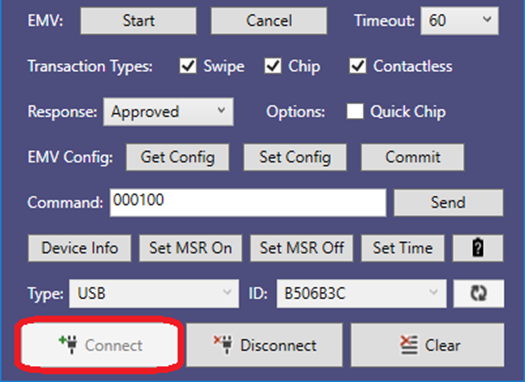
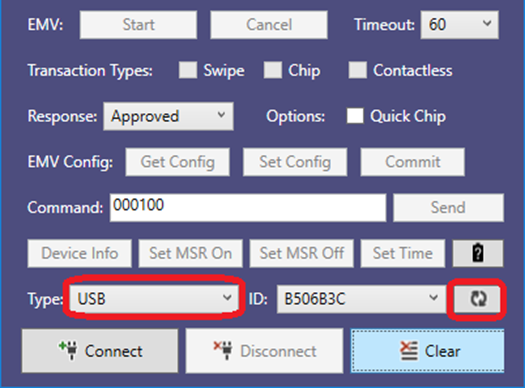
To connect via an interface listed in the Type box follow these steps:
Connect the device to the USB port of the Windows PC.
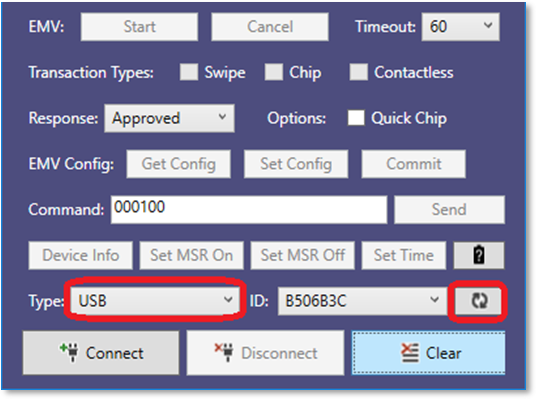
Launch the MTNET Demo, select USB as the device type in the Type list box, and press the Scan button to display a list of available devices.
Select the Device ID and press the Connect button to open the device.
For all iDynamo 5 (Gen I,II) documentation, including programmer’s manuals, the technical reference manual, software/SDKs, and warranty info, please visit the official iDynamo 5 (Gen I,II) Support Page:
When calling functions startScanningForPeripherals or openDevice, the application should make sure bleReaderStateUpdated has received a device status and that the most recent status was OK , otherwise the device will not be able to connect, and iOS will not throw any error if Bluetooth is not ready.
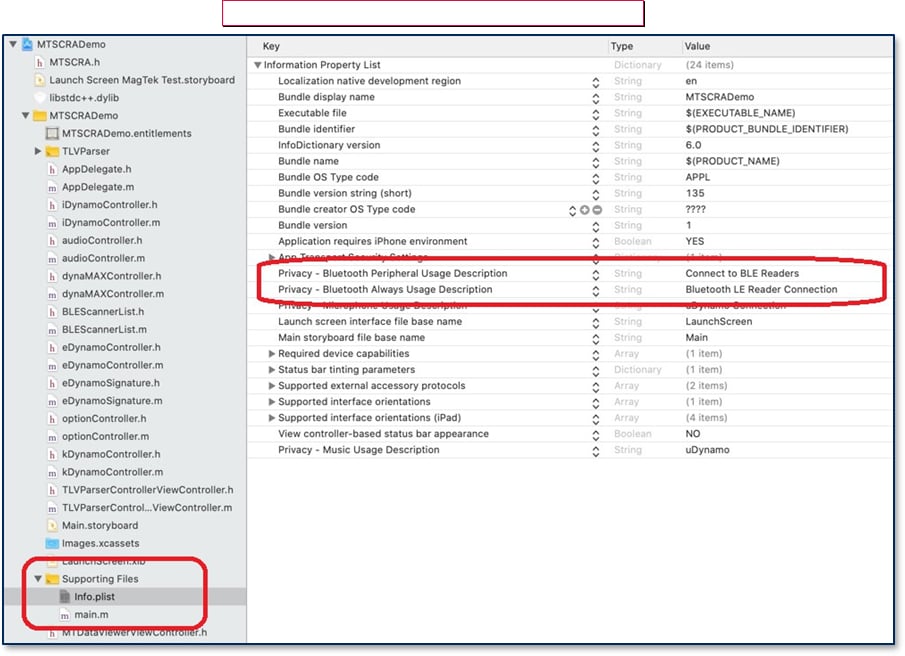
Starting in iOS 13, app projects must specify the Privacy Usage Description for Bluetooth by NSBluetoothAlwaysUsageDescription in the info.plist file. file. Accessing Core Bluetooth without the usage descriptions will cause a runtime crash. For backward compatibility with older versions of iOS, define NSBluetoothAlwaysUsageDescription as well.
To add the MTSCRA SDK libraries to a custom software project in the XCode development environment, follow these steps:
Download the MTSCRA Demo app from MagTek.com.
Open your custom software project in XCode.
Open the MTSCRA Demo app folder in Finder.
🕐 Hours: Monday-Friday, 5:30 AM - 5:00 PM PST
Online Resources:
🌐 Support Portal: developer.magtek.com
Documentation Feedback:
Help us improve this documentation! feedback@magtek.com
🕐 Hours: Monday-Friday, 5:30 AM - 5:00 PM PST
Online Resources:
🌐 Support Portal: developer.magtek.com
Documentation Feedback:
Help us improve this documentation! feedback@magtek.com
🕐 Hours: Monday-Friday, 5:30 AM - 5:00 PM PST
Online Resources:
🌐 Support Portal: developer.magtek.com
Documentation Feedback:
Help us improve this documentation! feedback@magtek.com
🕐 Hours: Monday-Friday, 5:30 AM - 5:00 PM PST
Online Resources:
🌐 Support Portal: developer.magtek.com
Documentation Feedback:
Help us improve this documentation! feedback@magtek.com
🕐 Hours: Monday-Friday, 5:30 AM - 5:00 PM PST
Online Resources:
🌐 Support Portal: developer.magtek.com
Documentation Feedback:
Help us improve this documentation! feedback@magtek.com
🕐 Hours: Monday-Friday, 5:30 AM - 5:00 PM PST
Online Resources:
🌐 Support Portal: developer.magtek.com
Documentation Feedback:
Help us improve this documentation! feedback@magtek.com
🕐 Hours: Monday-Friday, 5:30 AM - 5:00 PM PST
Online Resources:
🌐 Support Portal: developer.magtek.com
Documentation Feedback:
Help us improve this documentation! feedback@magtek.com
🕐 Hours: Monday-Friday, 5:30 AM - 5:00 PM PST
Online Resources:
🌐 Support Portal: developer.magtek.com
Documentation Feedback:
Help us improve this documentation! feedback@magtek.com
Retrieves CRC from card data.
public long getCardDataCRC()
Parameters: None Return Value:
Card data CRC
Retrieves CRC from card data.
public string getCardExpDate ()
Parameters: None Return Value:
String representing card expiration date.
Retrieves Issuer Identification Number (IIN) from card data.
public string getCardIIN()
Parameters: None
Return Value: String representing card IIN.
Retrieves Last 4 digits of card number from card data.
public string getCardLast4()
Parameters: None
Return Value:
String representing card last 4 digits.
Retrieves card name from card data.
public string getCardName()
Parameters: None Return Value:
String representing card name.
Retrieves PAN from card data.
public string getCardPAN()
Parameters: None
Return Value: String representing card PAN.
Retrieves PAN length from card data.
public int getCardPANLength()
Parameters: None
Return Value: PAN length.
Retrieves Service Code.
public string getCardServiceCode()
Parameters: None
Return Value: String representing service code.
Retrieves the card status.
public string getCardStatus()
Parameters: None Return Value:
String representing the card status.
Card Status
This is a string value which indicates the card status. The following table defines the possible values.
Value
Description
00
The card was swiped in the withdrawal direction.
01
The card was swiped in the insertion direction.
Set device type and connection type.
Wait for callback bleReaderStateUpdated(), and then call startScanningForPeripheral().
Wait for onDeviceList() callback. Here you can call getDiscoveredPeripherals().
Select the device in the list.
Open the device you want to connect.
Library will pair the device. After inputting passcode, device is ready to use.
self.lib.setConnectionType(UInt(BLE_EMV))
self.lib.setDeviceType(UInt32(MAGTEKEDYNAMO))func bleReaderStateUpdated(_ state: MTSCRABLEState) {
print("readerStateUpdated - ", state)
if (state == 0) {
// dispatch in main queue is very important
DispatchQueue.main.asyncAfter(deadline: .now() + 0.1,
execute: {
self.lib.startScanningForPeripherals()
})
}
}
func onDeviceList(_ instance: Any!, connectionType: UInt, deviceList:
[Any]!) {
let devices = deviceList as! [MTDeviceInfo]
devList.removeAll()
let peripherals = self.lib.getDiscoveredPeripherals()
print(peripherals as Any)
...
}
lib.stopScanningForPeripherals()
lib.setAddress(devList[selected].address)
lib.openDevice()After the tag is activated, send commands to and receive responses from a MIFARE Classic, MINI, or Plus SL1 (Type 2) tag.
Send commands to and receive responses from a MIFARE DESFire (Type 4) tag.
Send commands to and receive responses from a MIFARE Plus (Type 2) tag.
Exchange raw ISO 14443-4 APDUs with any card that supports the protocol.
Enter or leave contactless pass-through mode.
Start or stop the reader polling for a contactless card.
The device will prepare card emulation with the parameters provided in the command and start card emulation.
Reference Section
Information Available
Send commands to and receive responses from an NTag or MIFARE Ultralight (Type 2) tag.
How MMS requests, responses, and notifications are framed and parsed.
The shared TLV and EMV objects the commands carry.
The MMS command set, scoped to the SCR, with a supported-commands view.
Asynchronous messages the SCR sends during transactions, device events, and firmware updates.
Configurable properties and parameters.
Result and error codes the device returns.
Security & Keys --> How the SCR protects data and manages keys: DUKPT (3DES→AES), MAC, KSNs, encryption/decryption, and the PCI requirements like the 24-hour reset and device lock.
Compliance--> The SCR's PCI PTS POI security policy, certifications, and the regulatory documentation for deployment.
NFC/MIFARE -->Working with contactless cards and tags — NFC/MIFARE pass-through and the supported card technologies (NTag, Classic, DESFire, Plus).
Reference Section
Information Available
The full device Command matrix, if you're building for more than one Dyna reader.
What a KSN is, how it's structured, and how it identifies the unique key used to encrypt a given transaction under DUKPT.
How a MAC lets the host and device confirm a message hasn't been altered in transit, and when one is required.
How the reader encrypts data at the point of read (SRED), how to determine which key was used, and how to decrypt the output on your host.
The ANSI TR-31 key-block format used to transport and load keys securely into the device.
The operational requirements the device enforces for PCI compliance: the 24-hour automatic reset and the device lock feature.
Reference Section
Information Available
This section covers how DynaFamily readers protect cardholder data and manage keys.
Reference Section
Information Available
How DUKPT derives a unique key per transaction, and the path (and reasons) for moving from legacy 3DES/TDEA DUKPT to AES DUKPT on your devices and host.
This section will help erase already existing EMV configurations.
)
These are the display limits that are supported.
DynaFlex II SCR features a single physical button. Pressing and holding this button can activate additional functions on the device.
Reference Section
Information Available
For modular management of device functions, information, and settings, this standard makes extensive use of Object Identifiers (also known as Object IDs or OIDs) as defined in ITU-T X.660 | ISO/IEC 9834-1.
Barcode symbology refers to the way in which data is encoded in a barcode. It uses either spaced lines, dots or squares.
This universal compliance and security documentation page provides the essential security and inspection guides required to maintain and ensure the physical integrity of MagTek products before and after deployment.
Marketing Materials holds the non-technical collateral for MagTek readers — product brochures, spec sheets, data sheets, and product catalogs — for sales, marketing , evaluation, and reference.
Description
Summary
The complete reference for planning, installing, configuring, operating, and maintaining DynaFlex II PED, plus pointers for developers building custom software.
This section will help erase already existing EMV configurations.
DynaFlex II SCR features a single physical button. Pressing and holding this button can activate additional functions on the device.
Reference Section
Information Available
For modular management of device functions, information, and settings, this standard makes extensive use of Object Identifiers (also known as Object IDs or OIDs) as defined in ITU-T X.660 | ISO/IEC 9834-1.
Barcode symbology refers to the way in which data is encoded in a barcode. It uses either spaced lines, dots or squares.
Programmer’s manuals, installation guides, and developer tools for the tDynamo versatile three‑way card reader that handles magnetic stripe, EMV chip, and contactless/NFC payments in a small form‑factor.
Technical specifications, programmer’s references, installation and operation manuals, and software resources for the eDynamo secure card reader authenticator supporting magnetic stripe and EMV chip card transactions.
Programmer’s manuals, installation and operation guides, and SDKs for the DynaWave NFC contactless OEM module.
Product specifications, programmer’s manuals, installation guides, and compliance documentation for the DynaPro Mini handheld PIN entry device with secure magstripe and EMV chip reading.
Compatibility lists, programmer’s manuals, and SDKs for the uDynamo secure card reader that connects to a wide range of devices via its retractable headphone jack or USB.
Compliance documents, programmer’s manuals, and developer tools for the DynaPro Go handheld PIN entry device with magnetic stripe, EMV, and NFC card reading capabilities.
Product
Description
Programmer’s manuals, software/SDKs, and compliance documents for the iDynamo 6 secure card reader authenticator that accepts magnetic stripe, EMV contact, and optional NFC contactless payments.
Compliance documents, and programmer’s manuals for the iDynamo 5 Gen III card reader.
Programmer’s manuals, demo guides, and quick installation guides for the compact DynaMag magnetic stripe card reader.
Installation and operation manual, which includes MagnePrint® technology, for the compact Dynamag Duo secure card reader authenticator.
Programmer’s manuals, installation and operation manuals, and FAQs for the DynaPAD SCRA with an easy-to-use keypad and a 2-line x 16-digit LCD display.
MagTek Device Drivers (MTD) for Windows, technical reference manuals, and Windows driver programming manuals.
Product
Description
Installation and operation manuals, programmer’s references, and developer resources for the iDynamo secure card reader authenticator.
Optional barcode reader (BCR) for scanning outside a transaction
Compact countertop secure card reader authenticator (SCRA)
PCI PTS POI–approved SCRA for attended acceptance (no PIN entry — see the DynaFlex II PED for PIN debit)
Section
Description
The MMS command set scoped to the SCR: message format, commands, notifications, configuration, and status codes.
The commands the SCR supports, each linking into the shared reference.
Section
Description
The MMS command set scoped to the SCR: message format, commands, notifications, configuration, and status codes.
Brochures, programmer’s manuals, compliance documents, and software tools for the DynaFlex II PED, a PIN Entry Device.
Programmer's manuals, documentation, software, and FAQ videos for the portable DynaFlex II Go SCR, a Secure Card Reader.
Programmer’s manuals, and compliance documents for the DynaProx EMV Contactless, and NFC Contactless reader.
Programmer’s manuals, compliance documents, and software tools for the DynaFlex Pro/SCR (Gen I) PCI PTS POI certified Secure Card Reader Authenticators reader.
Product
Description
Programmer’s manuals, technical reference guides, software/SDKs, FAQs, and instructional videos for the DynaFlex II Secure Card Reader.
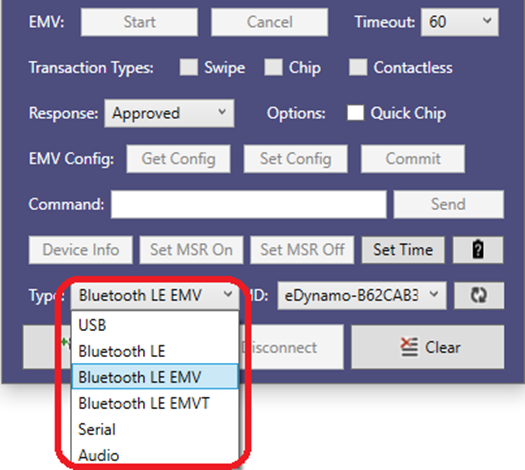
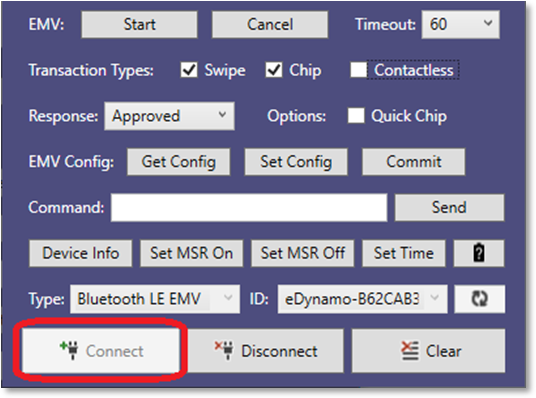
Pair the device to the Windows PC.
Launch the MTNET Demo and select either Bluetooth LC, Bluetooth LE EMV, or Bluetooth LE EMVT ass the device type in the devices. Type list box, press the Scan button to display a list of available devices.
Select the Device ID and press the Connect button to open the device.
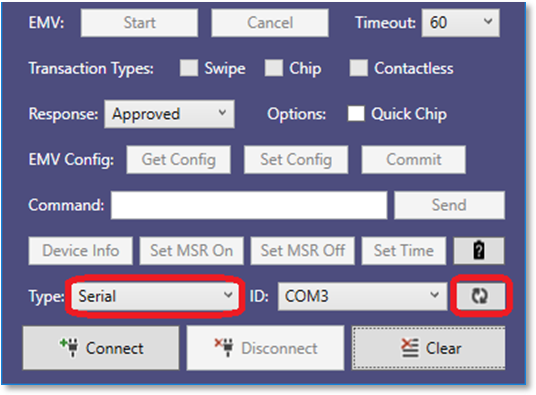
Pair the device to the Windows PC.
Launch the MTNET Demo and select Serial button to display type in the Type list box, press the Scan button to display a list of available Ports
Select the Device ID and press the Connect button to open the device.
Open the Lib subfolder.
Include the following files in your custom software project within XCode:
libMTSCRA.a
MTSCRA.h
Ensure the library search paths are set up correctly.
If you are writing an app that will connect to Bluetooth LE devices, see the additional steps section 3 Important Information About Bluetooth LE.
Clean, build, and run your custom software project to make sure the library imported correctly.) In your custom software, create an instance of MTSCRA. For examples, including how to register delegate functions in your app for callbacks, see the source code included with the MTSCRA Demo app and / or Appendix C Code Examples .
Begin using the features provided by the MTSCRA object’s methods. For details about these methods, see section 4 MTSCRA Functions
Add the following files to project, and setup the bridge header folder in build settings.
MTSCRA.H
MTSCRA-Bridge.h
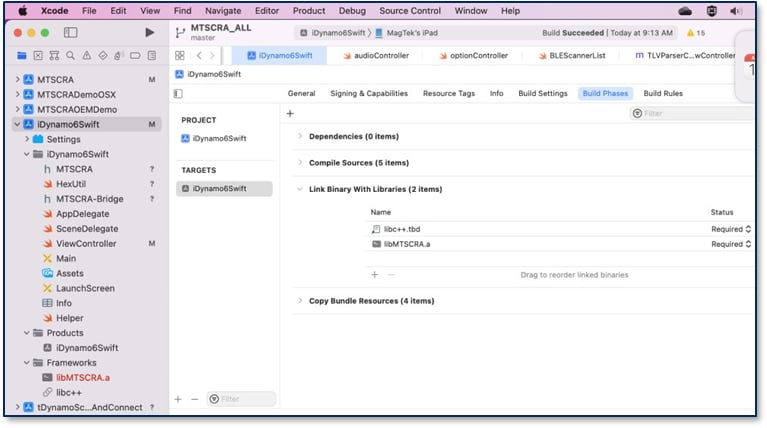
Add libMTSCRA.a, in build phases->Link Binary with libraries, click ‘+’, then select Add Files and browse to libMTSCRA.a.
Add libc++.tbd in build phases->Link Binary with libraries, click ‘+’, then type “c++” in the filter area and pick libc++.tbd.
After adding those two libraries, this will be in the project.
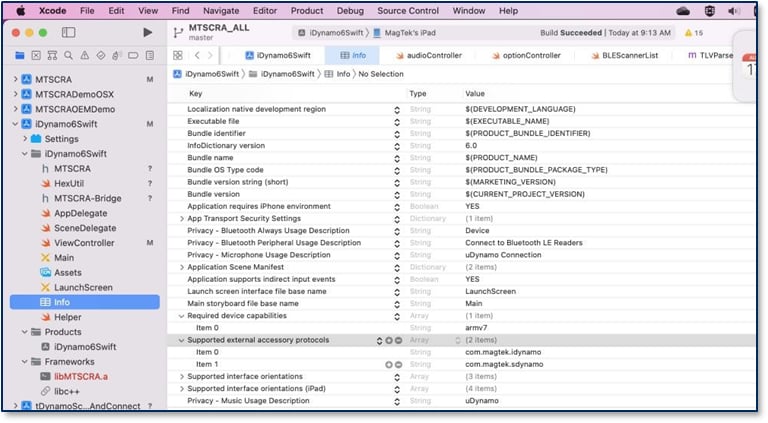
Add the external accessory protocols into info file. In the screen shot, it adds iDynamo5 and iDynamo6 with default protocols. Add your custom protocol if different.
Reference Section
Information Available
Basic mounting, setup, and connection guide.
All messages exchanged between the host and the device are formatted using the tag-length-value Distinguished Encoding Rules (DER).
Each message type follows a specific structure described on this page.
All messages exchanged between the host and the device are formatted using the tag-length-value Distinguished Encoding Rules (DER).
Each message type follows a specific structure described on this page.
Barcode symbology refers to the way in which data is encoded in a barcode. It uses either spaced lines, dots or squares.
This section will help erase already existing EMV configurations.
This page provides user manuals for the iDynamo 5 Gen III secure card reader, including comprehensive installation and operation guides.
All messages exchanged between the host and the device are formatted using the tag-length-value Distinguished Encoding Rules (DER).
Each message type follows a specific structure described on this page.
Working with contactless cards and tags on the DynaFlex II PED, the supported card technologies (NTag, MIFARE Ultralight, Classic, DESFire, Plus), how pass-through works, and NFC card emulation (DynaCast). This is shared DynaFamily content, documented once in the guide.
Reference Section
Information Available
Send commands to and receive responses from an NTag or MIFARE Ultralight (Type 2) tag.
Working with contactless cards and tags on the DynaFlex II Go, the supported card technologies (NTag, MIFARE Ultralight, Classic, DESFire, Plus), how pass-through works, and NFC card emulation (DynaCast). This is shared DynaFamily content, documented once in the guide.
Reference Section
Information Available
Send commands to and receive responses from an NTag or MIFARE Ultralight (Type 2) tag.
Working with contactless cards and tags on the DynaProx, the supported card technologies (NTag, MIFARE Ultralight, Classic, DESFire, Plus), how pass-through works, and NFC card emulation (DynaCast). This is shared DynaFamily content, documented once in the guide.
Reference Section
Information Available
Send commands to and receive responses from an NTag or MIFARE Ultralight (Type 2) tag.
To request a list of devices:
Create an MTSCRANET.MTSCRA object.
Set the connection type with setConnectionType().
Add a handler for OnDeviceList().
Call requestDeviceList().
To open multiple devices:
Create an MTSCRANET.MTSCRA object.
Set the connection type with setConnectionType().
Add a handler for OnDeviceList().
Call requestDeviceList().
This section gives the format of the data the device uses to do completion processing. The output is controlled by Property 0x68 – EMV Message Format. There are currently 2 selectable formats: Original and DynaPro. It is a TLV object with the following contents.
Original Format:
FE<len>/* container for generic data
*/ DFDF25(IFD Serial Number)<len><val>
FA<len>/* container for generic data */
F0<len>/* Transaction Results */
F1<len>/* container for Status Data */
… /* Status Data tags */
DFDF1A - Transaction Status (See DFDF1A descriptions)
DFDF1B - Additional Transaction Information (always 0)
DFDF52 - Card Type Used
F2<len>/* container for Batch Data */
… /* Batch Data tags defined in DFDF17 */
…/* Note: Sensitive Data cannot be defined in DFDF17*/
F3<len>/* container for Reversal Data, if any */
… /* Reversal Data tags defined in DFDF05 */
…/* Note: Sensitive Data cannot be defined in DFDF05*/
F7<len>/* container for Merchant Data */
… /* < Merchant Data tags */
F8<len>/* container tag for encrypted data */
DFDF56(Encrypted Transaction Data KSN)<len><val>
DFDF57(Encrypted Transaction Data Encryption Type)<val>
FA<len>/* container for generic data */
DF30(Encrypted Tag 56 TLV, T1 Data)<len><val>
DF31(Encrypted Tag 57 TLV, T2 Data)<len><val>
DF32(Encrypted Tag 5A TLV, PAN)<len><val>
DF35(Encrypted Tag 9F1F TLV, T1 DD)<len><val>
DF36(Encrypted Tag 9F20 TLV, T2, DD)<len><val>
DF37(Encrypted Tag 9F61 TLV, T2 CVC3)<len><val>
DF38(Encrypted Tag 9F62 TLV, T1,PCVC3)<len><val>
DF39(Encrypted Tag DF812A TLV, T1 DD)<len><val>
DF3A(Encrypted Tag DF812B TLV), T2 DD<len><val>
DF3B(Encrypted Tag DFDF4A TLV, T2 ISO Format)<len><val>
DF40(Encrypted Value only of DFDF4A, T2 ISO
Format)<len><val>0x00 = Approved
0x01 = Declined
0x02 = Error
0x10 = Cancelled by Host
0x1E = Manual Selection Cancelled by Host
0x1F = Manual Selection Timeout
0x21 = Waiting for Card Cancelled by Host
0x22 = Waiting for Card Timeout
0x23 = Cancelled by Card Swipe
0xFF = Unknown
DynaPro Format:
MMS notifications are the asynchronous messages the DynaFlex II SCR reader sends while a transaction is running, reporting progress, state changes, and completion. Find the Notification Group you are looking for below and follow the links in the table to jump to a specific notification.
Reference Section
Information Available
This notification reports information about progress and state changes that occur during a transaction.
To connect DynaMAX or eDynamo to a host with Windows 8.1 or higher and Bluetooth 4.0 hardware that supports Bluetooth LE, follow these steps:
If you are using an external Bluetooth adapter, install any required drivers and connect it to the host.
On the host, install and configure the software you intend to use with DynaMAX or eDynamo:
Make sure the host software is configured to look for the device on the proper connection.
Make sure the host software knows which device(s) it should interface with.
Make sure the host software is configured to properly interpret incoming data from the device. This depends on whether the device is configured to transmit data in GATT format or streaming format emulating a keyboard.
Make sure the DynaMAX’s batteries are installed and have adequate charge. If using eDynamo, make sure the device has an adequate charge.
Test the batteries by powering on the DynaMAX or eDynamo device. Provided the device is not already paired, the Bluetooth Status LED will flash blue every two seconds for up to 60 seconds until pairing is complete. If the Bluetooth Status LED is solid blue, the device is already paired with a host. Unpair from the host it is already paired with before continuing.
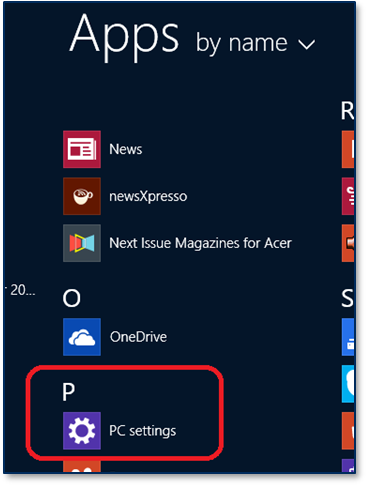
Enter app mode, scroll down to Apps by name , and launch the Windows PC Settings app.
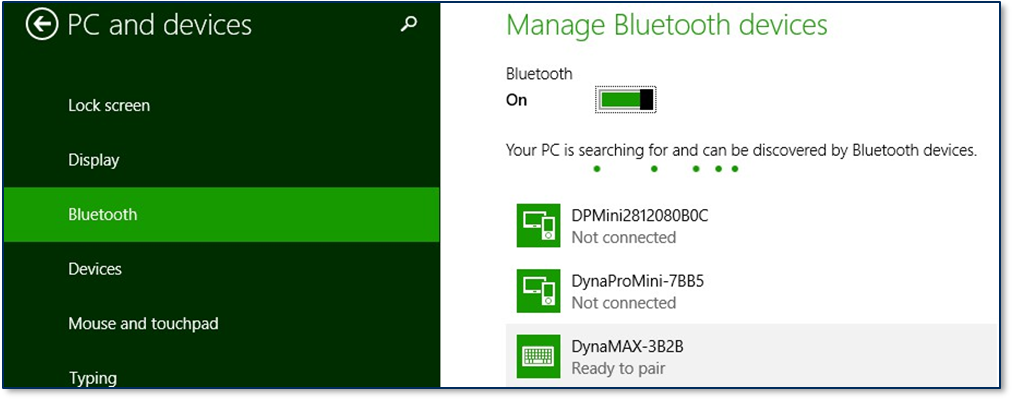
In the left side navigator, select PC and devices > Bluetooth
Make sure Bluetooth is turned on and close the PC and devices all
Launch the Windows Manage Bluetooth Devices app by following these steps:
Enter desktop mode by swiping in from the left side of the touchscreen.
Locate the serial number on the label on the bottom of the device. Note the final four digits.
Read through the list of pairable devices and locate the device called DynaMAX-nnnn or eDynamo-nnnn, where nnnn is the last four digits of the device’s serial number (if the device does not show in the list, power it off then power it back on). Below the device name you should see the Ready to pair.
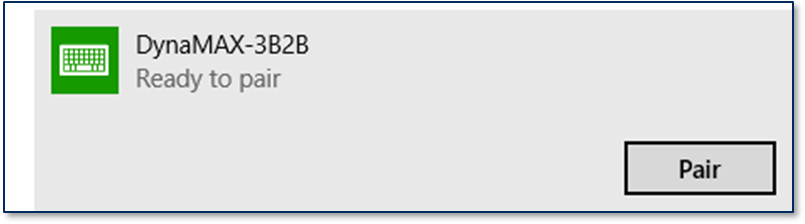
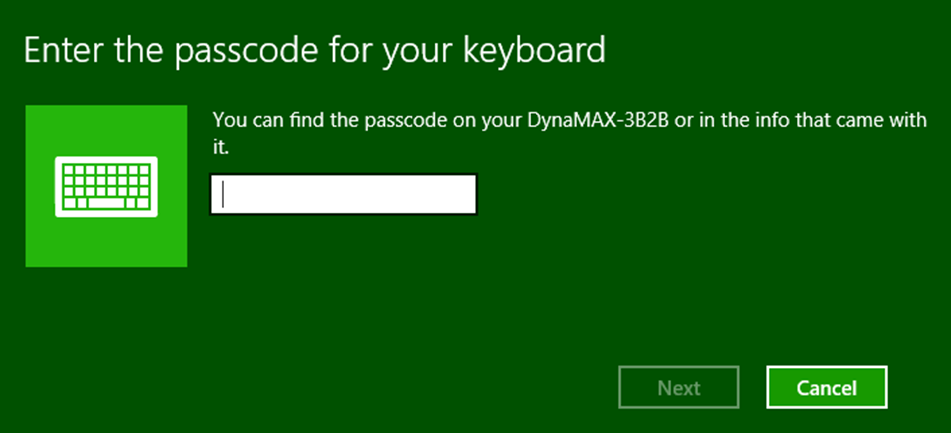
Select the device and press Pair button. If the device is configured to run in KB mode. Windows will prompt you Enter the passcode for your keyboard.
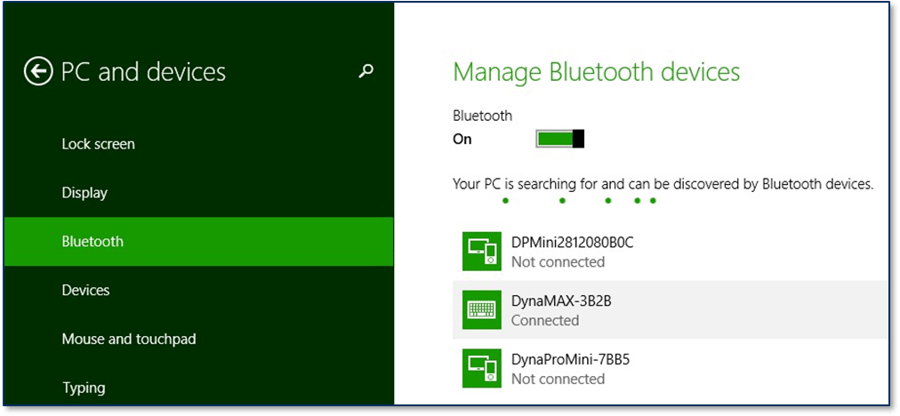
Enter default passcode 000000 (or the device’s actual password if it has been configured differently), then press the Next button. Windows will return you to the Manage Bluetooth devices page. After a short period of time, you will see the text Connected below the device you are pairing with.
After a few seconds, the device will disconnect, which is normal power-saving behavior.
Use the host software to test swiping a card. If you do not yet have host software and the device is configured to run in KB mode, open any text editor and swipe a card. The card contents should appear in the text editor.
The device consumes very little power when not transmitting card data, so it is not necessary to power off the device to conserve power. If the device appears as Not Connected in the Windows list of Bluetooth devices, swiping a card should cause the device to reconnect briefly, transmit the card data, then disconnect.
Remember to change the default password. See the DynaMAX Programmer’s Reference documents for details.
To unpair from the device:
Locate the device in the Manage Bluetooth devices window
Press the Remove device button.
Welcome to the resource hub for the iDynamo 5 Gen III, a compact and versatile secure card reader (SCR) designed for modern point-of-sale (P2PE) environments. It reads ISO-standard magnetic stripe cards and offers universal connectivity across iOS, Android, and Windows platforms via USB (Keyboard, HID, iAP2). This section provides all the documentation, software, and developer tools you need to successfully integrate, manage, and support the iDynamo 5 Gen III.
Reference Section
Information Available
This page provides comprehensive developer documentation for the iDynamo 5 Gen III, including programmer’s manuals, demo guides, and SDK references.
MMS notifications are the asynchronous messages the DynaFlex II PED reader sends while a transaction is running, reporting progress, state changes, and completion. Find the Notification Group you are looking for below and follow the links in the table to jump to a specific notification.
MMS notifications are the asynchronous messages the DynaFlex II Go reader sends while a transaction is running, reporting progress, state changes, and completion. Find the Notification Group you are looking for below and follow the links in the table to jump to a specific notification.
The DynaProx is a next-generation, EMV Contactless, and NFC Contactless reader from MagTek, designed for original equipment manufacturers (OEMs) and developers building secure payment, access control, and identification solutions. It combines the controller and antenna in a small form-factor, and is available in two models: the standard DynaProx for EMV Contactless, and NFC transactions, and the DynaProx BCR which includes a camera for reading 1D/2D barcodes. The device is engineered with the MagneSafe® Security Architecture, meeting requirements for contactless EMV 3.0 and PCI PTS POI 6.x, and supports triple DEA and AES-256 encryption with DUKPT key management to safeguard sensitive payment data.
Contactless (NFC) card and mobile wallet acceptance — tap-to-pay, no contact slot or magnetic stripe
SRED point-to-point encryption at the moment of read (TDES / AES DUKPT)
MMS notifications are the asynchronous messages the DynaProx reader sends while a transaction is running, reporting progress, state changes, and completion. Find the Notification Group you are looking for below and follow the links in the table to jump to a specific notification.
This section covers MagTek’s complete family of card readers, from compact OEM modules to rugged handheld devices. Use the links below to dive into specific categories including: MMS Dyna Devices, MagTek Virtual Readers, and MagneSafe V5 SCRAs. Here you’ll find product manuals, technical specifications, firmware updates, and integration guides to help you select, configure, or build solutions around MagTek reader technology.
This page provides comprehensive developer documentation for the iDynamo 5 Gen III, including programmer’s manuals, demo guides, and SDK references to help you integrate the secure card reader authenticator into your applications across Windows, Android, and iOS platforms.
The DynaFlex II PED is a PCI PTS v6.x PED, a certified PIN Entry Device from MagTek, designed to meet the security demands of modern payment, banking, and point-of-sale applications. It supports a wide range of payment methods, including magnetic stripe, EMV® Contact Chip, EMV Contactless, and NFC Contactless payments, as well as 1D/2D barcode scanning. The device features a touchscreen for PIN entry, manual card data entry, and signature capture, and connects to Windows and Android host devices via USB and Windows, iOS, Linux, and Android via WebSocket or MQTT. The official MagTek DynaFlex II PED support page is a central hub containing all the resources you'll need. There you can find detailed product brochures, compliance documentation, software development kits (SDKs) such as the MagneFlex Powder API, comprehensive programmer’s manuals, and helpful resources including FAQs and instructional videos.
Contact, contactless (NFC), and magnetic stripe card reading in one device
SRED point-to-point encryption at the moment of read (TDES / AES DUKPT)
The following instructions detail how to use the MTNET Demo on Windows PC via USB interface. Same instructions apply to the other interface types.
MTNET Demo queries for device features upon connecting. Some demo features are disabled based on what is supported on the device. MTNET Demo does not automatically set MSR power or set Time.
Connect the device to the USB port of the Windows PC.
Launch the MTNET Demo, select USB as the device type in the Type list box, and press the Scan button to display a list of available devices.
This function retrieves the card’s encrypted MagnePrint, for readers that support MagnePrint.
Parameters: None
Return Value: String containing the card’s encrypted MagnePrint.
This function retrieves the card MagnePrint status. For more information, see D99875475. Only available on iDynamo; it will return an empty string in audio reader.
Parameters: None Return Value:
Return stored MagnePrintStatus string.
This function retrieves the device serial number.
Parameters: None
Return Value: String containing the device serial number.
This function returns the MagTek serial number of the currently opened device.
This function clears the SDK library’s local cache of card swipe data.
Parameters: None
Return Value: None
This function sets a callback function to notify when the device has card data to send to the host or when the device state changes. See example in Open Device code example.
Parameters: Event
This function retrieves the track decode status after a cardholder swipes a card.
Parameters: None
Return Value:
Hex string, each 2 digits represent one track’s decode status, where the left most 2 digits are for Track 1.
“00” = Success
"01” = Error or not decodable
The following instructions detail how to use the MTNET OEM Demo with mDynamo or DynaDip on Windows PC via USB interface.
MTNET OEM Demo queries for device features upon connecting. Some demo features are disabled based on what is supported on the device. MTNET OEM Demo does not automatically set Time.
Connect the device to the USB port of the Windows PC.
Launch the MTNET OEM Demo and press the button to scan for connected USB devices
🕐 Hours: Monday-Friday, 5:30 AM - 5:00 PM PST
Online Resources:
🌐 Support Portal: developer.magtek.com
Documentation Feedback:
Help us improve this documentation! feedback@magtek.com
🕐 Hours: Monday-Friday, 5:30 AM - 5:00 PM PST
Online Resources:
🌐 Support Portal: developer.magtek.com
Documentation Feedback:
Help us improve this documentation! feedback@magtek.com
🕐 Hours: Monday-Friday, 5:30 AM - 5:00 PM PST
Online Resources:
🌐 Support Portal: developer.magtek.com
Documentation Feedback:
Help us improve this documentation! feedback@magtek.com
🕐 Hours: Monday-Friday, 5:30 AM - 5:00 PM PST
Online Resources:
🌐 Support Portal: developer.magtek.com
Documentation Feedback:
Help us improve this documentation! feedback@magtek.com
🕐 Hours: Monday-Friday, 5:30 AM - 5:00 PM PST
Online Resources:
🌐 Support Portal: developer.magtek.com
Documentation Feedback:
Help us improve this documentation! feedback@magtek.com
🕐 Hours: Monday-Friday, 5:30 AM - 5:00 PM PST
Online Resources:
🌐 Support Portal: developer.magtek.com
Documentation Feedback:
Help us improve this documentation! feedback@magtek.com
🕐 Hours: Monday-Friday, 5:30 AM - 5:00 PM PST
Online Resources:
🌐 Support Portal: developer.magtek.com
Documentation Feedback:
Help us improve this documentation! feedback@magtek.com
The full device Command matrix, if you're building for more than one Dyna reader.
DUKPT (3DES→AES), MAC, KSNs, encryption/decryption, and PCI requirements.
Working with contactless cards and tags (NTag, Classic, DESFire, Plus).
🕐 Hours: Monday-Friday, 5:30 AM - 5:00 PM PST
Online Resources:
🌐 Support Portal: developer.magtek.com
Documentation Feedback:
Help us improve this documentation! feedback@magtek.com
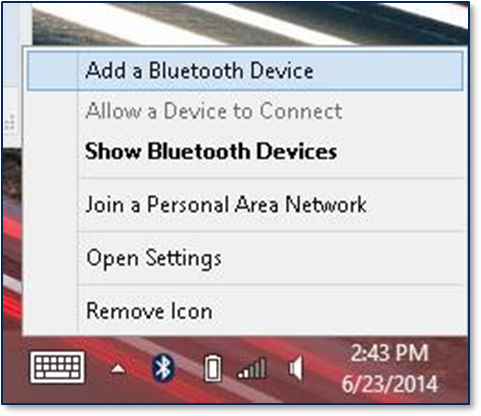
Touch the Bluetooth icon in the system tray and select Add a Bluetooth Devices (see Error! Reference source not found.).
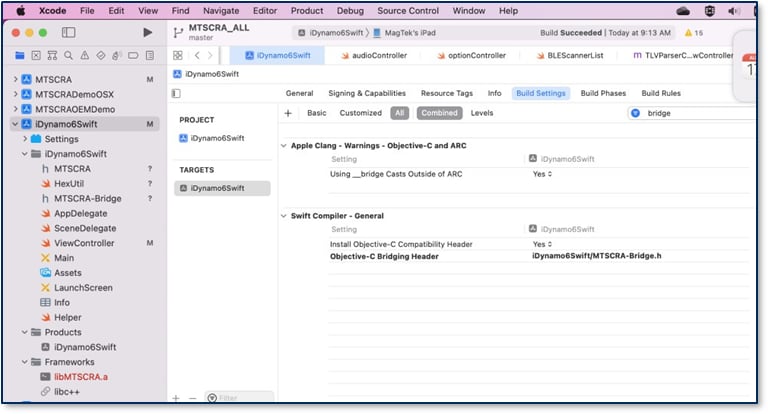
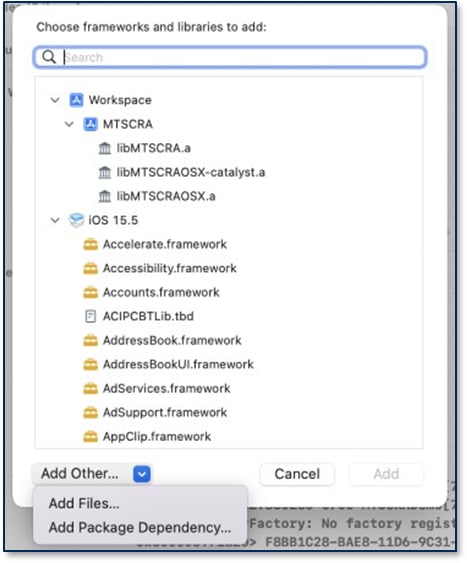
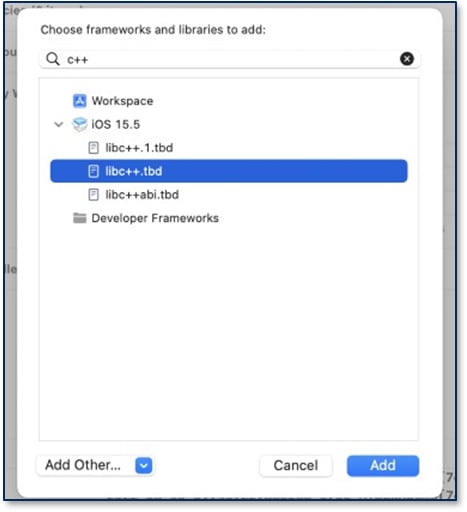
Set the connection type with setConnectionType() for each reader.
Call openDevice() for each reader.
Return Value: Return stored serial number created by MagTek.
This function retrieves the Session ID from the currently opened device, which the host can use to uniquely identify a transaction to prevent replay. Only supported by iDynamo/uDynamo; on other devices this function will return an empty string. For more information, see D99875475
Parameters: None
Return Value: Stored session ID.
This function retrieves the Key Serial Number (KSN) from the device.
Parameters: None
Return Value: String containing the stored key serial number.
This function gets the device’s product name.
Parameters: None
Return Value: String containing the device product name.
This function gets the device type.
Parameters: None
Return Value: Device Type
This function sets the type of device to open. Call this function before calling openDevice.
Parameters:
Device Type:
MAGTEKAUDIOREADER = Audio readers aDynamo, uDynamo.
MAGTEKIDYNAMO = iOS 30-pin and Lightning readers iDynamo.
MAGTEKDYNAMAX = Bluetooth LE reader DynaMAX.
MAGTEKEDYNAMO = Bluetooth LE reader eDynamo.
MAGTEKKDYNAMO = Lightning reader kDynamo.
MAGTEKTDYNAMO = Bluetooth LE reader tDynamo.
Return Value: None
This function gets the capabilities of the currently opened device.
Parameters: None
Return Value: Return device capabilities.
CAP_MASKING = 1,
CAP_ENCRYPTION=2,
CAP_CARD_AUTH = 4,
CAP_DEVICE_AUTH = 8,
CAP_SESSION_ID = 16,
CAP_DISCOVERY= 32,
Event type.
· TRANS_EVENT_OK = Transaction succeeded.
· TRANS_EVENT_START = Reader started sending data.
· TRANS_EVENT_ERROR = Reader failed sending data.
Return Value: None
This function retrieves masked card track data after a cardholder swipes a card. Only available on iDynamo/uDynamo; other devices will return an empty string.
Parameters: None
Return Value:
Return stored masked track data string. Tracks are delimited with start and end sentinels.
This function retrieves masked track 1 data after a cardholder swipes a card.
Parameters: None
Return Value: Return stored masked track1 data string.
This function retrieves masked track 2 data, if any, after a cardholder swipes a card.
Parameters: None
Return Value: Return stored masked track2 data string.
This function retrieves masked track 3 data, if any, after a cardholder swipes a card.
Parameters: None
Return Value: Return stored masked track3 data string.
This function retrieves masked PAN data, if any, after a cardholder swipes a card.
Parameters: None
Return Value: Return stored masked PAN data string.
This function retrieves the card’s track 1 data in encrypted format after a cardholder swipes a card.
Parameters: None
Return Value: String containing encrypted track 1 data.
This function retrieves the card’s track 2 data in encrypted format, if any, after a cardholder swipes a card.
Parameters: None
Return Value: String containing encrypted track 2 data.
This function retrieves the card’s track 3 data in encrypted format, if any, after a cardholder swipes a card.
Parameters: None
Return Value: String containing encrypted track 3 data
Parameter
Description
event
“02” = No track present
Examples:
“000000” = Track 1, 2, and 3 success.
“000100” = Track 1 and 3 success. Track 2 had error.
“000002” = Track 1 and 2 success. Track 3 not present.
This function retrieves device’s battery level percentage between 0% and 100%, if the device has a battery and supports battery level monitoring. To retrieve the most up to date percentage, call this function after a transaction.
Parameters: None
Return Value: Long value between 0 and 100
This function returns the currently opened device’s part number.
Parameters: None
Return Value: String containing the device part number.
Retrieves the Card Status
Parameters: None
Return Value: Card Status, which depends on the device.
This function retrieves individual TLV tag values. Only supported on aDynamo/UDynamo.
Parameters:
Tag = An MTSCRATransactionData type (see section D.5 MTSCRATransactionData).
Return Value: String containing the value of the specified tag.
This function gets the status of the currently connected device.
Parameters: None
Return Value: Return device status of swipe count and battery level.
This function gets the status of the current operation.
Parameters: None
Return Value: Operation Status
This function returns the version of the tag-length-value (TLV) format supported by the device.
Parameters: None
Return Value: String containing the firmware TLV version.
This function sets the protocol string the SDK will use to communicate with the device. See example in Open Device code example.
Parameters: Protocol String
Return Value: None
This function gets the response type.
Parameters: None
Return Value: Response Type
MTSCRANET.MTSCRA listMTSCRA = new MTSCRANET.MTSCRA();
listMTSCRA.setConnectionType(MTConnectionType.USB);
listMTSCRA.OnDeviceList() += listMTSCRA_OnDeviceList;
listMTSCRA.requestDeviceList(MTConnectionType.USB);
listMTSCRA_OnDeviceList(
object sender,
MTConnectionType connectionType,
List<MTDeviceInformation> deviceList)
{
//Handle deviceList
}MTSCRANET.MTSCRA listMTSCRA = new MTSCRANET.MTSCRA();
listMTSCRA.setConnectionType(MTConnectionType.USB);
listMTSCRA.OnDeviceList() += listMTSCRA_OnDeviceList;
MTDeviceInformation listDeviceInfo;
listMTSCRA.requestDeviceList(MTConnectionType.USB);
listMTSCRA_OnDeviceList(
object sender,
MTConnectionType connectionType,
List<MTDeviceInformation> deviceList)
{
//Handle deviceList
For Each (dev in deviceList)
{
}
listDeviceInfo.Add(dev)
}
MTSCRANET.MTSCRA msr1 = new MTSCRANET.MTSCRA();
MTSCRANET.MTSCRA msr2 = new MTSCRANET.MTSCRA();
MTSCRANET.MTSCRA msr3 = new MTSCRANET.MTSCRA();
msr1.setConnectionType(MTConnectionType.USB);
msr1.setAddress(dev.Address); msr1.openDevice();
if (! msr1.isDeviceConnected())
{
msr1.openDevice();
}
msr2.setConnectionType(MTConnectionType.USB);
msr2.setAddress(dev.Address);
msr2.openDevice();
if (! msr2.isDeviceConnected())
{
msr2.openDevice();
}
msr3.setConnectionType(MTConnectionType.USB);
msr3.setAddress(dev.Address);
msr3.openDevice();
if (! msr3.isDeviceConnected())
{
msr3.openDevice();
}
if (mMTSCRA != null)
{
mMTSCRA.closeDevice();
}if (! mMTSCRA.isDeviceConnected())
{
}if (! mMTSCRA.isDeviceConnected())
{
mMTSCRA.CardDataReceived += OnCardDataReceived;
mMTSCRA.openDevice();
}
public void OnCardDataReceived(Object sender)
{ // Display last 4 digits of the card
CardLast4.Text = mMTSCRA.getCardLast4();
}if (mMTSCRA.isDeviceConnected())
{
// Send discovery command
mMTSCRA.sendCommandToDevice(“C10206C20503840900”, 0);
}F9<len>/* container for MAC structure and generic data */
DFDF54(MAC KSN)<len><val>
DFDF55(MAC Encryption Type)<len><val>
DFDF25(IFD Serial Number)<len><val>
FA<len>/* container for generic data */
F0<len>/* Transaction Results */
F1<len>/* container for Status Data */
… /* Status Data tags */
F8<len>/* container tag for encryption */
DFDF59(Encrypted Data Primative)<len><Encrypted Data val>
(Decrypt data to read tags)
DFDF56(Encrypted Transaction Data KSN)<len><val>
DFDF57(Encrypted Transaction Data Encryption Type)<val>
DFDF58(# of bytes of padding in DFDF59)<len><val>
F7<len>/* container for Merchant Data */
… /* < Merchant Data tags */
(Buffer if any to be a multiple of 8 bytes)
CBC-MAC (4 bytes, always set to zeroes)(NSString *) getMagnePrint(NSString *) getMagnePrintStatus(NSString *) getDeviceSerial(NSString *) getMagTekDeviceSerial(NSString *) getSessionID(NSString *) getKSN(NSString *) getDeviceName (int) getDeviceType (void) setDeviceType:(UInt32 *)deviceType (NSString *) getDeviceCaps(void) clearBuffers(void) listenForEvents:(UInt32)event(NSString *) getMaskedTracks(NSString *) getTrack1Masked(NSString *) getTrack2Masked(NSString *) getTrack3Masked(NSString *) getCardPAN(NSString *) getTrack1(NSString *) getTrack2(NSString *) getTrack3(NSString *) getTrackDecodeStatus(long) getBatteryLevel(NSString *) getDevicePartNumber(NSString *) getCardStatus(NSString *) getTagValue:(UInt32)tag(NSString *) getDeviceStatus(NSString *) getOperationStatus(NSString *) getTLVVersion(void) setDeviceProtocolString:(NSString *)pData(NSString *) getResponseTypeThis notification reports the final result of a transaction the host initiated using Command 0x1001 - Start Transaction.
Reference Section
Information Available
This notification reports the successful completion of firmware update operations the host initiated
This notification reports the failure of a Firmware Update command the host initiated.
Reference Section
Information Available
This notification reports information about general state changes that occur within the device, outside the context of specific operations like transactions
Reference Section
Information Available
This notification requests that the host take action during operations involving the device’s User Interface modules.
This notification shows that a UI operations involving the device’s User Interface modules is complete.
This notification reports Firmware is up to date for host initiated update.
🕐 Hours: Monday-Friday, 5:30 AM - 5:00 PM PST
Online Resources:
🌐 Support Portal: developer.magtek.com
Documentation Feedback:
Help us improve this documentation! feedback@magtek.com
🕐 Hours: Monday-Friday, 6:00 AM - 5:00 PM PST
Online Resources:
🌐 Official Site: https://www.magtek.com
💬 Developer Forum: https://forum.magtek.com
Documentation Feedback:
Help us improve this documentation!
This notification reports the final result of a transaction the host initiated using Command 0x1001 - Start Transaction.
Reference Section
Information Available
This notification reports information about progress and state changes involving the device’s Banking Functions modules
This notification reports information about progress and state changes that occur during interaction with the Banking Functions modules.
Reference Section
Information Available
This notification reports the successful completion of firmware update operations the host initiated
This notification reports the failure of a Firmware Update command the host initiated.
Reference Section
Information Available
This notification reports information about general state changes that occur within the device, outside the context of specific operations like transactions
The device sends this notification when the battery charge reaches 15 percent.
Reference Section
Information Available
This notification requests that the host take action during operations involving the device’s User Interface modules.
This notification shows that a UI operations involving the device’s User Interface modules is complete.
Reference Section
Information Available
This notification reports information about progress and state changes that occur during a transaction.
This notification reports the final result of a transaction the host initiated using Command 0x1001 - Start Transaction.
Reference Section
Information Available
This notification reports the successful completion of firmware update operations the host initiated
This notification reports the failure of a Firmware Update command the host initiated.
Reference Section
Information Available
This notification reports information about general state changes that occur within the device, outside the context of specific operations like transactions
The device sends this notification when the battery charge reaches 15 percent.
Reference Section
Information Available
This notification requests that the host take action during operations involving the device’s User Interface modules.
This notification shows that a UI operations involving the device’s User Interface modules is complete.
Reference Section
Information Available
This notification reports information about progress and state changes that occur during a Pass-Through Mode.
Reference Section
Information Available
This notification reports information about progress and state changes that occur during a transaction.
NFC/MIFARE pass-through and NFC card emulation (DynaCast)
Compact contactless reader for attended checkout, transit, and access control
PCI PTS POI–approved SCRA for attended acceptance (no PIN entry — see the DynaFlex II PED for PIN debit)
Reference Section
Information Available
The MMS command set scoped to DynaProx message format, commands, notifications, configuration, and status codes.
The commands DynaProx supports, each linking into the shared reference.
Reference Section
Information Available
The essential documentation resources for developing with and managing the DynaProx secure card reader.
Reference Section
Information Available
The essential software resources for developing with and managing the DynaProx secure card reader.
This notification reports the final result of a transaction the host initiated using Command 0x1001 - Start Transaction.
Reference Section
Information Available
This notification reports the successful completion of firmware update operations the host initiated
This notification reports the failure of a Firmware Update command the host initiated.
Reference Section
Information Available
This notification reports information about general state changes that occur within the device, outside the context of specific operations like transactions
The device sends this notification when the battery charge reaches 15 percent.
Reference Section
Information Available
This notification requests that the host take action during operations involving the device’s User Interface modules.
This notification shows that a UI operations involving the device’s User Interface modules is complete.
Reference Section
Information Available
This notification reports information about progress and state changes that occur during a transaction.
A software-based solution that transforms a compatible iPhone into a secure contactless payment terminal.
MagneSafe V5 SCRAs
Programmer’s manuals, software/SDKs, and compliance documents for the iDynamo 6 secure card reader authenticator that accepts magnetic stripe, EMV contact, and optional NFC contactless payments.
Programmer’s manuals, installation guides, and developer tools for the tDynamo versatile three‑way card reader that handles magnetic stripe, EMV chip, and contactless/NFC payments in a small form‑factor.
Technical specifications, programmer’s references, installation and operation manuals, and software resources for the eDynamo secure card reader authenticator supporting magnetic stripe and EMV chip card transactions.
Programmer’s manuals, installation and operation guides, and SDKs for the DynaWave NFC contactless OEM module.
Product specifications, programmer’s manuals, installation guides, and compliance documentation for the DynaPro Mini handheld PIN entry device with secure magstripe and EMV chip reading.
Compatibility lists, programmer’s manuals, and SDKs for the uDynamo secure card reader that connects to a wide range of devices via its retractable headphone jack or USB.
Compliance documents, programmer’s manuals, and developer tools for the DynaPro Go handheld PIN entry device with magnetic stripe, EMV, and NFC card reading capabilities.
Magnetic Stripe Readers
Installation and operation manuals, programmer’s references, and developer resources for the iDynamo secure card reader authenticator.
Compliance documents, and programmer’s manuals for the iDynamo 5 Gen III card reader.
Programmer’s manuals, demo guides, and quick installation guides for the compact DynaMag magnetic stripe card reader.
Installation and operation manual, which includes MagnePrint® technology, for the compact Dynamag Duo secure card reader authenticator.
Programmer’s manuals, installation and operation manuals, and FAQs for the DynaPAD SCRA with an easy-to-use keypad and a 2-line x 16-digit LCD display.
MagTek Device Drivers (MTD) for Windows, technical reference manuals, and Windows driver programming manuals.
Product
Description
MagTek Virtual Reader iOS SDK
This page provides user manuals for the iDynamo 5 Gen III secure card reader, including comprehensive installation and operation guides.
A step-by-step guide that provides instructions for using the MTNET Demo to test and validate communication with the iDynamo 5 Gen III within a .NET environment.
A guide for iOS developers, offering instructions on using the MagTek Universal SDK (MTUSDK) to build custom software solutions that communicate with iDynamo 5 Gen III and other SCRA devices.
How DUKPT derives a unique key per transaction, and the path (and reasons) for moving from legacy 3DES/TDEA DUKPT to AES DUKPT on your devices and host.
A reference manual that describes how to connect and communicate with the iDynamo 5 Gen III from an Android host using the device’s USB-C connection and command set.
A companion document that provides sample code and instructions for using the Android demo application to test iDynamo 5 Gen III integration and functionality.
A manual that explains how to develop iOS applications that interface with the iDynamo 5 Gen III, including details on using Apple iAP2 connections over USB-C or Lightning.
This is a full-function HTML browser application for Windows that integrates with device drivers to control MagTek payment devices, including the iDynamo 5 Gen III, via HTML over HTTP(S).
A library reference that provides developers of custom software solutions with an easy-to-use interface for connecting to the iDynamo 5 Gen III and other MagTek SCRA devices.
Reference Section
Information Available
This manual provides a detailed technical reference for developers, describing how to communicate with the iDynamo 5 Gen III secure card reader using its command set and the MP ASIC.
PIN entry on a secure PIN pad for PIN debit and cardholder verification
Full color touch display for on-screen prompts, cardholder selection, and signature capture
NFC/MIFARE pass-through and NFC card emulation (DynaCast)
Optional barcode reader (BCR) for scanning outside a transaction
PCI PTS POI–approved SCRA for attended, countertop acceptance
Reference Section
Information Available
The MMS command set scoped to the PED: message format, commands, notifications, configuration, and status codes.
The commands the PED supports, each linking into the shared reference.
Reference Section
Information Available
The essential software resources for developing with and managing the DynaFlex II PED PIN-entry reader.
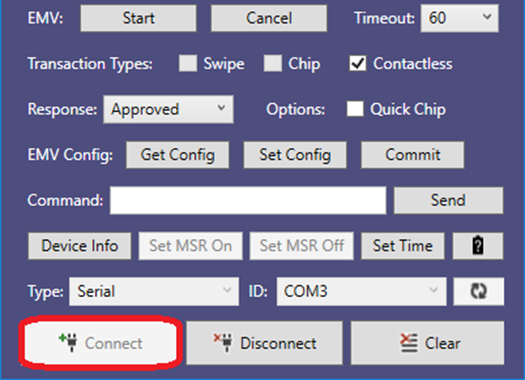
Select the Device ID and press the Connect button to open the device.
Swipe a magnetic stripe card to read the card data.
If you want to send a command to the device, enter the command in the command text box and press the Send button.
To retrieve device information, press the Device Info button
To set the MSR On for the device, press the Set MSR On button.
To set the MSR Off for the device, press the SET MSR off button. Device will not send card data after swiping a magnetic stripe card but will during an EMV transaction.
To configure the current PC date and time in devices which require a Date/Time be set after power up, press the Set Time button before performing an EMV transaction.
To retrieve the battery level of the device, press the Battery button. Note: When powered by USB, the level returns as 100%.
If you have an EMV device and want to read a chip card, select from the Transaction Types, Response, Options, Timeout, and then press the Start button to begin an EMV transaction
If you want to cancel the EMV transaction, press the only work before the card is presented.
To clear the screen, press the Clear button.
To close the device, press the Disconnect button.
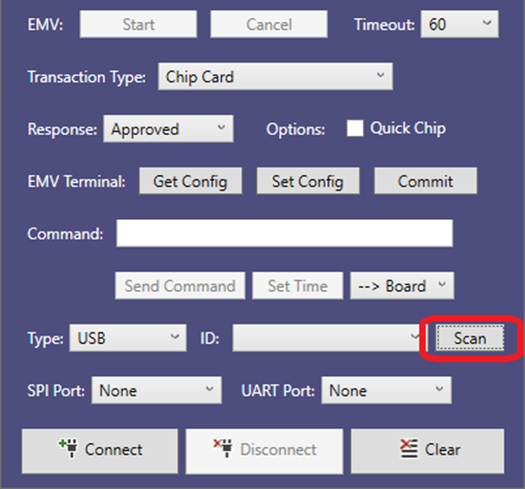
If your device has an additionally attached device to its SPI or UART port, select the appropriate device type in the list for SPI port and UART Port before connecting.
Select the Device ID and press the Connect button to open the device
Swipe a magnetic stripe card to read the card data if you have an attached MSR head.
To send a command to the device, enter the command in the command text box, select the appropriate device to send to and press the Send Command button..
To read a chip card, press the Set Time button and send to the Board. If you have an attached NFC module connected to the UART port, press the Set Time button, and send the UART before reading a contactless card.
To begin an EMV transaction, select desired Transaction type and Response, press the Start button, and then present the appropriate card whenthe Present Card message appears.
Select an Application in the Select Application window.
If you want to cancel the EMV transaction, press the Cancel button. Please note that the cancel feature will only work before the card is inserted.
To clear the screen, press the Clear button.
To close the device, press the Disconnect button
After the tag is activated, send commands to and receive responses from a MIFARE Classic, MINI, or Plus SL1 (Type 2) tag.
Send commands to and receive responses from a MIFARE DESFire (Type 4) tag.
Send commands to and receive responses from a MIFARE Plus (Type 2) tag.
Exchange raw ISO 14443-4 APDUs with any card that supports the protocol.
Enter or leave contactless pass-through mode.
Start or stop the reader polling for a contactless card.
The device will prepare card emulation with the parameters provided in the command and start card emulation.
After the tag is activated, send commands to and receive responses from a MIFARE Classic, MINI, or Plus SL1 (Type 2) tag.
Send commands to and receive responses from a MIFARE DESFire (Type 4) tag.
Send commands to and receive responses from a MIFARE Plus (Type 2) tag.
Exchange raw ISO 14443-4 APDUs with any card that supports the protocol.
Enter or leave contactless pass-through mode.
Start or stop the reader polling for a contactless card.
The device will prepare card emulation with the parameters provided in the command and start card emulation.
Reference Section
Information Available
The NFC/MIFARE Guide section give you a selection of how-to guides on working with NFC/MIFARE.
After the tag is activated, send commands to and receive responses from a MIFARE Classic, MINI, or Plus SL1 (Type 2) tag.
Send commands to and receive responses from a MIFARE DESFire (Type 4) tag.
Send commands to and receive responses from a MIFARE Plus (Type 2) tag.
Exchange raw ISO 14443-4 APDUs with any card that supports the protocol.
Enter or leave contactless pass-through mode.
Start or stop the reader polling for a contactless card.
The device will prepare card emulation with the parameters provided in the command and start card emulation.
Reference Section
Information Available
The NFC/MIFARE Guide section give you a selection of how-to guides on working with NFC/MIFARE.
This page provides user manuals for the iDynamo 5 Gen III secure card reader, including comprehensive installation and operation guides.
This page provides access to the essential software resources for developing with and managing the iDynamo 5 Gen III secure card reader.
The DynaFlex II Go uses the shared Dyna-family Multi-Interface Card Reader Platform (MMS) command set. This manual is a device-scoped map into the API & Command Reference with the sections this device relies on linked below.
Reference Section
Information Available
The full device Command matrix, if you're building for more than one Dyna reader.
--> How the Go protects data and manages keys: DUKPT (3DES→AES), MAC, KSNs, encryption/decryption, and the PCI requirements like the 24-hour reset and device lock.
-->Working with contactless cards and tags — NFC/MIFARE pass-through and the supported card technologies (NTag, Classic, DESFire, Plus).
To set up the headset interface on Windows PC to communicate with the MagTek SCRA device, follow these steps:
Connect the device to the headset jack of the Windows PC.
Open the Windows Control Panel.
Open Sound
Select the Playback tab.S
Select the playback device that is connected to the SCRA device (for example, Speakers and Headphones).
Press the Properties button to launch the (device name) Properties tab.
Select the Levels tab
Set the volume to maximum. See Figure 3-1 for an example.
Select the Recording tab.
Select the headset interface that is connected to the SCRA device (for example, Headset Mic).
Press the Properties button to launch the (device name) Properties tab.
Select the Levels tab.
Turn any boost settings or other special volume settings completely off (for example, set Microphone Boost ) to 0.0dB). See Figure 3-2 for an example.
If the (device name) Properties window has and Enhancements tab, select it.
Make sure all checkboxes in the Enhancements tab are turned off. See Figure 3-3 for an example.
If the (device name) Properties window has an Effects tab, select it
If the Enhancements tab has a Disable System Effects checkbox, turn it ON. Turn all other effects off. See Figure 3-4 for an example.
Figure 3-1 Device Volume Level Set to 100
Figure 3-2 Microphone Boost Turned Off
Figure 3-3 Enhancements Turned Off
Figure 3-4 Effects Turned Off
To set up the headset interface on Windows Phone to communicate with the MagTek SCRA device, follow these steps:
Connect the device to the headset jack of the Windows Phone.
Adjust the audio output to the maximum level using the physical volume buttons of the Windows Phone.
To add the MagTek SCRA libraries to a .NET project in Microsoft Visual Studio, follow these steps:
Create or open your .NET project in Visual Studio.
Copy the following DLL files from the MTNETDemo folders to the library folder of your software project:
MTDevice.dll
MTLIB.dll
In order to use the MagTek USB card readers with PID 0011, follow these steps:
Open Device Manager
Right Click on MagTek MagneSafe Magnetic Stripe Reader Device
Select Update Driver Software .
Select Browse My Computer for driver software .
Select Let me pick from a list of device drivers on my computer .
Select HiD-Compliant Device then click Next.
Windows will pop up a message saying successfully updated your driver. Click to finish.
MTSCRA Class Methods.
To add the MagTek SCRA libraries to a Universal Windows project in Microsoft Visual Studio, follow these steps:
Create or open your Universal Windows project in Visual Studio.
Copy the following DLL file from the SDK library folder to the library folder of your software project:
MTSCRAUWP.dll
In the Visual Studio Solution Explorer, right-click the project and select Add Reference to show the Add Reference window.
In order to use the MagTek USB card readers with PID 0011, follow these steps:
Open Device Manager
Right Click on MagTek MagneSafe Magnetic Stripe Reader Device .
Select Update Driver Software .
Select Browse My Computer for driver software .
Select Let me pick from a list of device drivers on my computer .
Select Let me pick from a list of device drivers on my computer.
Select HiF-Compliant Device then click Next.
Windows will pop up a message saying successfully updated your driver. Click Close to finish.
MagTek I 1710 Apollo Court I Seal Beach, CA 90740 I Phone: (562) 546-6400 I Technical Support: (888) 624-8350 www.magtek.com
Copyright © 2006 - 2024 MagTek, Inc. Printed in the United States of America
Information in this publication is subject to change without notice and may contain technical inaccuracies or graphical discrepancies. Changes or improvements made to this product will be updated in the next publication release. No part of this document may be reproduced or transmitted in any form or by any means, electronic or mechanical, for any purpose, without the express written permission of MagTek, Inc.
MagTek® is a registered trademark of MagTek, Inc. MagneSafe® is a registered trademark of MagTek, Inc. iDynamo™, and uDynamo are trademarks of MagTek, Inc.
eDynamo™, Dynamag, DynaMAX and DynaDip are trademarks of MagTek, Inc.
The Bluetooth® word mark and logos are registered trademarks owned by Bluetooth SIG, Inc. and any use of such marks by MagTek is under license.
Microsoft®, Windows® and .NET® are registered trademarks of Microsoft Corporation.
EMV® is a registered trademark in the U.S. and other countries and an unregistered trademark elsewhere. The EMV trademark is owned by EMVCo, LLC. The Contactless Indicator mark, consisting of four graduating arcs, is a trademark owned by and used with permission of EMVCo, LLC.
All other system names and product names are the property of their respective owners.
Table 0.1 - Revisions
SOFTWARE LICENSE AGREEMENT
IMPORTANT: YOU SHOULD CAREFULLY READ ALL THE TERMS, CONDITIONS AND RESTRICTIONS OF THIS LICENSE AGREEMENT BEFORE INSTALLING THE SOFTWARE PACKAGE. YOUR INSTALLATION OF THE SOFTWARE PACKAGE PRESUMES YOUR ACCEPTANCE OF THE TERMS, CONDITIONS, AND RESTRICTIONS CONTAINED IN THIS AGREEMENT. IF YOU DO NOT AGREE WITH THESE TERMS, CONDITIONS, AND RESTRICTIONS, PROMPTLY RETURN THE SOFTWARE PACKAGE AND ASSOCIATED DOCUMENTATION TO THE ADDRESS ON THE FRONT PAGE OF THIS DOCUMENT, ATTENTION: CUSTOMER SUPPORT.
MagTek, Incorporated (the "Licensor") owns and has the right to distribute the described software and documentation, collectively referred to as the "Software."
LICENSE: Licensor grants you (the "Licensee") the right to use the Software in conjunction with MagTek products. LICENSEE MAY NOT COPY, MODIFY, OR TRANSFER THE SOFTWARE IN WHOLE OR IN PART EXCEPT AS EXPRESSLY PROVIDED IN THIS AGREEMENT. Licensee
may not decompile, disassemble, or in any other manner attempt to reverse engineer the Software. Licensee shall not tamper with, bypass, or alter any security features of the software or attempt to do so.
TRANSFER: Licensee may not transfer the Software or license to the Software to another party without the prior written authorization of the Licensor. If Licensee transfers the Software without authorization, all rights granted under this Agreement are automatically terminated.
COPYRIGHT: The Software is copyrighted. Licensee may not copy the Software except for archival purposes or to load for execution purposes. All other copies of the Software are in violation of this Agreement.
TERM: This Agreement is in effect as long as Licensee continues the use of the Software. The Licensor also reserves the right to terminate this Agreement if Licensee fails to comply with any of the terms, conditions, or restrictions contained herein. Should Licensor terminate this Agreement due to Licensee's failure to comply, Licensee agrees to return the Software to Licensor. Receipt of returned Software by the Licensor shall mark the termination.
LIMITED WARRANTY: Licensor warrants to the Licensee that the disk(s) or other media on which the Software is recorded are free from defects in material or workmanship under normal use.
THE SOFTWARE IS PROVIDED AS IS. LICENSOR MAKES NO OTHER WARRANTY OF ANY KIND, EITHER EXPRESS OR IMPLIED, INCLUDING, BUT NOT LIMITED TO, THE IMPLIED WARRANTIES OF MERCHANTABILITY AND FITNESS FOR A PARTICULAR PURPOSE.
Because of the diversity of conditions and PC hardware under which the Software may be used, Licensor does not warrant that the Software will meet Licensee specifications or that the operation of the Software will be uninterrupted or free of errors.
IN NO EVENT WILL LICENSOR BE LIABLE FOR ANY DAMAGES, INCLUDING ANY LOST PROFITS, LOST SAVINGS, OR OTHER INCIDENTAL OR CONSEQUENTIAL DAMAGES ARISING OUT OF THE USE, OR INABILITY TO USE, THE SOFTWARE. Licensee's sole remedy in the event of a defect in material or workmanship is expressly limited to replacement of the Software disk(s) if applicable.
GOVERNING LAW: If any provision of this Agreement is found to be unlawful, void, or unenforceable, that provision shall be removed from consideration under this Agreement and will not affect the enforceability of any of the remaining provisions. This Agreement shall be governed by the laws of the State of California and shall inure to the benefit of MagTek, Incorporated, its successors or assigns.
ACKNOWLEDGMENT: LICENSEE ACKNOWLEDGES THAT HE HAS READ THIS AGREEMENT, UNDERSTANDS ALL OF ITS TERMS, CONDITIONS, AND RESTRICTIONS, AND AGREES TO BE BOUND BY THEM. LICENSEE ALSO AGREES THAT THIS AGREEMENT SUPERSEDES ANY AND ALL VERBAL AND WRITTEN COMMUNICATIONS BETWEEN LICENSOR AND LICENSEE OR THEIR ASSIGNS RELATING TO THE SUBJECT MATTER OF THIS AGREEMENT.
QUESTIONS REGARDING THIS AGREEMENT SHOULD BE ADDRESSED IN WRITING TO MAGTEK, INCORPORATED, ATTENTION: CUSTOMER SUPPORT, AT THE ADDRESS LISTED IN THIS DOCUMENT, OR E-MAILED TO
This function retrieves the SDK revision number.
(NSString *) getSDKVersion Parameters: None
Return Value: String containing the SDK revision number.
This function retrieves a list of available Bluetooth LE devices. After calling this function to locate the device you wish to connect to, use setAddress to tell the library which device you want to connect to. Use stopScanningForPeripherals to stop the scan.
(void)startScanningForPeripheralsParameters: None
Return Value: An array of peripherals
This function stops the scanning of available Bluetooth LE devices.
(void)stopScanningForPeripheralsParameters: None Return Value: None
This function sets device’s address for Bluetooth LE devices.
(void)setAddress:(NSString *)address Parameters:
Return Value: None
This function opens a connection to the device.
To use this function to connect to a Bluetooth LE device, the app should follow these steps:
Call startScanningForPeripherals to find the device you want to connect to.
Call setAddress to tell the library which device you want to connect to.
Make sure your app’s bleReaderStateUpdated function most recent status is was OK .
Call openDevice.
After calling this function, call isDeviceOpened to make sure the device was successfully opened.
Parameters: None
Return Value:
YES = Success
NO = Error
This function closes the connection to the currently opened device. After calling this function, call isDeviceOpened to make sure the device was successfully closed.
Parameters: None
Return Value:
YES = Success
NO = Error
This function reports whether any compatible devices are connected to the host.
Parameters: None
Return Value:
YES = host is connected to a device
NO = host is not connected to a device
This function retrieves device opened status, which changes on successful completion of a call to startScanningForPeripherals or closeDevice.
Parameters: None
Return Value:
YES = Device is opened
NO = Device is not opened
This function sends a direct command to device. See MagneSafe V5 Programmer’s Reference (Commands) for details about available commands and syntax.
Return Value:
0 = Success
9 = Error
15 = Busy
This function retrieves card data from a string separated by ‘|’ after a cardholder swipes a card. The host software should call it in response to the trackDataReadyNotification callback.
Parameters: None
Return Value:
A null terminated hex string for Card Data, Field separated by ‘|’.NULL value for failed.
Fields:
Device ID, Device Serial Number, Card Swipe Status, CardEncode Type, Track 1 Decode Status, Track 2 Decode Status, Track 3 Decode Status, MagnePrint Status, Track 1 Length, Track 2 Length, Track 3 Length, Masked Track 1 Length, Masked Track 2 Length, Masked Track 3 Length, MagnePrint Length, Card Data, Masked Card Data, DUKPT Session ID, DUKPT Key Serial Number, First Name, Last Name, PAN, Month, Year, Track 1 Data, Track 2 Data, Track 3 Data, Masked Track 1 Data, Masked Track 2 Data, Masked Track 3 Data, MagnePrint Data
This section defines the primitive and composed data types, TLV (Tag-Length-Value) data objects, file structures, and cryptographic key formats used throughout the device command set, including track data, display strings, EMV configuration file types (ARQC, ARPC, Batch, CA Public Keys), security parameters, TR‑31 key blocks, certificate and CSR file structures, and card emulation.
Secure Card Reader Authenticator
Programmer’s Manual ( .NET/Universal Windows )
REGISTERED TO ISO 9001:2015
MagTek I 1710 Apollo Court I Seal Beach, CA 90740 I Phone: (562) 546-6400 I Technical Support: (888) 624-8350
Copyright © 2006-2025 MagTek, Inc. Printed in the United States of America
Information in this publication is subject to change without notice and may contain technical inaccuracies or graphical discrepancies. Changes or improvements made to this product will be updated in the next publication release. No part of this document may be reproduced or transmitted in any form or by any means, electronic or mechanical, for any purpose, without the express written permission of MagTek, Inc.
MagTek® is a registered trademark of MagTek, Inc. MagneSafe® is a registered trademark of MagTek, Inc. iDynamo™, and uDynamo are trademarks of MagTek, Inc.
eDynamo™, Dynamag, and DynaMAX are trademarks of MagTek, Inc.
The Bluetooth® word mark and logos are registered trademarks owned by Bluetooth SIG, Inc. and any use of such marks by MagTek is under license.
This document provides instructions for software developers who want to create custom software solutions that communicate with DynaMAX, eDynamo, aDynamo, iDynamo, uDynamo, kDynamo, sDynamo, tDynamo, iDynamo 5 Gen II, iDynamo 5 Gen III, or iDynamo 6 connected to an iOS host via audio connector or Bluetooth LE. It is part of a larger library of documents which includes:
MagneSafe V5 Programmer’s Reference (Commands)
DynaMAX Programmer's Manual (Commands)
eDynamo Programmer's Manual (Command)
Retrieves the card encode type.
public string getCardEncodeType()
Parameters: None Return Value:
String representing the card encode type.
Card Encode Type
This is a string value which indicates the type of encoding that was found on the card. The following table defines the possible values.
This function gets the MSR capability of the device. For more information, see D99875483 – Track ID Enable Property.
Parameters: None Return Value:
Return MSR Capability bit masking.
🕐 Hours: Monday-Friday, 5:30 AM - 5:00 PM PST
Online Resources:
🌐 Support Portal: developer.magtek.com
Documentation Feedback:
Help us improve this documentation! feedback@magtek.com
This notification reports Firmware is up to date for host initiated update.
The device sends this notification one minute before it automatically powers down the device.
The device sends this notification when the battery charger detects that the battery is fully charged.
🕐 Hours: Monday-Friday, 5:30 AM - 5:00 PM PST
Online Resources:
🌐 Support Portal: developer.magtek.com
Documentation Feedback:
Help us improve this documentation! feedback@magtek.com
This notification reports Firmware is up to date for host initiated update.
The device sends this notification one minute before it automatically powers down the device.
The device sends this notification when the battery charger detects that the battery is fully charged.
🕐 Hours: Monday-Friday, 5:30 AM - 5:00 PM PST
Online Resources:
🌐 Support Portal: developer.magtek.com
Documentation Feedback:
Help us improve this documentation! feedback@magtek.com
The full device Command matrix, if you're building for more than one Dyna reader.
DUKPT (3DES→AES), MAC, KSNs, encryption/decryption, and PCI requirements.
Working with contactless cards and tags (NTag, Classic, DESFire, Plus).
🕐 Hours: Monday-Friday, 5:30 AM - 5:00 PM PST
Online Resources:
🌐 Support Portal: developer.magtek.com
Documentation Feedback:
Help us improve this documentation! feedback@magtek.com
This notification reports Firmware is up to date for host initiated update.
The device sends this notification one minute before it automatically powers down the device.
The device sends this notification when the battery charger detects that the battery is fully charged.
🕐 Hours: Monday-Friday, 5:30 AM - 5:00 PM PST
Online Resources:
🌐 Support Portal: developer.magtek.com
Documentation Feedback:
Help us improve this documentation! feedback@magtek.com
🕐 Hours: Monday-Friday, 5:30 AM - 5:00 PM PST
Online Resources:
🌐 Support Portal: developer.magtek.com
Documentation Feedback:
Help us improve this documentation! feedback@magtek.com
🕐 Hours: Monday-Friday, 5:30 AM - 5:00 PM PST
Online Resources:
🌐 Support Portal: developer.magtek.com
Documentation Feedback:
Help us improve this documentation! feedback@magtek.com
The full device Command matrix, if you're building for more than one Dyna reader.
DUKPT (3DES→AES), MAC, KSNs, encryption/decryption, and PCI requirements.
Working with contactless cards and tags (NTag, Classic, DESFire, Plus).
Essential documentation resources for developing with and managing the DynaFlex II PED secure card reader.
MTSCRANET.dll
MTService.dll
In the Visual Studio Solution Explorer, right-click the project and select Add Reference to show the Add Referenc window.
Select the Browse tab and press the Browse... button.
Navigate to your library folder, select MTSCRANET.dll and MTLIB.dll, then press the button.
In your custom software, create an instance of MTSCRA. For examples, see the source code included with the MTNETDemo project and/or Appendix A Code Examples.
Begin using the features provided by the MagTekSCRA library. Details about each method are provided in section How to remove POS HID Magnetic Stripe Reader.
Select the Browse tab and press the Browse... button.
Navigate to your library folder, select MTSCRAUWP.dll, then press the Add button.
In your custom software, create an instance of MTSCRA. For examples, see the source code included with the MTSCRAWindowsStoreApp project and/or Appendix A Code Examples.
Begin using the features provided by the MagTekSCRA library. Details about each methods are provided in section 4 MTSCRA Class Methods.
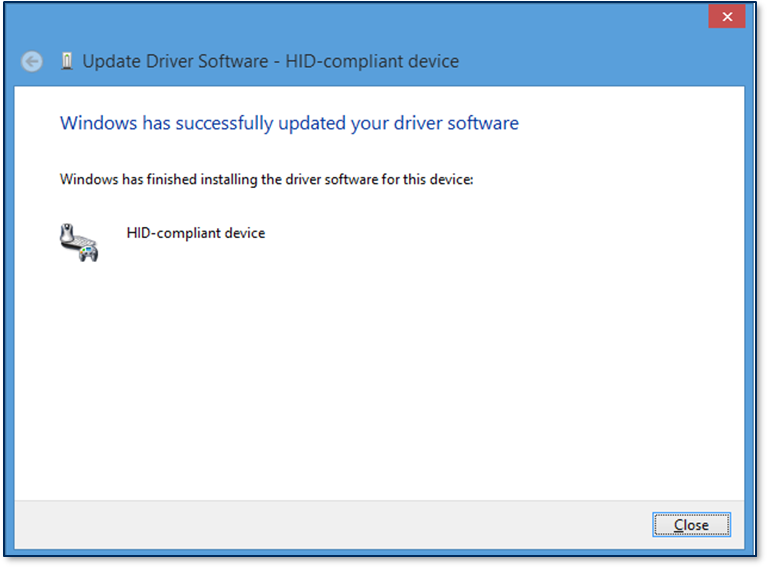
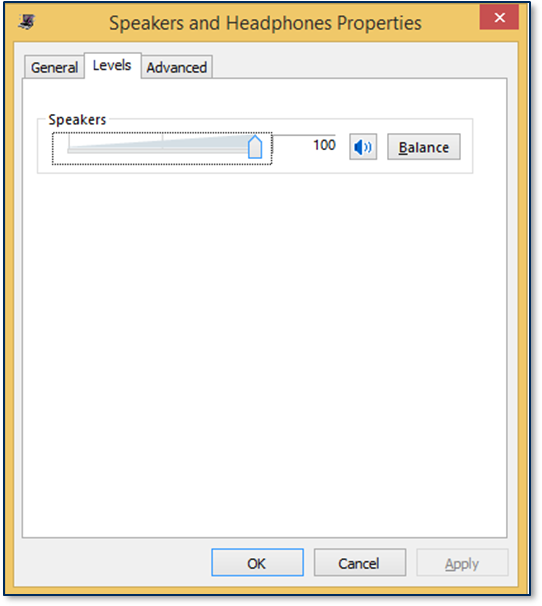
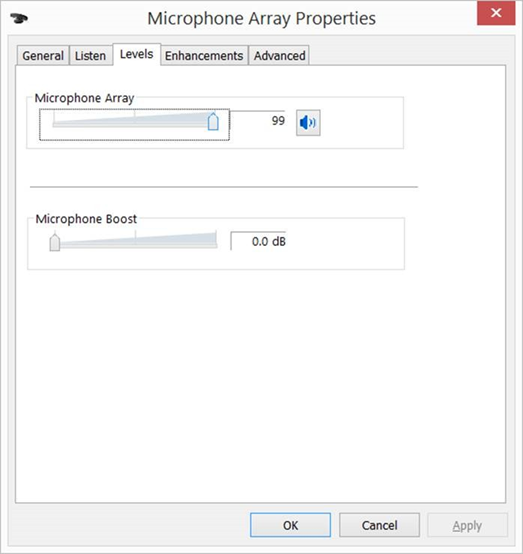
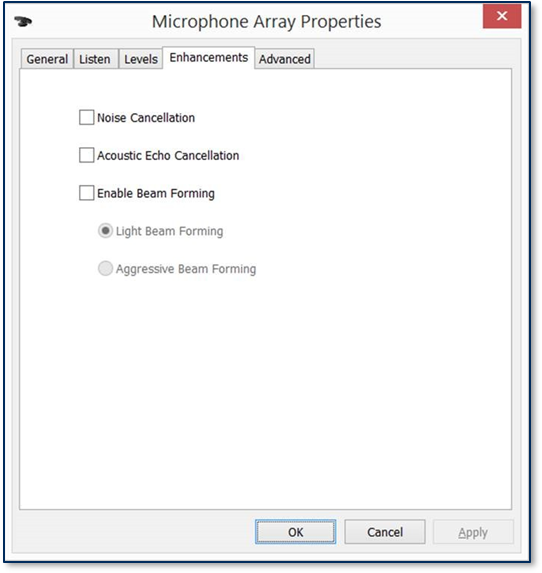
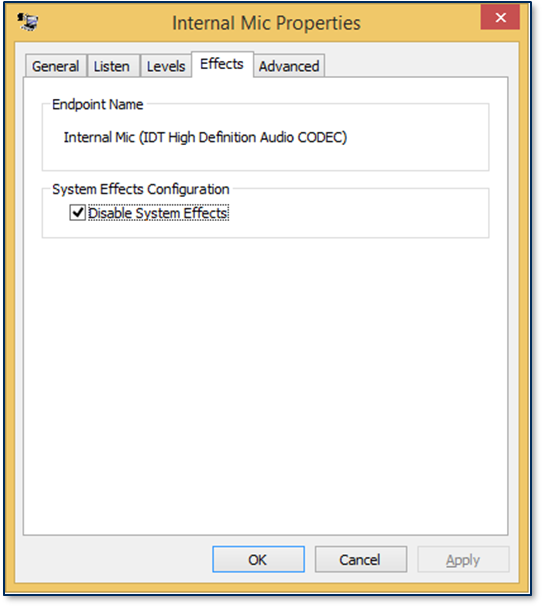
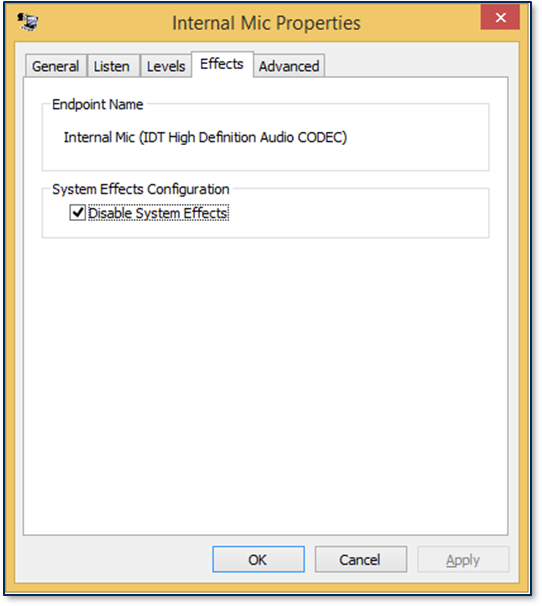
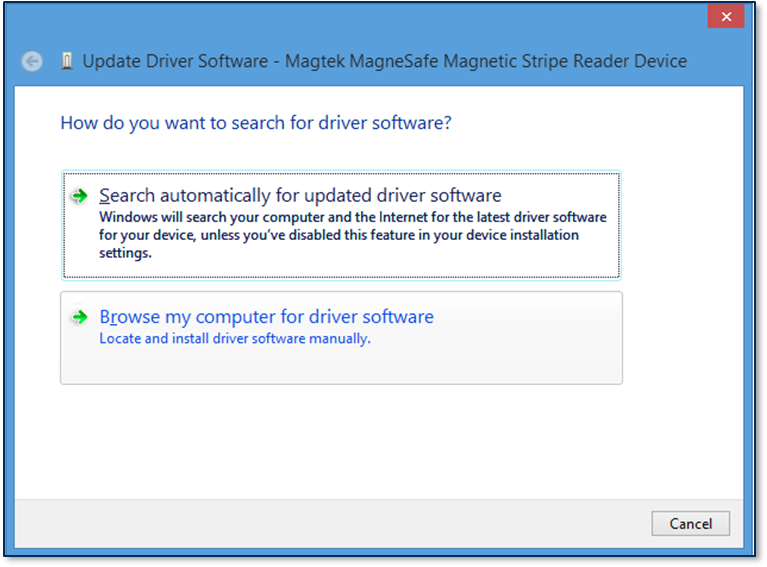
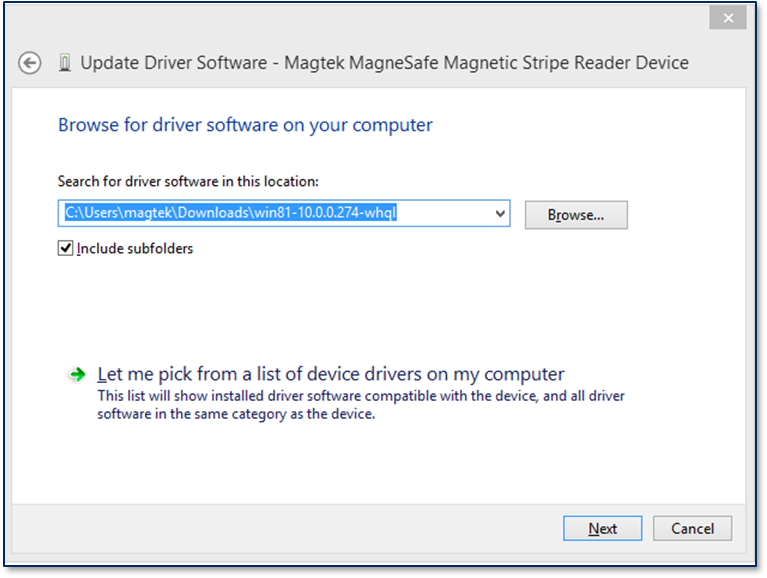
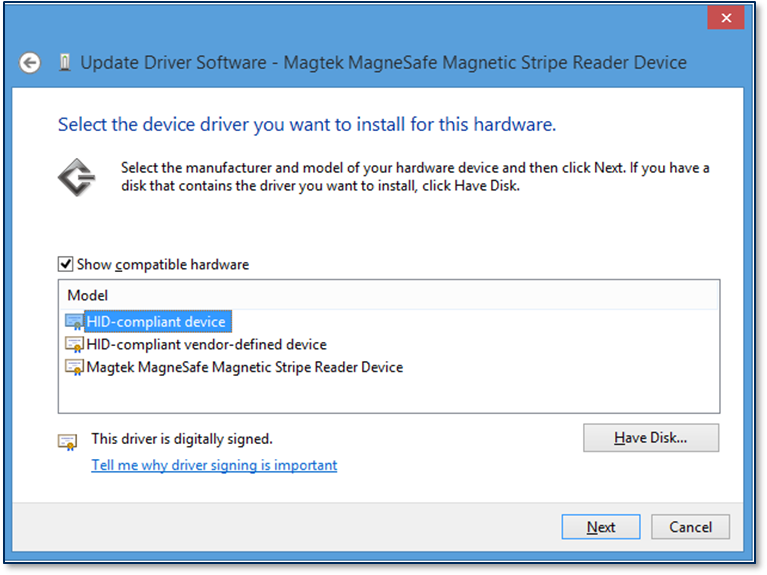
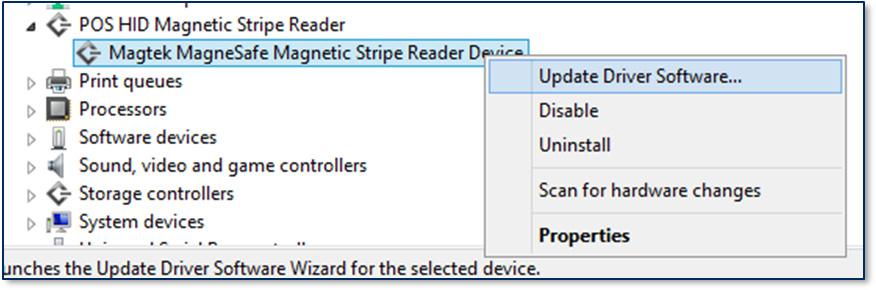
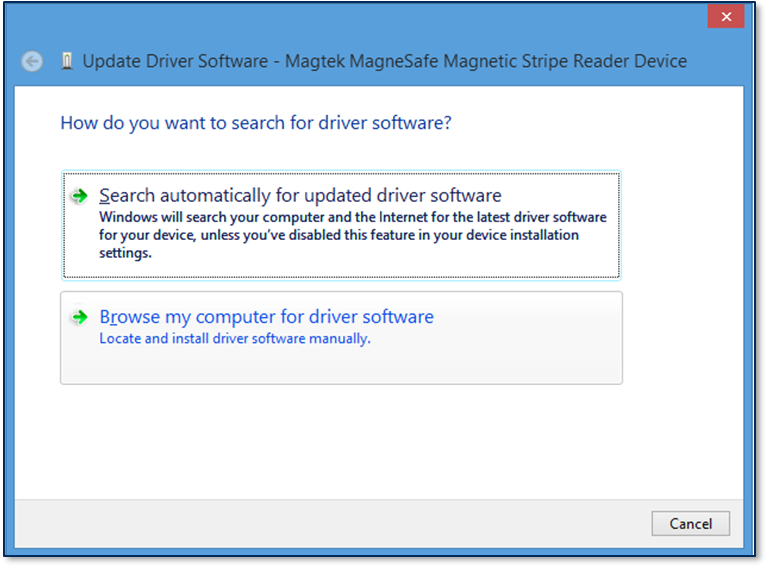
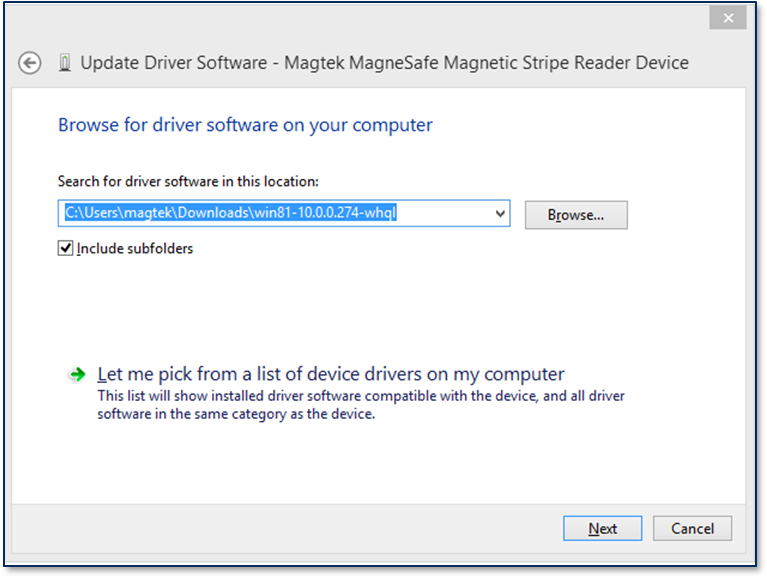
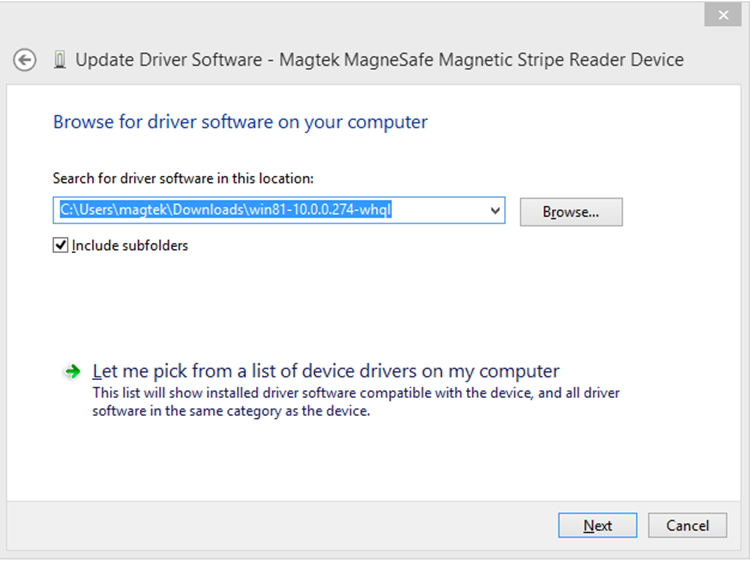
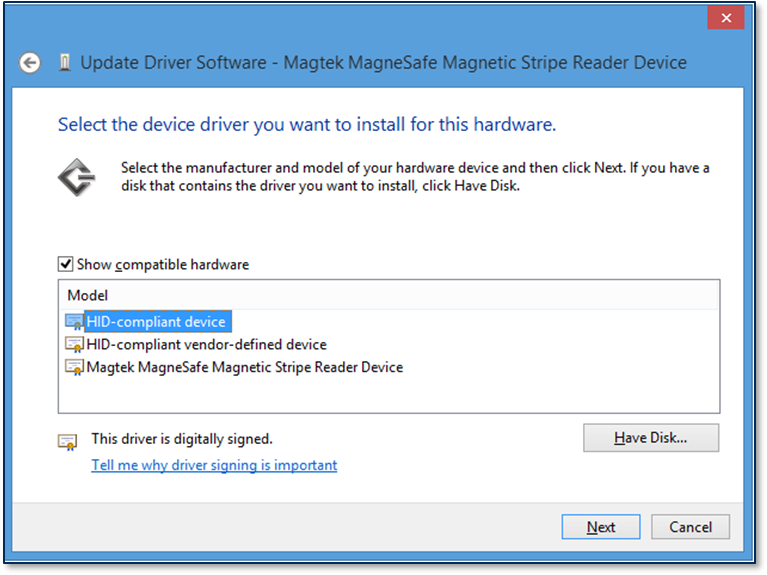
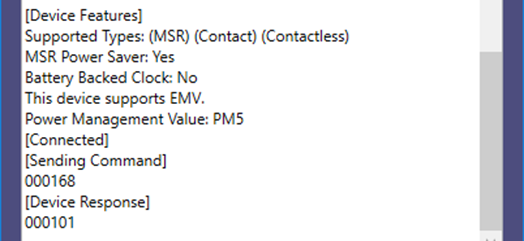
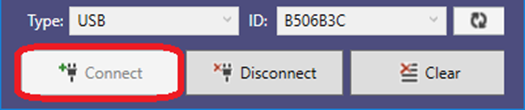
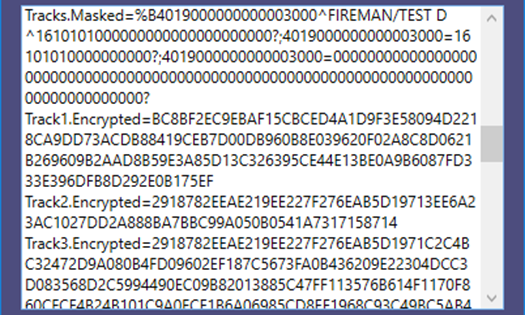
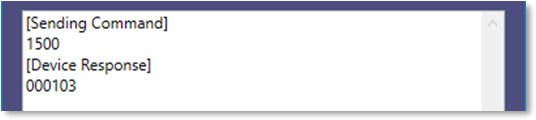
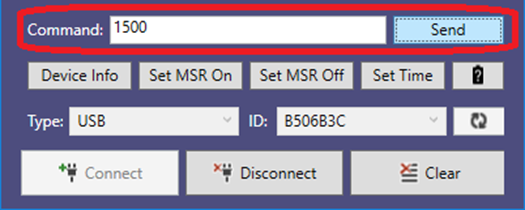
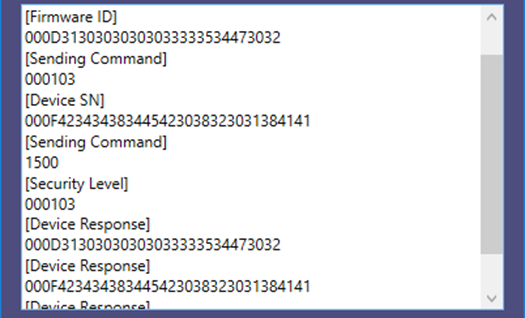
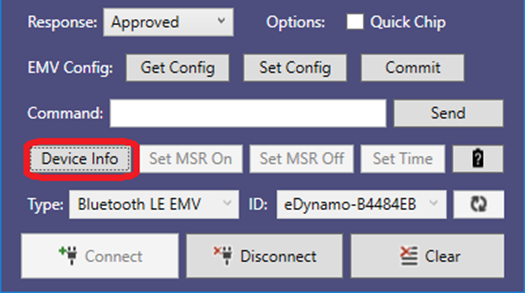

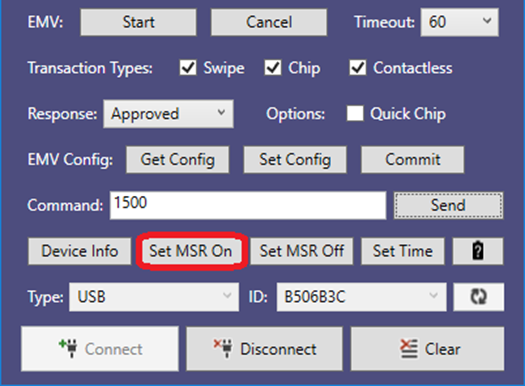

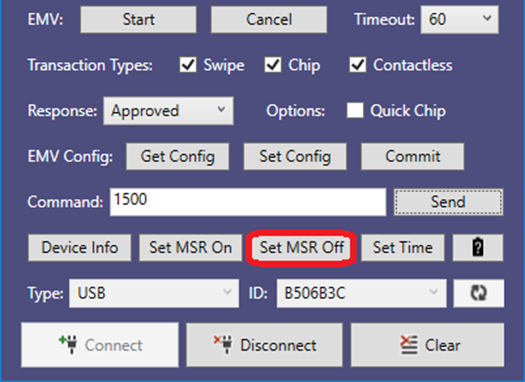
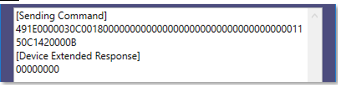
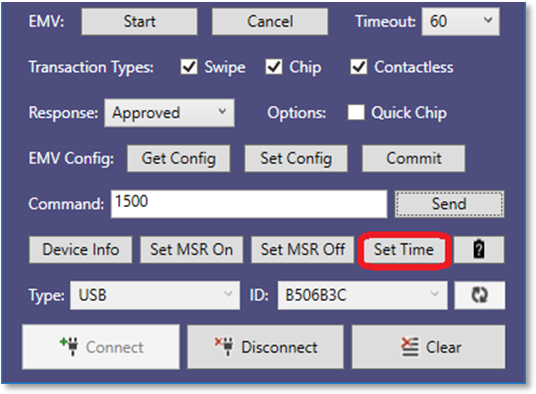

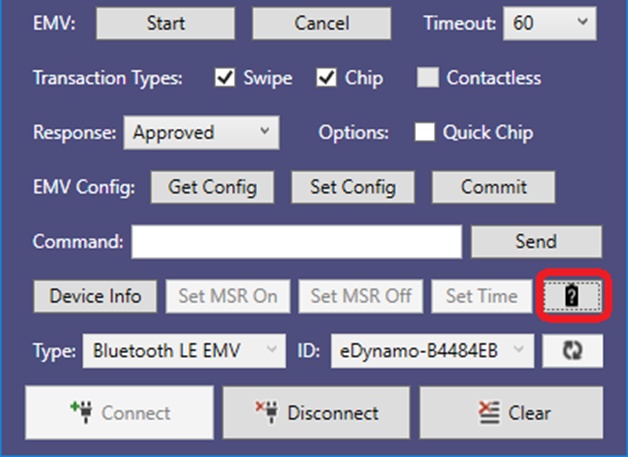
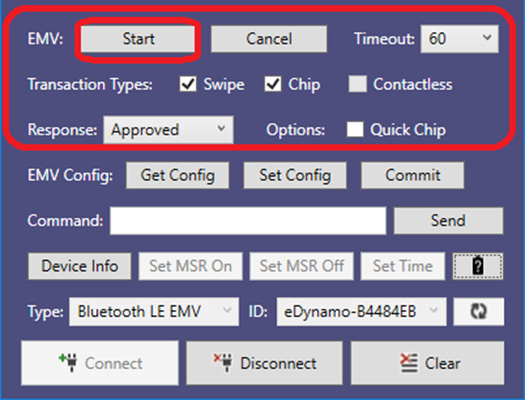
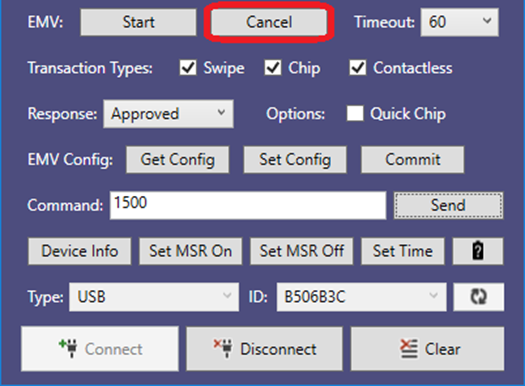
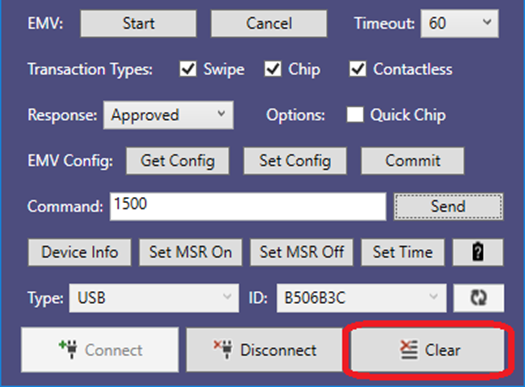
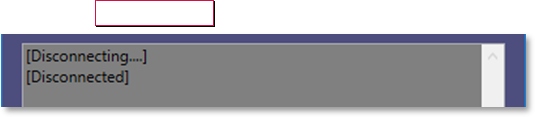
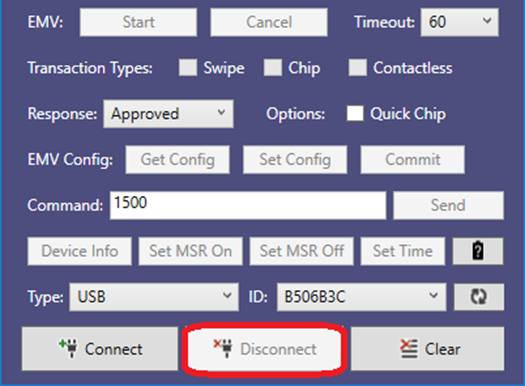
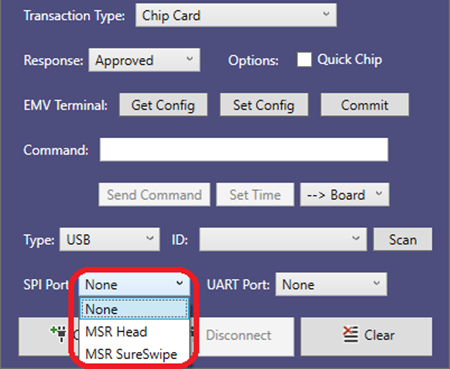
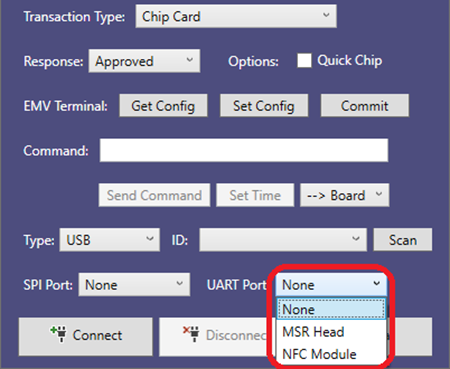
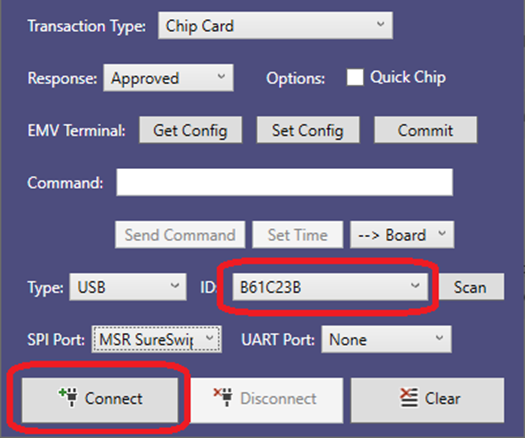
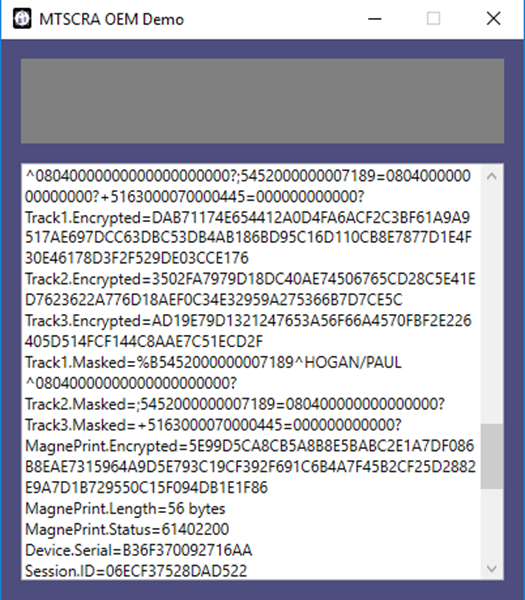
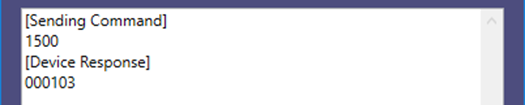
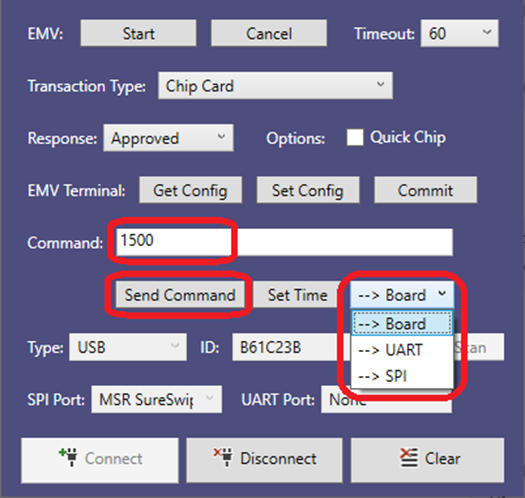
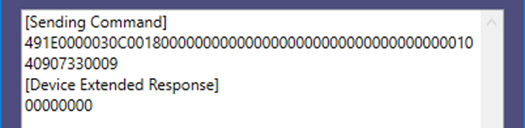
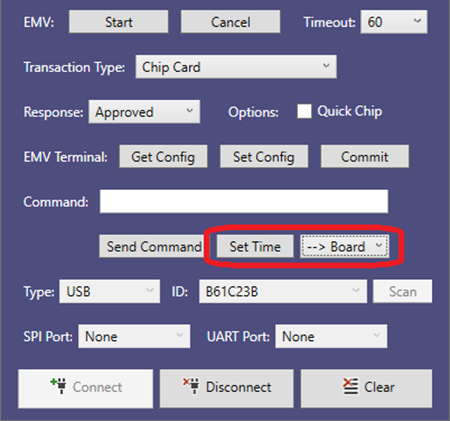
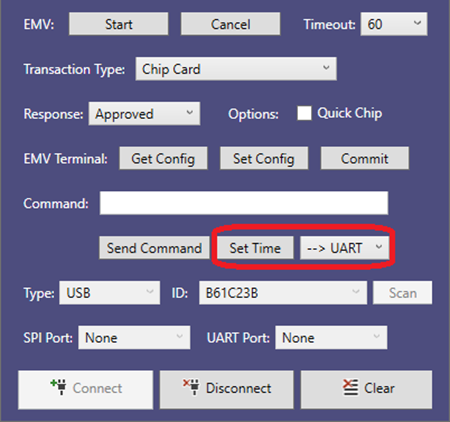
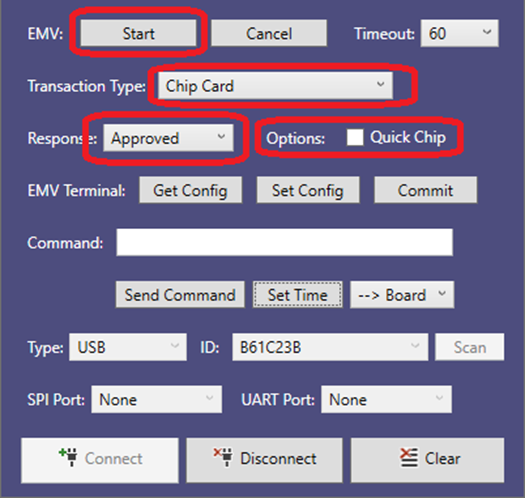
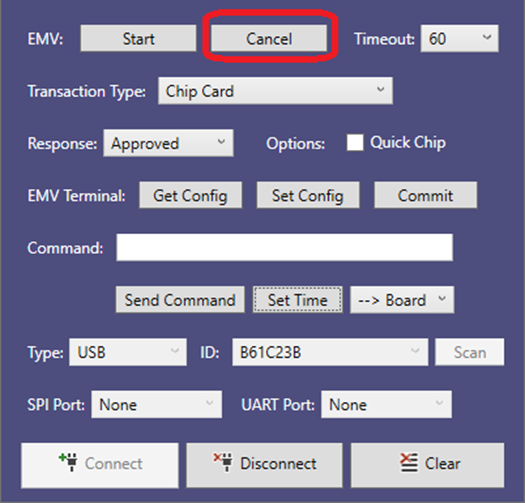
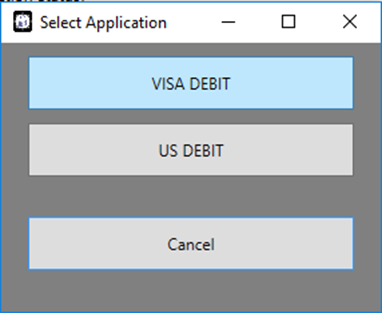
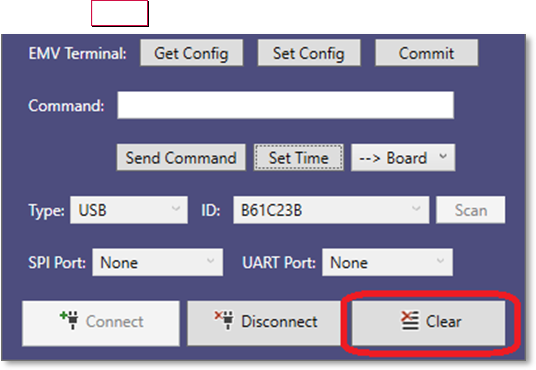
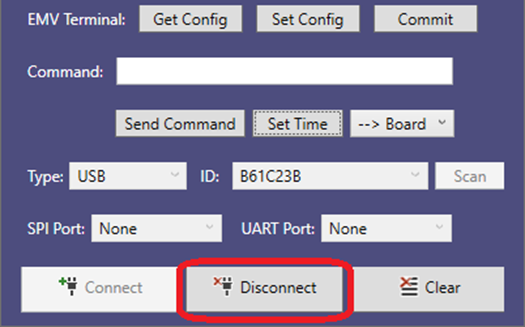
Added support for tDynamo and DynaWave.
12
January 30, 2019
Updated to correctly reference Bluetooth LE. Added device feature detection during connection and MSR head power control. Added battery level.
13
November 19, 2020
Added support for iDynamo 6.
14
February 11, 2021
Updated MTNET OEM Demo instructions. Added DynaDip in the supported device list.
100
June 4, 2024
Added iDynamo 5 (Gen III) in the supported device list at section 1.
Rev Number
Date
Notes
10
January 5, 2017
Initial release
11
May 24, 2018
Description
00
ISO/ABA
ISO/ABA encode format. At least one track in ISO/ABA format, Track 3 not AAMVA format.
01
AAMVA
AAMVA encode Track 3 is AAMVA format. Tracks 1 and 2 are ISO/ABA if correctly decoded.
02
Reserved
03
Blank
The card is blank. Only occurs if all tracks decode without error and without data.
04
Other
The card has a non-standard encode format. For example, ISO/ABA track 1 format on track 2.
05
Undetermined
The card encode type could not be determined because no tracks could be decoded. (Combination of Error tracks and Blank Tracks, at least one Error track).
06
None
No decode has occurred. This type occurs if no magnetic stripe data has been acquired since the data has been cleared or since the reader was powered on. This reader only sends an Input report when a card has been swiped so this value will never occur.
Retrieves data field count.
public int getDataFieldCount()
Parameters: None
Return Value:
Data field count
Retrieves SHA-x hash code.
public string getHashCode()
Parameters: None Return Value:
String representing SHA-x hash code.
Retrieves device configuration.
public string getDeviceConfig(string configType)
Parameters:
configType can be one of:
8180: Send TLV Version on Power Up
8181: Send Discovery on Power Up
8280: Send Card name
8281: Send Card IIN
8282: Send Card Last 4 Digits of PAN
8283: Send Card Expiration
8284: Send Card Service Code
8285: Send Card PAN Length
Return Value:
String representing device configuration.
Retrieves encryption status. This two-byte Binary field contains the Encryption Status. The Reader Encryption Status is sent in big endian byte order. Byte 1 is the least significant byte. Byte 1 LSB is status bit 0. Byte 2 MSB is status bit 15.
public string getEncryptionStatus()
Parameters: None Return Value:
String representing decryption status as a 2-byte binary field.
Bit 0 = DUKPT Keys exhausted (1=exhausted, 0=keys available)
Bit 1 = Initial DUKPT key Injected, always set to One (Primary DUKPT Key)
Bit 2 = Encryption Enabled, always set to One
Bit 3 = Reserved (always set to zero)
Bit 4 = Reserved (always set to zero)
Bit 5 = Reserved (always set to zero)
Bit 6 = Reserved (always set to zero)
Bit 7 = Reserved (always set to zero)
Bit 8 = Reserved (always set to zero)
Bit 9 = Initial DUKPT key injected (Secondary DUKPT Key)
Bit 10 = DUKPT Key used for encryption, 0=Primary, 1=Secondary
Bit 11 = DUKPT Key Variant used to encrypt data, 0=PIN Variant, 1=Data Variant/Bidirectional
Bits 12–15 = Unassigned (always set to Zero)
Retrieves firmware version.
public string getFirmware()
Parameters: None
Return Value:
String representing firmware version.
Retrieves MagTek device serial number.
public string getMagTekDeviceSerial()
Parameters: None
Return Value:
String representing MagTek device serial number.
Retrieves response data.
public string getResponseData()
Parameters: None
Return Value:
String representing response data.
Retrieves response type.
public string getResponseType()
Parameters: None
Return Value:
String representing response type. For Audio Reader, always “C101”.
Retrieves the value of the specified tag.
public string getTagValue(string tag, string data)
Parameters: None
tag
Tag to search for
data
Data to search from
Return Value: String representing tag value.
Value
Encode Type
Parameter
Description
address
Address of the Bluetooth LE device to communicate with
Parameter
Description
pData
Command to send to the device. For example, pass command string
“C10206C20503C30100” to call the Discovery command.
// #2
protected void OnDisplayMessageRequest(obj sender, byte[] data)
{
String message;
// Get the message.
if (data != NULL)
{
message = System.Text.Encoding.UTF8.GetString(data);
}
// A data size of 0 is an instruction to clear the display.
if (data.Length == 0)
{
// Clear the display.
}
}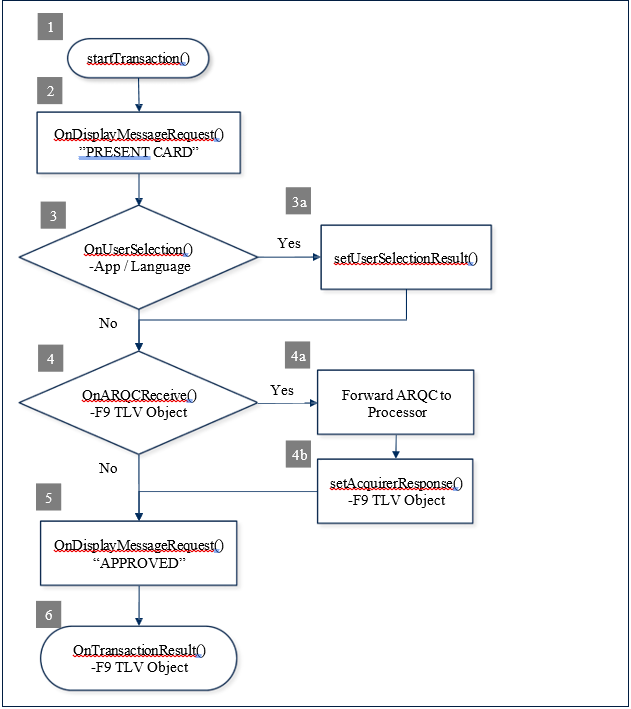
Bit 2
Bit 1
Bit 0
Id
0
T3
T3
T2
T2
T1
T1
0 – Decodes standard ISO/ABA cards only
1 – Decodes AAMV and 7-bit cards also
If this flag is set to 0, only tracks that conform to the ISO format allowed for that track will be decoded. If the track cannot be decoded by the ISO method it will be considered to be in error.
00 – Track Disabled
01 – Track Enabled
10 – Track Enabled/Required (Error if blank)
This function gets the device’s capability for encrypting track data.
Return Value:
“1” = Available
“0” = Unavailable.
This function gets information about the device’s tracks capability.
Parameters: None
Return Value: A hex string for the track capability. See Track ID Enable Property in D99875475.
This function retrieves the card expiration date after a cardholder swipes a card.
Parameters: None
Return Value: String containing the card expiration date
This function gets the last 4 digits of the card account number (PAN) after a cardholder swipes a card.
Parameters: None
Return Value: String containing the last 4 digits of the PAN
This function gets the issuer identification number (IIN) of the card number after a cardholder swipes a card.
Parameters: None
Return Value: String containing the IIN
This function gets the cardholder name after a cardholder swipes a card.
Parameters: None
Return Value: String containing the cardholder name, for example, “John Wayne”.
This function gets the length of the PAN after a cardholder swipes a card.
Parameters: None
Return Value: Length of card number or PAN
This function retrieves the card’s service code after a cardholder swipes a card.
Parameters: None
Return Value: String containing the card’s service code
This function retrieves the part number and revision of the device’s firmware.
Parameters: None
Return Value: String containing firmware part number and revision.
Bit 7
Bit 6
Bit 5
Bit 4
Bit 3
(BOOL) openDevice(BOOL) closeDevice(BOOL) isDeviceConnected(BOOL) isDeviceOpened(int) sendCommandToDevice:(NSString *)pData Parameters:(NSString *) getResponseData// #1
MTSCRA m_SCRA = new MTSCRA();
// Delegate the MTSCRA Events.
m_SCRA.OnDisplayMessageRequest += OnDisplayMessageRequest;
.
// Assign parameters.
byte timeLimit = 0x3C;
byte cardType = 0x07;
byte option = 0x00;
byte[] amount = new byte[] { 0x00, 0x00, 0x00, 0x00, 0x15, 0x00 };
byte transactionType = 0x00; // Purchase
byte[] cashBack = new byte[] { 0x00, 0x00, 0x00, 0x00, 0x00, 0x00 };
byte[] currencyCode = new byte[] { 0x08, 0x40 };
byte reportingOption = 0x02; // All Status Changes
// Start transaction.
long result = m_SCRA.startTransaction(
timeLimit,
cardType,
option,
amount,
transactionType,
cashBack,
currentCode, reportingOption);
// #3
protected void OnUserSelectionRequest(object sender, byte[] data)
{
/* data[0] – selection type
data[1] – timeout
data[2..n] – remainder contains zero-terminated string items */
// display/retrieve user selection.
.
// set status and selection result.
m_SCRA.setUserSelectionResult(status, selection);
}// #4
protected void OnARQCReceived(object sender, byte[] data)
{
/* data[0..1] – ARQC length
data[2..n] – remainder contains the ARQC TLV object */
// #4a Forward ARQC to Processor.
/* An application function to forward the ARQC
to a Processor for approval. */
proccesorResponse = sendARQCToProcesor(data);
/* No need to send ARQC Response if transaction option
had enabled Quick Chip mode. */
if (isQuickChipEnabled())
{
return;
}
// #4b Set Acquirer Response.
// An application function to build Acquirer Response.
buildAcquirerResponse(processorResponse);
// Set Acquirer Response.
m_SCRA.setAcquirerResponse(response);
}// #5
protected void OnDisplayMessageRequest(obj sender, byte[] data)
{
String message;
// Get the message.
if (data != NULL)
{
message = System.Text.Encoding.UTF8.GetString(data);
}
// A data size of 0 is an instruction to clear the display. if (data.Length == 0)
{
// Clear the display.
}
}// #6
protected void OnTransactionResult(obj sender, byte[] data)
{
/* data[0] – Signature Required
data[1..2] – Batch Data length
data[3..n] – remainder contains the Batch Data TLV object */
// Parse the TLV from data[].
.
// Abstract Approval status from TLV tag “DFDF1A”.
.
// Abstract Signature Required status from TLV tag data[0].
.
}(NSString *) getCapMSR(NSString *) getCapMagStripeEncryption Parameters: None(NSString *) getCapTracks(NSString *) getCardExpDate(NSString *) getCardLast4(NSString *) getCardIIN(NSString *) getCardName(int) getCardPANLength(NSString *) getCardServiceCode(NSString *) getFirmwareRequired
03 E8 = 1000 ($10.00)
81
8
T
Terminal ID
Required
"TERM0001"
82
1
B
Transaction type
Required
00 = Purchase
83
1
B
Reader options (bitfield)
Optional
0F = All readers enabled
How MMS requests, responses, and notifications are framed and parsed.
The shared TLV and EMV objects the commands carry.
The MMS command set, scoped to the Go, with a supported-commands view.
Asynchronous messages the Go sends during transactions, device events, and firmware updates.
Configurable properties and parameters.
These sections detail a variety of information on OIDs, codes, tips & taxes and more.
80
2-4
I
Transaction amount (cents)
Information about parsing EMV ARQC Type or Merchant Data Container data for each track into individual values embedded in the tracks.
A pre-defined set of messages by string ID that the host and device use for various user interface features.
Information on the key type, variant, and other information the host can use to decrypt encrypted data included in various payloads.
Information on how the device formats ARQC messages.
Information on how the device formats ARPC messages
Information on the device formats EMV batch data, such as merchant data and pre-defined EMV batch data tags.
Information on loading this file type to control the behavior of the device’s EMV contact kernel.
Information on loading this file type to control the behavior of the device’s EMV kernel.
E
Information on loading this file type to control the behavior of the device’s EMV kernels.
Information on loading this file type to control the behavior of the device’s EMV contact and contactless kernels when the device should support Offline Data Authentication (ODA).
Information on loading this file type to control the behavior of the device’s American Express contactless kernel when the card sends tag 9F70 and one or more DRL is defined. (Not supported on Expresspay 4.x)
The signature capture file type produced when the host invokes Request Cardholder Signature - Command 0x1801 (Touch Only)
This non-TLV data structure consists of four or five bytes that describes a security operation, including the algorithms and methods to be used in that operation.
Information on tags used with security parameters.
Information on tags used to identify key types.
Information on tags used with NFC UID Types. (EMV Contactless Only)
Information on tags used with GPORT-1 Types. (EMV Contactless Only)
Information on tags used with TR-31 Key Blocks.
Information on tags used with DUKPT Keys.
Information on file types that conform to the common file structure format.
These file types conform to the Common File Structure format. The File Payload of these files contain a certificate in PEM format.
Information on CSR File Types.
Card emulation enables a DynaFlex/DynaProx device to simulate a Type 4 smart card.
Section
Information available
A list of primitive data types used by TLV data objects.
Microsoft®, Windows® and .NET® are registered trademarks of Microsoft Corporation.
EMV® is a registered trademark in the U.S. and other countries and an unregistered trademark elsewhere. The EMV trademark is owned by EMVCo, LLC. The Contactless Indicator mark, consisting of four graduating arcs, is a trademark owned by and used with permission of EMVCo, LLC.
All other system names and product names are the property of their respective owners.
Table 1.1 Revisions
Rev Number
Date
Notes
10
02/25/2015
Initial Release
20
Rev Number
Date
Notes
500
06/03/2024
Added EMV transaction flow as Appendix F.
Added support for iDynamo 5 Gen III at sections 4.2, 4.61, and Appendix E.
501
07/03/2025
IMPORTANT: YOU SHOULD CAREFULLY READ ALL THE TERMS, CONDITIONS AND RESTRICTIONS OF THIS LICENSE AGREEMENT BEFORE INSTALLING THE SOFTWARE PACKAGE. YOUR INSTALLATION OF THE SOFTWARE PACKAGE PRESUMES YOUR ACCEPTANCE OF THE TERMS, CONDITIONS, AND RESTRICTIONS CONTAINED IN THIS AGREEMENT. IF YOU DO NOT AGREE WITH THESE TERMS, CONDITIONS, AND RESTRICTIONS, PROMPTLY RETURN THE SOFTWARE PACKAGE AND ASSOCIATED DOCUMENTATION TO THE ADDRESS ON THE FRONT PAGE OF THIS DOCUMENT, ATTENTION: CUSTOMER SUPPORT.
TERMS, CONDITIONS, AND RESTRICTIONS
MagTek, Incorporated (the "Licensor") owns and has the right to distribute the described software and documentation, collectively referred to as the "Software."
LICENSE: Licensor grants you (the "Licensee") the right to use the Software in conjunction with MagTek products. LICENSEE MAY NOT COPY, MODIFY, OR TRANSFER THE SOFTWARE IN WHOLE OR IN PART EXCEPT AS EXPRESSLY PROVIDED IN THIS AGREEMENT. Licensee
may not decompile, disassemble, or in any other manner attempt to reverse engineer the Software. Licensee shall not tamper with, bypass, or alter any security features of the software or attempt to do so.
TRANSFER: Licensee may not transfer the Software or license to the Software to another party without the prior written authorization of the Licensor. If Licensee transfers the Software without authorization, all rights granted under this Agreement are automatically terminated.
COPYRIGHT: The Software is copyrighted. Licensee may not copy the Software except for archival purposes or to load for execution purposes. All other copies of the Software are in violation of this Agreement.
TERM: This Agreement is in effect as long as Licensee continues the use of the Software. The Licensor also reserves the right to terminate this Agreement if Licensee fails to comply with any of the terms, conditions, or restrictions contained herein. Should Licensor terminate this Agreement due to Licensee's failure to comply, Licensee agrees to return the Software to Licensor. Receipt of returned Software by the Licensor shall mark the termination.
LIMITED WARRANTY: Licensor warrants to the Licensee that the disk(s) or other media on which the Software is recorded are free from defects in material or workmanship under normal use.
THE SOFTWARE IS PROVIDED AS IS. LICENSOR MAKES NO OTHER WARRANTY OF ANY KIND, EITHER EXPRESS OR IMPLIED, INCLUDING, BUT NOT LIMITED TO, THE IMPLIED WARRANTIES OF MERCHANTABILITY AND FITNESS FOR A PARTICULAR PURPOSE.
Because of the diversity of conditions and PC hardware under which the Software may be used, Licensor does not warrant that the Software will meet Licensee specifications or that the operation of the Software will be uninterrupted or free of errors.
IN NO EVENT WILL LICENSOR BE LIABLE FOR ANY DAMAGES, INCLUDING ANY LOST PROFITS, LOST SAVINGS, OR OTHER INCIDENTAL OR CONSEQUENTIAL DAMAGES ARISING OUT OF THE USE, OR INABILITY TO USE, THE SOFTWARE. Licensee's sole remedy in the event of a defect in material or workmanship is expressly limited to replacement of the Software disk(s) if applicable.
GOVERNING LAW: If any provision of this Agreement is found to be unlawful, void, or unenforceable, that provision shall be removed from consideration under this Agreement and will not affect the enforceability of any of the remaining provisions. This Agreement shall be governed by the laws of the State of California and shall inure to the benefit of MagTek, Incorporated, its successors or assigns.
ACKNOWLEDGMENT: LICENSEE ACKNOWLEDGES THAT HE HAS READ THIS AGREEMENT, UNDERSTANDS ALL OF ITS TERMS, CONDITIONS, AND RESTRICTIONS, AND AGREES TO BE BOUND BY THEM. LICENSEE ALSO AGREES THAT THIS AGREEMENT SUPERSEDES ANY AND ALL VERBAL AND WRITTEN COMMUNICATIONS BETWEEN LICENSOR AND LICENSEE OR THEIR ASSIGNS RELATING TO THE SUBJECT MATTER OF THIS AGREEMENT.
QUESTIONS REGARDING THIS AGREEMENT SHOULD BE ADDRESSED IN WRITING TO MAGTEK, INCORPORATED, ATTENTION: CUSTOMER SUPPORT, AT THE ADDRESS LISTED IN THIS DOCUMENT, OR E-MAILED TO SUPPORT@MAGTEK.COM.
iDynamo 5 (Gen II) Programmer's Manual (Commands)
iDynamo 5 (Gen III) Programmer's Manual (Commands)
kDynamo Programmer's Manual (Commands)
tDynamo Programmer's Manual (Commands)
D998200324 iDynamo 6 Programmer's Manual (Command )
The MTSCRADemo software, available from MagTek, provides demonstration source code and a reusable MTSCRA library that provides developers of custom iOS software solutions with an easy-to-use interface. Developers can include the MTSCRA library in custom branded software which can be distributed to customers or distributed internally as part of an enterprise solution.
The general terms “device” and “host” are used in different, often incompatible ways in a multitude of specifications and contexts. For example, “host” may have different meanings in the context of USB communication than it does in the context of networked financial transaction processing. In this document, “device” and “host” are used strictly as follows:
Device refers to the MSR device that receives and responds to the command set specified in this document; in this case, DynaMAX, eDynamo, aDynamo, iDynamo, uDynamo, kDynamo, sDynamo, tDynamo, or iDynamo 6.
Host refers to the piece of general-purpose electronic equipment the device is connected or paired to, which can send data to and receive data from the device. Host types include PC and Mac computers/laptops, tablets, smartphones, teletype terminals, and even test harnesses. In many cases the host may have custom software installed on it that communicates with the device. When “host” must be used differently, it is qualified as something specific, such as “USB host.”
The word “user” is also often used in different ways in different contexts. In this document, user generally refers to the cardholder.
File Name
Description
MTSCRA.h
Header file for the MTSCRA SDK
libMTSCRA.a
Library binary for the MTSCRA SDK
MTSCRADemo Folder
Tested devices:
iPhone 7, 7 Plus, 8, 8 Plus, X, XS, XS Max, 11, 12, 13, 14, 15 series, iPhone 12 and 13 mini
iPad 6th 7th, 8th, 9th, 10th gen, iPad Air, iPad Air 2/3/4/5, iPad Pro, iPad Pro 2nd, 3rd, 4th, and 5th gen
iPad Mini 2, iPad Mini 3, iPad Mini 4, iPad Mini 5, iPad Mini 6 Tested operating systems: iOS 13 and above
Build Platforms: XCode 15.3 and above
The following table matches the device interface to operating system.
Device
Interface
Operating System
eDynamo
Bluetooth LE 4.0
iOS 13 and above
aDynamo
This section defines the primitive and composed data types, TLV (Tag-Length-Value) data objects, file structures, and cryptographic key formats used throughout the device command set, including track data, display strings, EMV configuration file types (ARQC, ARPC, Batch, CA Public Keys), security parameters, TR‑31 key blocks, certificate and CSR file structures, and card emulation.
Section
Information available
This section defines the primitive and composed data types, TLV (Tag-Length-Value) data objects, file structures, and cryptographic key formats used throughout the device command set, including track data, display strings, EMV configuration file types (ARQC, ARPC, Batch, CA Public Keys), security parameters, TR‑31 key blocks, certificate and CSR file structures, and card emulation.
Section
Information available
This section focuses on properties, which the host can either read from the device to retrieve device information (such as its PCI hardware ID, serial number, firmware revision numbers, etc.), or write to the device to change device behavior, or to store values for future reference.
Reference Section
Information Available
Detail on configuring the DynaProx device.
After creating an instance of the MTSCRA class in your custom software project, use the methods described in this section to communicate with SCRA device.
This method initiates the discovery of devices that are visible to the host using the specified connection interface. The DeviceListReceived() event will provide information regarding the available devices once the discovery process is completed.
public void requestDeviceList(MTConnectionType connectionType)
Parameters:
Parameter
Description
Return Value: None
This method sets the connection type of the device.
public void setConnectionType(MTConnectionType connectionType)
Parameters:
The following table shows the connection types supported by the various programming interfaces:
The following table shows the connection types supported by the various SCRA devices:
Return Value: None
This method sets the address of the device.
public void setAddress(string deviceAddress)
Parameters:
Return Value: None
This method sets the device ID.
public void setDeviceID(string deviceID)
Parameters:
Return Value: None
This method opens connection to the device. If you use the MagTek Universal Windows SDK and USB Card reader with PID 0011, please refer to section 2.5 How to remove POS HID Magnetic Stripe Reader.
public void openDevice()
Parameters: None
Return Value: None
This method closes the connection to the device.
public void closeDevice()
Parameters: None
Return Value: None
This method returns whether the device is connected or not.
public bool isDeviceConnected()
Parameters: None Return Value:
Return true if the device is connected. Otherwise, return false.
This method returns whether the device supports EMV or not.
public bool isDeviceEMV()
Parameters: None Return Value:
Return true if EMV is supported by the device. Otherwise, return false.
This method returns whether the device is an OEM device or not.
public bool isDeviceOEM()
Parameters: None Return Value:
Return true if device is OEM. Otherwise, return false.
Get stored masked tracks data. If decodable track data exists for a given track, it is located in the Masked Track Data field that corresponds to the track number. The length of each Masked Track Data field is fixed at 112 bytes, but the length of valid data in each field is determined by the Masked Track Data Length field that corresponds to the track number. Masked Track Data located in positions greater than indicated in the Masked Track Data Length field are undefined and should be ignored.
The Masked Track Data is decoded and converted to ASCII and then it is masked. The Masked Track Data includes all data starting with the start sentinel and ending with the end sentinel. Much of the data is masked; a specified mask character is sent instead of the actual character read from the track. Which characters are masked depends on the format of the card. Only ISO/ABA (Financial Cards with Format Code B) and AAMVA cards are selectively masked; all other card types are either entirely masked or sent totally in the clear. There is a separate masking property for ISO/ABA cards and AAMVA cards. See the ISO Track Masking property and the AAMVA Track Masking property for more information. See 99875475 for a description on how ISO/ABA and AAMVA cards are identified.
Each of these properties allows the application to specify masking details for the Primary Account Number and Driver’s License / ID Number (DL/ID#), the masking character to be used, and whether a correction should be applied to make the Mod 10 9 (Luhn algorithm) digit at the end of the number be correct.
public string getMaskedTracks()
Parameters: None Return Value:
Return stored masked tracks data string.
This section focuses on properties, which the host can either read from the device to retrieve device information (such as its PCI hardware ID, serial number, firmware revision numbers, etc.), or write to the device to change device behavior, or to store values for future reference.
Reference Section
Information Available
Detail on configuring the DynaFlex II SCR device.
This section defines the primitive and composed data types, TLV (Tag-Length-Value) data objects, file structures, and cryptographic key formats used throughout the device command set, including track data, display strings, EMV configuration file types (ARQC, ARPC, Batch, CA Public Keys), security parameters, TR‑31 key blocks, certificate and CSR file structures, and card emulation.
Section
Information available
This section focuses on properties, which the host can either read from the device to retrieve device information (such as its PCI hardware ID, serial number, firmware revision numbers, etc.), or write to the device to change device behavior, or to store values for future reference.
The DynaFlex II Go is a portable secure card reader authenticator (SCRA) that reads contact chip, contactless (NFC), and magnetic-stripe cards in a compact, handheld device. It encrypts cardholder data at the point of read (SRED) and connects over USB or Bluetooth LE — suited to both mobile and countertop acceptance. It uses the shared Dyna-family MMS command set, so everything you build against it is documented in the and linked below.
Contact, contactless (NFC), and magnetic stripe card reading in one device
SRED point-to-point encryption at the moment of read (TDES / AES DUKPT)
DynaFlex II Go and DynaFlex II Go BCR deliver the next generation of mobile payment solutions, both models are PCI PTS 6.x. These secure card reader authenticator devices accept magnetic stripe cards; EMV chip cards (contact and contactless); NFC enabled mobile wallets including Apple® Pay, Samsung™ Pay, Google Pay™, with support for Google Smart Tap and Apple VAS protocols, and MIFARE® Classic,
MIFARE® DESFire, and NTag. DynaFlex II Go BCR additionally has an integrated barcode reader. Ideal for cafés, restaurants, boutiques, airlines, retail banks, and other developers looking to build a secure payment solution that accepts swipe, tap, and dip technology.
DynaFlex II Go Major Components
Top Face
12/03/2015
Updates for EMV devices
30
05/17/2016
Added DynaPro format for EMV transaction messages.
40
06/20/2016
Added getCardPAN.
50
10/28/2016
Added support for mDynamo.
51
June 9, 2017
Fix table in section 5.6 listing values for card events; misc. formatting cleanup.
52
10/16/2017
Updates for Universal Windows. Enhanced the code examples.
53
05/23/2018
Added isDeviceOEM
54
01/31/2019
Updated to correctly reference Bluetooth LE. Added getDeviceFeatures() and getPowerManagementValue().
55
10/08/2019
Updated events for the event onTransactionStatus(), and result codes for the event onEMVCommandResult().
Updated the method startTransaction(): cardType, options. and transactionType.
Updated and included IMTCardData to support SCDE (section 6.1).
Sample code and projects
Audio
iOS 13 and above
iDynamo
30-pin
iOS 13 and above
Lightning
iOS 13 and above
uDynamo
Audio
iOS 13 and above
DynaMAX
Bluetooth LE 4.0
iOS 13 and above
kDynamo
Lightning
iOS 13 and above
sDynamo
Lightning
iOS 13 and above
tDynamo
Bluetooth LE 4.0
iOS 13 and above
iDynamo 5 Gen II
Lightning
iOS 13 and above
iDynamo 5 Gen III
USB-C (iAP2)
iOS 13 and above
iDynamo 6
Lightning
iOS 13 and above
🕐 Hours: Monday-Friday, 5:30 AM - 5:00 PM PST
Online Resources:
🌐 Support Portal: developer.magtek.com
Documentation Feedback:
Help us improve this documentation! feedback@magtek.com
X
X
X
X
Universal Windows Platform
X
Bluetooth
BulleT
USB
BulletT DynaMag DynaMAX eDynamo mDynamo DynaWave tDynamo
iDynamo 5 Gen III
Serial
DynaWave
connectionType
MTConnectionType value: MTConnectionType.Audio, MTConnectionType.BLE, MTConnectionType.BLEEMV, MTConnectionType.Bluetooth, MTConnectionType.USB, MTConnectionType.Serial, MTConnectionType.Net, MTConnectionType.Net_TLS12, MTConnectionType.Net_TLS12_Trust_All
Parameter
Description
connectionType
MTConnectionType value: MTConnectionType.Audio, MTConnectionType.BLE, MTConnectionType.BLEEMV, MTConnectionType.Bluetooth, MTConnectionType.USB, MTConnectionType.Serial, MTConnectionType.Net, MTConnectionType.Net_TLS12, MTConnectionType.Net_TLS12_Trust_All
Connection Type / Programming Interface
Audio
Bluetooth LE
Bluetooth LE EMV
Bluetooth
USB
UART
.NET Framework
Connection Type
SCRA Device
Audio
aDynamo uDynamo
Bluetooth LE
DynaMAX
Bluetooth LE EMV
Parameter
Description
deviceAddress
String value of the address.
Parameter
Description
deviceID
String value of the device ID.
X
eDynamo tDynamo
Configure the device's cardholder-facing interface — display behavior, LEDs, buzzer, and prompts — including the UI configuration file.
Continues UI configuration with the remaining interface properties, such as the card-logos page and related on-screen elements.
Set or read the name the device advertises over Bluetooth LE, used to identify the reader when pairing and connecting.
Configure the device's security posture, including SRED/encryption behavior and key status.
Configure the device's system settings
The identifier and version of the China UnionPay contactless kernel firmware.
Identifies the custom user-interface package loaded on the device — which custom UI build (if any) is installed, and its version.
Reference Section
Information Available
Part A of EMV Terminal ID settings.
Part B of EMV Terminal ID settings.
Part C of EMV Terminal ID settings.
Reference Section
Information Available
The device uses this property to determine what character it should use when sending masked ISO/ABA track data.
The device sends this notification when the battery charge reaches 15 percent.
Reference Section
Information Available
Configure how the device runs financial transactions — EMV terminal and kernel parameters, supported entry methods, and amount, currency, and timeout handling.`
Continues the transaction group with the remaining financial/EMV properties, such as contactless and additional processing options.
Reference Section
Information Available
The device's top-level firmware identifier — the composite firmware ID that ties together the individual component versions and checksums listed below.
Part number, version, and build details for the device's core application firmware — the main firmware that runs the reader.
Reference Section
Information Available
Read-only hardware information reported by the device, such as model, part number, and hardware revision.
Reference Section
Information Available
This OID contains a 32-bit bitmap. Each bit indicates the status of a transaction key,
The device uses this property to report its security status.
Configure the USB interface on USB-connected devices, including communication mode and power behavior during USB suspend. Applies only when connected over USB.
Part number and version for the EMV firmware component that handles Level 2 EMV processing for contact and contactless transactions.
The device uses this property to report its operational status.
Configure the device's cardholder-facing interface — display behavior, LEDs, buzzer, and prompts — including the UI configuration file.
Continues UI configuration with the remaining interface properties, such as the card-logos page and related on-screen elements.
Configure the device's security posture, including SRED/encryption behavior and key status.
Configure the device's system settings
The identifier and version of the China UnionPay contactless kernel firmware.
Identifies the custom user-interface package loaded on the device — which custom UI build (if any) is installed, and its version.
Reference Section
Information Available
Part A of EMV Terminal ID settings.
Part B of EMV Terminal ID settings.
Part C of EMV Terminal ID settings.
Reference Section
Information Available
The device uses this property to determine what character it should use when sending masked ISO/ABA track data.
Reference Section
Information Available
Configure how the device runs financial transactions — EMV terminal and kernel parameters, supported entry methods, and amount, currency, and timeout handling.`
Continues the transaction group with the remaining financial/EMV properties, such as contactless and additional processing options.
Reference Section
Information Available
The device's top-level firmware identifier — the composite firmware ID that ties together the individual component versions and checksums listed below.
Part number, version, and build details for the device's core application firmware — the main firmware that runs the reader.
Reference Section
Information Available
Read-only hardware information reported by the device, such as model, part number, and hardware revision.
Reference Section
Information Available
This OID contains a 32-bit bitmap. Each bit indicates the status of a transaction key,
The device uses this property to report its security status.
Configure the USB interface on USB-connected devices, including communication mode and power behavior during USB suspend. Applies only when connected over USB.
Part number and version for the EMV firmware component that handles Level 2 EMV processing for contact and contactless transactions.
The device uses this property to report its operational status.
Reference Section
Information Available
Part A of EMV Terminal ID settings.
Part B of EMV Terminal ID settings.
Part C of EMV Terminal ID settings.
Reference Section
Information Available
The device uses this property to determine what character it should use when sending masked ISO/ABA track data.
The device sends this notification when the battery charge reaches 15 percent.
Reference Section
Information Available
Configure how the device runs financial transactions — EMV terminal and kernel parameters, supported entry methods, and amount, currency, and timeout handling.`
Continues the transaction group with the remaining financial/EMV properties, such as contactless and additional processing options.
Reference Section
Information Available
The device's top-level firmware identifier — the composite firmware ID that ties together the individual component versions and checksums listed below.
Part number, version, and build details for the device's core application firmware — the main firmware that runs the reader.
Reference Section
Information Available
Read-only hardware information reported by the device, such as model, part number, and hardware revision.
Reference Section
Information Available
This OID contains a 32-bit bitmap. Each bit indicates the status of a transaction key,
The device uses this property to report its security status.
Reference Section
Information Available
Detail on configuring the DynaFlex II PED device.
Optional barcode reader (BCR) for scanning outside a transaction
Portable and battery-powered, with status LEDs and a buzzer for prompts
PCI PTS POI–approved SCRA (no PIN entry — see the DynaFlex II PED for PIN)
Reference Section
Information Available
The Go connects to a host over USB or Bluetooth LE. For wiring, pairing, and a first end-to-end transaction, start with the Quickstart.
Reference Section
Information Available
The MMS command set scoped to the Go: message format, commands, notifications, configuration, and status codes.
The commands the Go supports, each linking into the shared reference.
Reference Section
Information Available
The essential software resources for developing with and managing the DynaFlex II Go secure card reader.
Compliance documentation for the Go, including inspection documents.
-4°F to 113°F (-20°C to 45°C)
Operating temperature
32°F to 95°F (0°C to 35°C)
DynaFlex II Go products are designed to provide flexible mounting options. The device can be mounted to the host via an external clip or the embedded lanyard. When designing an enclosure or mounting bracket, ensure there is adequate clearance for cardholders to tap, swipe, dip, and for users to present a bar code. Proximity to metal can reduce the device’s reading range. DynaFlex II Go offers an optional OtterBox uniVERSE clip adapter and a countertop stand.
DynaFlex II Go is available with USB-C or USB-C and Bluetooth LE connection. Check you model number for connection configuration.
For best results, use the cable that is included with the device. Connect the cable to the device. Connect the other end to the HOST USB port. Device will automatically power on. Windows will start an installation of the driver on initial connection. Windows will report DEVICE IS READY and device shows in Windows Device Manager under HUMAN INTERFACE DEVICES as two devices HID-COMPLIANT VENDOR-DEFINED (VID 0801, PID 2024) and USB INPUT DEVICES.
See D998200386 MagTek Universal SDK
Disconnect any active connections to the device. Install Android HOST software. Press and hold the POWER BUTTON for 4 beeps until LED 4 starts flashing indicating Bluetooth LE pairing is in process. LED flashes once per second for up to 3 minutes. On the Android HOST, launch SETTINGS >BLUETOOTH> SEARCH FOR DEVICES > locate
the 7-digit serial number on the device label (DF II GO_xxxxxxx). Select device. When HOST shows BLUETOOTH PAIRING REQUEST and asks for configuration key, enter [000000]. The device appears in PAIRED DEVICES. Change the default passkey.
To UNPAIR, locate the device in BLUETOOTH configuration page on HOST, press the settings (gear) icon, press FORGET.
Ensure HOST Bluetooth LE is turned on and working. Disconnect any other connections to the device. On the HOST, install and configure the software. Ensure HOST software is configured to look for the device. The device transmits in GATT format. In START on HOST type BLUETOOTH and select BLUETOOTH AND OTHER DEVICE
SETTINGS. Locate the 7-digit serial number on device label. Press and hold the POWER BUTTON on device for 4 beeps until LED 4 starts flashing indicating Bluetooth pairing is in process. LED flashes once per second for up to 3 minutes. Press the ADD BLUETOOTH OR OTHER DEVICE button and launch ADD A DEVICE window. Under CHOOSE THE KIND OF DEVICE YOU WANT TO ADD select BLUETOOTH.
Locate the device called DF II GO-xxxxxxx. Enter configured passkey (000000) press the CONNECT button. After a short period CONNECTED appears. Press DONE. Change the default passkey.
To UNPAIR, select the device in BLUETOOTH AND OTHER DEVICE SETTINGS window and press the REMOVE DEVICE button.
DynaFlex II Go receives power from the USB-C port. The battery must be periodically recharged by connecting the device to a USB port or stand-alone USB charger. The device requires a USB power supply that can provide at least 500mA @ 5V.
Powered Off Mode is the shipping and storage mode of the device. No external power is applied to the device through the USB cable or from the internal rechargeable battery.
Active Mode is the device’s normal “awake” state when it is in use. In this mode, the device LED indicators are powered on, and the device is ready to receive commands from the host.
To set the device from Active mode to Powered Off mode: remove power, and press and hold the power button for two beeps.
DynaFlex II Go has 4 LEDs that provide responses to the user for Power, Connection, Device Status, and Card Status. The Installation and Operation Manual has a more complete list of light signals.
The device does not have an on-screen configuration interface. However, it does have settings the HOST can change using commands.
Operator presses the Start transaction button on the HOST device. LED 1 and 2 will remain on. When a card is swiped, all four LEDs will turn on in sequence (1, 2, 3 then 4), followed by a long beep, indicating a successful transaction. Swipe the card with the magnetic stripe facing away from the face of the device. After a successful transaction, the device will return to the ready state.
Locate the insertion slot on the face of the device. Orient the chip card so the chip faces the face of the device. Insert the chip card into the slot, then push gently on the card until it stops. The operator presses the Start transaction button on the HOST device.
LED 1 and 2 will remain on. When a card is inserted, LEDs 1, 2 and 4 will turn on in sequence, followed by a long beep, indicating a successful transaction.
Hold QR Code or barcode approximately 6 inches away from barcode reader. The operator presses the Start button on the HOST device. LED 1,2, and the BCR status light will be illuminated see. When a barcode is detected, only LED 1 will remain illuminated, the BCR status LED will be off, and a long beep will sound.
The operator presses the Start transaction button on the host device. LED 1 will remain on. When a card is presented within range of the contactless reader, LEDs 1,2,3, and 4 will turn on in sequence, followed by a long beep, indicating a successful transaction. Tap the card or electronic payment device on the contactless landing zone, indicated by the EMVCo Contactless Indicator on the device’s face. The card or device’s antenna* must be centered over the contactless landing zone. Remove the card or electronic payment device from the contactless landing zone.
Users can take advantage of the OtterBox® uniVERSE® adaptor for easy sliding and connection to a wide range of mobile devices, including phones and tablets
FCC INFORMATION
This device complies with Part 15 of the FCC Rules. Operation is subject to the following two conditions: (1) This device may not cause harmful interference, and (2) This device must accept any interference received, including interference that may cause undesired operation.
Note: This equipment has been tested and found to comply with the limits for a Class B digital device, pursuant to part 15 of the FCC Rules. These limits are designed to provide reasonable protection against harmful interference in a residential installation. This equipment generates, uses and can radiate radio frequency energy and, if not installed and used in accordance with the instructions, may cause harmful interference to radio communications. However, there is no guarantee that interference will not occur in a particular installation. If this equipment does cause harmful interference to radio or television reception, which can be determined by turning the equipment off and on, the user is encouraged to try to correct the interference by one or more of the following measures:
Reorient or relocate the receiving antenna.
Increase the separation between the equipment and receiver.
Connect the equipment into an outlet on a circuit different from that to which the receiver is connected. Consult the dealer or an experienced radio/TV technician for help.
CAUTION
Changes or modifications not expressly approved by MagTek could void the user’s authority to operate this equipment.
CANADIAN DECLARATION OF CONFORMITY
This digital apparatus does not exceed the Class B limits for radio noise from digital apparatus set out in the Radio Interference Regulations of the Canadian Department of Communications.
Le présent appareil numérique n’émet pas de bruits radioélectriques dépassant les limites applicables aux appareils numériques de la classe B prescrites dans le Réglement sur le brouillage radioélectrique édicté par le ministère des Communications du Canada.
This Class B digital apparatus complies with Canadian ICES-003.
Cet appareil numérique de la classe B est conformé à la norme NMB-003 du Canada.
INDUSTRY CANADA (IC) RSS
This device complies with Industry Canada licence-exempt RSS standard(s). Operation is subject to the following two conditions: (1) This device may not cause interference, and (2) This device must accept any interference, including interference that may cause undesired operation of the device.
Le présent appareil est conforme aux CNR d’Industrie Canada applicables aux appareils radio exempts de licence. L’exploitation est autorisée aux deux conditions suivantes: (1) L’appareil ne doit pas produire de brouillage, et (2) L’utilisateur de l’appareil doit accepter tout brouillage radioélectrique subi, même si le brouillage est susceptible d’en compromettre le fonctionnement.
CUR/UR
This product is recognized per Underwriter Laboratories and Canadian Underwriter Laboratories 1950.
CE STANDARDS
Testing for compliance with CE requirements was performed by an independent laboratory. The unit under test was found compliant with standards established for Class B devices.
EU STATEMENT
Hereby, MagTek Inc. declares that the radio equipment types Wideband Transmission System (802.11 wireless and Bluetooth® Low Energy), and Non-Specific Short Range Device (contactless) are in compliance with Directive 2014/53/EU. The full text of the EU declarations of conformity is available at the following Internet addresses: https://www.magtek.com/content/documentationfiles/d998200650.pdf
UL/CSA
This product is recognized per UL 60950 1, 2nd Edition, 2011 12 19 (Information Technology Equipment - Safety - Part 1: General Requirements), CSA C22.2 No. 60950 1 07, 2nd Edition, 2011 12 (Information Technology Equipment - Safety - Part 1: General Requirements).
ROHS STATEMENT
When ordered as RoHS compliant, this product meets the Electrical and Electronic Equipment (EEE) Reduction of Hazardous Substances (RoHS) Directive (EU) 2015/863 amending Annex II to Directive 2011/65/EU. The marking is clearly recognizable, either as written words like “Pb-free,” “lead-free,” or as another clear symbol ( Pb ).
PCI STATEMENT
PCI Security Standards Council, LLC (“PCI SSC”) has approved this PIN Transaction Security Device to be in compliance with PCI SSC’s PIN Security Requirements.
When granted, PCI SSC approval is provided by PCI SSC to ensure certain security and operational characteristics important to the achievement of PCI SSC’s goals, but PCI SSC approval does not under any circumstances include any endorsement or warranty regarding the functionality, quality or performance of any particular product or service. PCI SSC does not warrant any products or services provided by third parties. PCI SSC approval does not under any circumstances include or imply any product warranties from PCI SSC, including, without limitation, any implied warranties of merchantability, fitness for purpose, or non-infringement, all of which are expressly disclaimed by PCI SSC. All rights and remedies regarding products and services which have received PCI SSC approval shall be provided by the party providing such products or services, and not by PCI SSC.
UKCA STATEMENT
Hereby, MagTek Inc. declares that the radio equipment types Wideband Transmission System (Wireless LAN and Bluetooth Low Energy), and Non-Specific Short Range Device (contactless) are in compliance with Radio Equipment Regulations 2017 Directive S.I.2017:1206. The full text of the UKCA declarations of conformity is available at the following Internet addresses: https://www.magtek.com/content/documentationfiles/d998200651.pdf
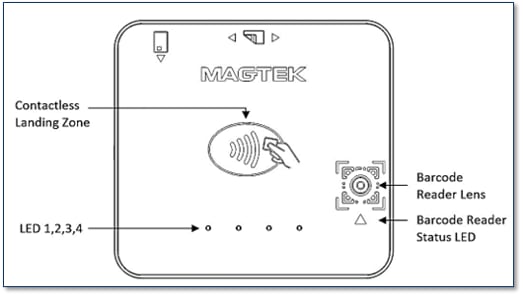
Storage temperature
A list of primitive data types used by TLV data objects.
Information about parsing EMV ARQC Type or Merchant Data Container data for each track into individual values embedded in the tracks.
A pre-defined set of messages by string ID that the host and device use for various user interface features.
Information on the key type, variant, and other information the host can use to decrypt encrypted data included in various payloads.
Information on how the device formats ARQC messages.
Information on how the device formats ARPC messages
Information on the device formats EMV batch data, such as merchant data and pre-defined EMV batch data tags.
Information on loading this file type to control the behavior of the device’s EMV contact kernel.
Information on loading this file type to control the behavior of the device’s EMV kernel.
Information on loading this file type to control the behavior of the device’s EMV kernels.
Information on loading this file type to control the behavior of the device’s EMV contact and contactless kernels when the device should support Offline Data Authentication (ODA).
Information on loading this file type to control the behavior of the device’s American Express contactless kernel when the card sends tag 9F70 and one or more DRL is defined. (Not supported on Expresspay 4.x)
The signature capture file type produced when the host invokes Request Cardholder Signature - Command 0x1801 (Touch Only)
This non-TLV data structure consists of four or five bytes that describes a security operation, including the algorithms and methods to be used in that operation.
Information on tags used with security parameters.
Information on tags used to identify key types.
Information on tags used with NFC UID Types. (EMV Contactless Only)
Information on tags used with TR-31 Key Blocks.
Information on tags used with DUKPT Keys.
Information on file types that conform to the common file structure format.
These file types conform to the Common File Structure format. The File Payload of these files contain a certificate in PEM format.
Information on CSR File Types.
Card emulation enables a DynaFlex/DynaProx device to simulate a Type 4 smart card.
A list of primitive data types used by TLV data objects.
Information about parsing EMV ARQC Type or Merchant Data Container data for each track into individual values embedded in the tracks.
A pre-defined set of messages by string ID that the host and device use for various user interface features.
Information on the key type, variant, and other information the host can use to decrypt encrypted data included in various payloads.
Information on how the device formats ARQC messages.
Information on how the device formats ARPC messages
Information on the device formats EMV batch data, such as merchant data and pre-defined EMV batch data tags.
Information on loading this file type to control the behavior of the device’s EMV contact kernel.
Information on loading this file type to control the behavior of the device’s EMV kernel.
Information on loading this file type to control the behavior of the device’s EMV kernels.
Information on loading this file type to control the behavior of the device’s EMV contact and contactless kernels when the device should support Offline Data Authentication (ODA).
Information on loading this file type to control the behavior of the device’s American Express contactless kernel when the card sends tag 9F70 and one or more DRL is defined. (Not supported on Expresspay 4.x)
The signature capture file type produced when the host invokes Request Cardholder Signature - Command 0x1801 (Touch Only)
This non-TLV data structure consists of four or five bytes that describes a security operation, including the algorithms and methods to be used in that operation.
Information on tags used with security parameters.
Information on tags used to identify key types.
Information on tags used with NFC UID Types. (EMV Contactless Only)
Information on tags used with GPORT-1 Types. (EMV Contactless Only)
Information on tags used with TR-31 Key Blocks.
Information on tags used with DUKPT Keys.
Information on file types that conform to the common file structure format.
These file types conform to the Common File Structure format. The File Payload of these files contain a certificate in PEM format.
Information on CSR File Types.
Card emulation enables a DynaFlex/DynaProx device to simulate a Type 4 smart card.
A list of primitive data types used by TLV data objects.
Information about parsing EMV ARQC Type or Merchant Data Container data for each track into individual values embedded in the tracks.
A pre-defined set of messages by string ID that the host and device use for various user interface features.
Information on the key type, variant, and other information the host can use to decrypt encrypted data included in various payloads.
Information on how the device formats ARQC messages.
Information on how the device formats ARPC messages
Information on the device formats EMV batch data, such as merchant data and pre-defined EMV batch data tags.
Information on loading this file type to control the behavior of the device’s EMV contact kernel.
Information on loading this file type to control the behavior of the device’s EMV kernel.
Information on loading this file type to control the behavior of the device’s EMV kernels.
Information on loading this file type to control the behavior of the device’s EMV contact and contactless kernels when the device should support Offline Data Authentication (ODA).
Information on loading this file type to control the behavior of the device’s American Express contactless kernel when the card sends tag 9F70 and one or more DRL is defined. (Not supported on Expresspay 4.x)
The signature capture file type produced when the host invokes Request Cardholder Signature - Command 0x1801 (Touch Only)
This non-TLV data structure consists of four or five bytes that describes a security operation, including the algorithms and methods to be used in that operation.
Information on tags used with security parameters.
Information on tags used to identify key types.
Information on tags used with NFC UID Types. (EMV Contactless Only)
Information on tags used with GPORT-1 Types. (EMV Contactless Only)
Information on tags used with TR-31 Key Blocks.
Information on tags used with DUKPT Keys.
Information on file types that conform to the common file structure format.
These file types conform to the Common File Structure format. The File Payload of these files contain a certificate in PEM format.
Information on CSR File Types.
Card emulation enables a DynaFlex/DynaProx device to simulate a Type 4 smart card.
This section focuses on properties, which the host can either read from the device to retrieve device information (such as its PCI hardware ID, serial number, firmware revision numbers, etc.), or write to the device to change device behavior, or to store values for future reference.
🕐 Hours: Monday-Friday, 5:30 AM - 5:00 PM PST
Online Resources:
🌐 Support Portal: developer.magtek.com
Documentation Feedback:
Help us improve this documentation! feedback@magtek.com
Read the device's core identity and status: model name, serial number, firmware and boot versions, real-time clock, and operational state. These are mostly read-only values for identifying and health-checking the reader.
Configure Wi-Fi connectivity on WLAN-equipped models, including network SSID, security mode, and credentials. Applies only to devices with a WLAN radio.
Continues WLAN configuration with the remaining network properties, such as IP addressing and connection behavior.
Configure the USB interface on USB-connected devices, including communication mode and power behavior during USB suspend. Applies only when connected over USB.
Configure the device's cardholder-facing interface — display behavior, LEDs, buzzer, and prompts — including the UI configuration file.
Continues UI configuration with the remaining interface properties, such as the card-logos page and related on-screen elements.
Set or read the name the device advertises over Bluetooth LE, used to identify the reader when pairing and connecting.
Configure the device's security posture, including SRED/encryption behavior and key status.
Configure the device's system settings
Part number and version for the EMV firmware component that handles Level 2 EMV processing for contact and contactless transactions.
The identifier and version of the China UnionPay contactless kernel firmware.
Firmware and version information for the device's Wi-Fi (WLAN) module, on models equipped with a WLAN radio.
Identifies the custom user-interface package loaded on the device — which custom UI build (if any) is installed, and its version.
Firmware and version information for the device's NFC contactless module and controller.
The device uses this property to report its operational status.
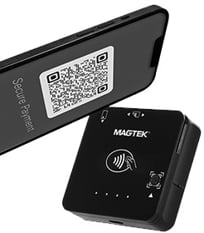
NFC Contactless
Mobile wallets.
NTAG.
USB iAP2 for iOS
UPC-E
Aztec
EAN-13
Code 39 Code 128
PDF417/ Data Matrix
Color encoded, Logo-based QR Codes.
EMV standards: While cardholder name is stored on the chip for "dipped" (inserted) transactions, the contactless protocol is specifically programmed to block that data field. This is why a receipt can show "Valued Customer" or "No Name" when tapped.
The device will power down immediately due to the depleted battery
The four LEDs will blink four times in succession (ON/OFF every 0.25 seconds)
The device will beep twice with a 500 Hz tone ( ON/OFF every 40 milliseconds).
If your device has been tampered with and isn't working:
If you attempt to turn on a device that has been tampered with and has 8% battery level or more, the following sequence occurs:
The device powers down immediately due to its detected tampered state.
After this failed power-up attempt, the following sequence occurs:
The four LEDs will blink twice in succession (ON/OFF every 0.5 seconds)
The device will beep twice with a 750 Hz tone (200 milliseconds ON / 40 milliseconds OFF)
🕐 Hours: Monday-Friday, 5:30 AM - 5:00 PM PST
Online Resources:
🌐 Support Portal: developer.magtek.com
Documentation Feedback:
Help us improve this documentation! feedback@magtek.com
The full device Command matrix, if you're building for more than one Dyna reader.
DUKPT (3DES→AES), MAC, KSNs, encryption/decryption, and PCI requirements.
Working with contactless cards and tags (NTag, Classic, DESFire, Plus).
Essential documentation resources for developing with and managing the DynaFlex II Go secure card reader.
Reference Section
Information Available
Part A of EMV Terminal ID settings.
Part B of EMV Terminal ID settings.
Part C of EMV Terminal ID settings.
Reference Section
Information Available
The device uses this property to determine what character it should use when sending masked ISO/ABA track data.
The device sends this notification when the battery charge reaches 15 percent.
Reference Section
Information Available
Configure how the device runs financial transactions — EMV terminal and kernel parameters, supported entry methods, and amount, currency, and timeout handling.`
Continues the transaction group with the remaining financial/EMV properties, such as contactless and additional processing options.
Reference Section
Information Available
The device's top-level firmware identifier — the composite firmware ID that ties together the individual component versions and checksums listed below.
Part number, version, and build details for the device's core application firmware — the main firmware that runs the reader.
Reference Section
Information Available
Read-only hardware information reported by the device, such as model, part number, and hardware revision.
Reference Section
Information Available
This OID contains a 32-bit bitmap. Each bit indicates the status of a transaction key,
The device uses this property to report its security status.
Reference Section
Information Available
Detail on configuring the DynaFlex II Go device.
These are the MagTek Messaging Schema (MMS) commands supported by the DynaProx contactless reader, grouped by function — payment transactions, NFC/MIFARE pass-through, user-interface control (barcode, buzzer, card emulation), device control and settings, file operations, security, and diagnostics. Each entry links to the command's full definition — request and response layout, parameters, and examples — in the shared DynaFamily (MMS) Programmer's Manual. Use this page as your index when integrating the DynaProx into a host application.
Reference Section
Information Available
The host uses this command to start a payment transaction.
The DynaFlex II SCR accepts the Multi-Interface Card Reader Platform (MMS) command set — the messages you send to run transactions, read cards, manage keys and files, and query or configure the reader. Full syntax, parameters, responses, and examples are documented once in the shared reference; the families below are the commands the SCR supports, each linking into that reference.
Reference Section
Information Available
The host uses this command to start a payment transaction.
This page provides access to the essential documentation resources for developing with and managing the DynaProx secure card reader. Here you will find installation and operation manuals, subsidiary development manuals, software instructions and much more
Description
Summary
The complete reference for planning, installing, configuring, operating, and maintaining DynaProx, plus pointers for developers building custom software.
This function will return the signal strength of Bluetooth LE devices.
This function sets the UUIDString for the Bluetooth LE connection.
Parameters: UUID String of the device
Return Value: None
This function gets the current connected peripheral (device).
Parameters: None
Return value: Current connected device
This function gets an array of DynaMAX/eDynamo devices connected to the host.
Parameters: None
Return Value: Array of DynaMAX/eDynamo devices.
Start EMV Transaction.
Welcome to the resource hub for the MagTek Virtual Reader iOS SDK, a software-only solution that enables merchants to accept all forms of contactless payments, including contactless credit and debit cards, Apple Pay, and other digital wallets, using only an iPhone and a supporting iOS app, no additional hardware or payment terminal needed. This section provides all the documentation, software, and developer tools needed to successfully integrate, manage, and support Tap to Pay on iPhone within your mobile payment applications.
🕐 Hours: Monday-Friday, 5:30 AM - 5:00 PM PST
Online Resources:
🌐 Support Portal: developer.magtek.com
Documentation Feedback:
Help us improve this documentation! feedback@magtek.com
Read the device's core identity and status: model name, serial number, firmware and boot versions, real-time clock, and operational state. These are mostly read-only values for identifying and health-checking the reader.
Configure Wi-Fi connectivity on WLAN-equipped models, including network SSID, security mode, and credentials. Applies only to devices with a WLAN radio.
Continues WLAN configuration with the remaining network properties, such as IP addressing and connection behavior.
Configure the USB interface on USB-connected devices, including communication mode and power behavior during USB suspend. Applies only when connected over USB.
Configure the device's cardholder-facing interface — display behavior, LEDs, buzzer, and prompts — including the UI configuration file.
Continues UI configuration with the remaining interface properties, such as the card-logos page and related on-screen elements.
Set or read the name the device advertises over Bluetooth LE, used to identify the reader when pairing and connecting.
Configure the device's security posture, including SRED/encryption behavior and key status.
Configure the device's system settings
Part number and version for the EMV firmware component that handles Level 2 EMV processing for contact and contactless transactions.
A checksum identifying the contactless Level 1 kernel firmware, used to confirm which L1 kernel build is installed.
A checksum identifying the Discover D-PAS contactless kernel firmware installed on the device.
The identifier and version of the China UnionPay contactless kernel firmware.
Firmware and version information for the device's Wi-Fi (WLAN) module, on models equipped with a WLAN radio.
Identifies the custom user-interface package loaded on the device — which custom UI build (if any) is installed, and its version.
Firmware and version information for the device's NFC contactless module and controller.
The Host uses this command to send commands and receive responses to and from a MIFARE Plus tag.
Card emulation is initiated by receiving a 0x1840 command from the host.
The host uses this command to start sending unsecured files to the device for storage or processing
The host uses this command to request a file stored on the device.
The host uses this command to request the file information of a file stored on the device.
The host uses this command to request the deletion of a file stored on the device.
The host can use this command to change the device’s lock passcode.
The host uses this command to retrieve information about a key slot, including details about the key stored in that slot.
The host uses this command to provide the device with additional/modified data to resume a transaction that is currently paused.
The host uses this command to cancel a transaction that is currently in progress.
Reference Section
Information Available
The host uses this command to send commands and receive responses to and from a NTag/MIFARE Ultralight.
After a MIFARE Tag is activated, the host uses this command to send commands and receive responses to and from a MIFARE tag.
Reference Section
Information Available
The host uses this command to provide a cardholder selection to the device when the device itself does not have a display or inputs to prompt the cardholder for a selection.
The host uses this command to direct the device to arm or disarm the barcode reader for reading a barcode outside the scope of a transaction.
Reference Section
Information Available
The host uses this command to reset the device.
The host uses this command to specify which notifications the device should send on each of its available interfaces
Reference Section
Information Available
The host uses this command to get information about the device or its configuration / settings.
The host uses this command to set device configuration / settings that do not require security.
Reference Section
Information Available
Large blobs of data uploaded to / downloaded from the device are referred to as “files” and share a common set of commands documented here, and special message type Data File Message.
The host uses this command to send a firmware image file, signed by MagTek, to the device as the first step in updating firmware.
Reference Section
Information Available
The host uses this command to commit a file previously uploaded using Command 0xD801 - Load (Firmware File) into the device’s permanent memory after the device has authenticated the file.
Reference Section
Information Available
The host uses this command to prompt the device for a response that contains the same payload it sent.
Reference Section
Information Available
Requests a random challenge from the device, used to construct a secured command.
The host uses this command to transmit another command securely
Reference Section
Information Available
The host uses this command to complete the ECDHE-ECDSA Key Exchange protocol, which enables the host and the device to generate the same TEMP KBPK key to use with Command 0xEF01 - Load Key Using TR-31 to load the Master Transport Key (MTK).
The host uses this command to send commands and receive responses to and from a MIFARE DESFire Tag.
The host uses this command to start a buzzer for playing a sequence of tones. Each sequence can have a minimum of 1 to maximum of 10 tones.
The host uses this command to set device configuration / settings securely.
The host uses this command to start sending secured files to the device for storage or processing.
The host uses this command to load a key into one of several available slots in the device’s secure memory.
The Host uses this command to send commands and receive responses to and from a MIFARE Plus tag.
The host uses this command to prompt a cardholder for customer information.
Card emulation is initiated by receiving a 0x1840 command from the host.
The host uses this command to start sending unsecured files to the device for storage or processing
The host uses this command to request a file stored on the device.
The host uses this command to request the file information of a file stored on the device.
The host uses this command to request the deletion of a file stored on the device.
The host can use this command to change the device’s lock state.
The host can use this command to change the device’s lock passcode.
The host uses this command to request that the device encrypt a block of user data embedded in the command string.
The host uses this command to retrieve information about a key slot, including details about the key stored in that slot.
The host uses this command to provide the device with additional/modified data to resume a transaction that is currently paused.
The host uses this command to cancel a transaction that is currently in progress.
Reference Section
Information Available
The host uses this command to send commands and receive responses to and from a NTag/MIFARE Ultralight.
After a MIFARE Tag is activated, the host uses this command to send commands and receive responses to and from a MIFARE tag.
Reference Section
Information Available
The host uses this command to provide a cardholder selection to the device when the device itself does not have a display or inputs to prompt the cardholder for a selection.
The host uses this command to direct the device to arm or disarm the barcode reader for reading a barcode outside the scope of a transaction.
Reference Section
Information Available
The host uses this command to reset the device.
The host uses this command to specify which notifications the device should send on each of its available interfaces
Reference Section
Information Available
The host uses this command to get information about the device or its configuration / settings.
The host uses this command to set device configuration / settings that do not require security.
Reference Section
Information Available
Large blobs of data uploaded to / downloaded from the device are referred to as “files” and share a common set of commands documented here, and special message type Data File Message.
The host uses this command to send a firmware image file, signed by MagTek, to the device as the first step in updating firmware.
Reference Section
Information Available
The host uses this command to commit a file previously uploaded using Command 0xD801 - Load (Firmware File) into the device’s permanent memory after the device has authenticated the file.
Reference Section
Information Available
The host uses this command to prompt the device for a response that contains the same payload it sent.
Reference Section
Information Available
Requests a random challenge from the device, used to construct a secured command.
The host uses this command to request a random challenge from the device, used to construct a subsequent secured command.
Reference Section
Information Available
The host uses this command to complete the ECDHE-ECDSA Key Exchange protocol, which enables the host and the device to generate the same TEMP KBPK key to use with Command 0xEF01 - Load Key Using TR-31 to load the Master Transport Key (MTK).
The host uses this command to send commands and receive responses to and from a MIFARE DESFire Tag.
The host uses this command to start a buzzer for playing a sequence of tones. Each sequence can have a minimum of 1 to maximum of 10 tones.
The host uses this command to set device configuration / settings securely.
The host uses this command to start sending secured files to the device for storage or processing.
The host uses this command to load a key into one of several available slots in the device’s secure memory.
Devices without a battery-backed real time clock require the host to set the date and time using Extended Command 0x030C - Set Date and Time every time the device is power cycled or reset.
Devices that have a battery-backed real time clock (See Supported Devices) would typically have the date and time set at the factory.
(int) startTransaction:
(Byte)timeLimit cardType:
(Byte)cardType option:
(Byte)option amount:
(Byte*)amount transactionType:
(Byte)transactionType cashBack:
(Byte*)cashBack currencyCode:
(Byte*)currencyCode reportingOption:
(Byte)reportingOption
Parameters:
Parameter
Description
timeLimit
Specifies the maximum time, in seconds, allowed to complete the total transaction. This includes time for the user to insert the card, choose a language, choose an application, and online processing. If this time is exceeded, the transaction will be aborted and an appropriate Transaction Status will be available.
Values:
0 = no timeout, infinite. To cancel before a payment method is presented, use cancelTransaction().
(1 to 255) seconds. Use 255 for the longest time limit for devices that do not support 0.
Device Time Limit
========= =========
DynaMAX n/a
aDynamo n/a
cDynamo n/a
cardType
Card Type to Read:
0x01 = Magnetic Stripe (as alternative to EMV L2, card swipe causes abort of EMV L2)
0x02 = Contact chip card
0x03 = Magnetic Stripe and Contact chip Card. 0x04 = Contactless chip card
0x05 = Magnetic Stripe and Contactless chip card. 0x06 = Contact chip card and Contactless chip card.
0x07 = Magnetic Stripe, Contact chip card, Contactless chip card.
Refer to Appendix C for supported devices.
Parameter
Description
option
0x00 = Normal 0x01 = Bypass PIN 0x02 = Force Online
0x04 = Acquirer not available (Note: prevents long timeout on waiting for host approval) (causes “decline” to be generated internally if ARQC is generated)
To use Quick Chip mode, set the most significant bit to ‘1’.
0x80 = Quick Chip, Normal 0x81 = Quick Chip, Bypass PIN 0x82 = Quick Chip, Force Online
Refer to Appendix C for supported devices.
amount
Amount Authorized (EMV Tag 9F02, format n12, 6 bytes) in hex string For example: “000000000999”, means 9.99 dollars.
transactionType
Return Value:
0 = Success
9 = Error
15 = Busy
This function sets the user selection result. It should be called after receiving the onUserSelectRequest event which is triggered after the user makes a selection.
Parameters:
Parameter
Description
status
Indicates the status of User Selection:
0x00 – User Selection Request completed, see Selection Result 0x01 – User Selection Request aborted, cancelled by user
0x02 – User Selection Request aborted, timeout
selection
Indicates the menu item selected by the user. This is a single byte zero based binary value.
Return Value:
0 = Success
9 = Error
15 = Busy
This function cancels a transaction while waiting for the user to insert a card.
Return Value:
0 = Success
9 = Error
15 = Busy
The library returns the status of this function in the delegate method onEMVCommandResult (EMV Device Only).
Parameters:
Parameter
Description
status
Result codes:
0x0000 = Success, the transaction was cancelled 0x038D = Failure, no transaction currently in progress
0x038F = Failure, transaction in progress, card already inserted
This function informs EMV device to process transaction decision from acquirer.
Parameters:
Parameter
Description
response
Hex string for the response data following TLV response message. For details about the ARQC format, see the Programmer's Manual (COMMANDS) for the specific device with which you are communicating.
length
Two byte binary, most significant byte first. This gives the total length of the Acquirer Response message that follows.
Return Value:
0 = Success
9 = Error
15 = Busy
Send extended command to device. Command response is returned in the event message onDeviceExtendedResponseReceived.
Parameters:
Parameter
Description
Command
Hexadecimal string of the byte array for the extended command. The first two bytes represent the value of the extended command. The next two bytes (most significant byte first) indicate the total length of the following data in bytes.
Return Value:
0 = Success
9 = Error
15 = Busy
Send a synchronous command to device. Operation waits for the command to return.
Parameters:
Parameter
Description
Command
Hexadecimal string of the byte array for the command.
Return Value: String containing the response data of the command.
(int)getBluetoothRSSI;(void) setUUIDString:(NSString *)uuidString (NSString *) getConnectedPeripheral(NSMutableArray *) getDiscoveredPeripherals(int) setUserSelectionResult:(Byte)status selection:(Byte)selection;(int) cancelTransaction(int) setAcquirerResponse:(Byte*)response length:(int)length(int) sendExtendedCommand:(NSString *)Command(NSString) sendCommandSync:(NSString *)CommandProduct
Description
A software-based solution that transforms a compatible iPhone into a secure contactless payment terminal.
This universal compliance and security documentation page provides the essential security and inspection guides required to maintain and ensure the physical integrity of MagTek products before and after deployment.
Marketing Materials holds the non-technical collateral for MagTek readers — product brochures, spec sheets, data sheets, and product catalogs — for sales, marketing , evaluation, and reference.
The DynaFlex II PED accepts the Multi-Interface Card Reader Platform (MMS) command set — the messages you send to run transactions, read cards, manage keys and files, and query or configure the reader. Full syntax, parameters, responses, and examples are documented once in the shared reference; the families below are the commands the PED supports, each linking into that reference.
Reference Section
Information Available
The host uses this command to start a payment transaction.
Retrieves TLV version.
public string getTLVVersion()
Parameters: None
Return Value:
String representing TLV version as a two-byte hex string.
Retrieves track decode status. This is a one-byte value, which indicates the status of decoding track 1. Bit position zero indicates if there was an error decoding track 1 if the bit is set to one. If it is zero, then no error occurred. If a track has data on it that is not noise, and it is not decodable, then a decode error is indicated. If a decode error is indicated, the corresponding track data length value for the track that has the error will be set to zero and no valid track data will be supplied.
public string getTrackDecodeStatus()
Parameters: None Return Value:
Track Decode Status. Consists of three 2-byte hex values representing the decode status for tracks 1, 2, and 3 (respectively from left to right). Values are:
00 = Track OK
01 = Track read Error
02 = Track is Blank
Retrieves SDK version.
public string getSDKVersion()
Parameters: None Return Value:
The version information of the SDK.
Send command to device.
public int sendCommandToDevice(string command)
Parameters:
Return Value:
0 = Success
9 = Error
15 = Busy
This function starts an EMV L2 transaction for smart card.
public int startTransaction(
byte timeLimit,
byte cardType,
byte option,
Parameters:
Return Value:
0 = Success
9 = Error1
15 = Busy
This function sets the user selection result. It should be called after receiving the OnUserSelectRequest event which is triggered after the user makes a selection.
public int setUserSelectionResult(byte status, byte selection)
Parameters:
Return Value:
0 = Success
9 = Error
15 = Busy
This function sends to the device the transaction decision from acquirer.
public int setAcquirerResponse(byte[] response)
Parameters:
Return Value:
0 = Success
9 = Error
15 = Busy
This function cancels a transaction while waiting for the user to insert a card.
public int cancelTransaction ()
Parameters: None Return Value:
0 = Success
9 = Error
15 = Busy
Send extended command to device.
public int sendExtendedCommand(string command)
Parameters:
Return Value:
0 = Success
9 = Error
15 = Busy
Retrieves features for the device.
public MTDeviceFeatures getDeviceFeatures()
Parameters: None
Return Value:
Retrieves power management value for the device.
public String getPowerManagementValue()
Parameters: None
Return Value: Returns the PM value associated with the device.
This event occurs when device information is available.
public event DeviceListHandler OnDeviceList
public delegate void DeviceListHandler(object sender, MTConnectionType connectionType, List<MTDeviceInformation> deviceList)
Document Number: D99875568-133
REGISTERED TO ISO 9001:2015
MagTek I 1710 Apollo Court I Seal Beach, CA 90740 I Phone: (562) 546-6400 I Technical Support: (888) 624-8350
Copyright © 2006 – 2025 MagTek, Inc. Printed in the United States of America
INFORMATION IN THIS PUBLICATION IS SUBJECT TO CHANGE WITHOUT NOTICE AND MAY CONTAIN TECHNICAL INACCURACIES OR GRAPHICAL DISCREPANCIES. CHANGES OR IMPROVEMENTS MADE TO THIS PRODUCT WILL BE UPDATED IN THE NEXT PUBLICATION RELEASE. NO PART OF THIS DOCUMENT MAY BE REPRODUCED OR TRANSMITTED IN ANY FORM OR BY ANY MEANS, ELECTRONIC OR MECHANICAL, FOR ANY PURPOSE, WITHOUT THE EXPRESS WRITTEN PERMISSION OF MAGTEK, INC.
MagTek®, MagnePrint®, and MagneSafe® are registered trademarks of MagTek, Inc. Magensa™ is a trademark of MagTek, Inc.
IPAD® is a trademark of MagTek, Inc.
AAMVA™ is a trademark of AAMVA.
American Express® and EXPRESSPAY FROM AMERICAN EXPRESS® are registered trademarks of American Express Marketing & Development Corp.
The DynaFlex II PED uses the shared DynaFamily Multi-Interface Card Reader Platform (MMS) command set. This manual is a device-scoped map into the with the sections this device relies on linked below.
The DynaProx uses the shared DynaFamily Multi-Interface Card Reader Platform (MMS) command set. This manual is a device-scoped map into the with the sections this device relies on linked below.
uDynamo n/a
eDynamo 1 to 255
iDynamo 6 0 to 255
kDynamo 1 to 255
tDynamo 0 to 255
Valid values:
0x00 = Purchase (listed as “Payment” on ICS)
0x01 = Cash Advance (not supported for this reader)
0x02 or 0x09 = Cash back (0x09 only supported when using contactless) 0x04 = Goods (Purchase)
0x08 = Services (Purchase)
0x10 = International Goods (Purchase) 0x20 = Refund
0x40 = International Cash Advance or Cash Back 0x80 = Domestic Cash Advance or Cash Back
cashBack
Cash back Amount (if non-zero, EMV Tag 9F03, format n12, 6 bytes) in hex string.
For example: “000000001000”, means 10.00 dollars.
currencyCode
Transaction Currency Code (EMV Tag 5F2A, format n4, 2 bytes) Sample Valid values:
0x0840 – US Dollar 0x0978 – Euro 0x0826 – UK Pound
reportingOption
This single byte field indicates the level of Transaction Status notifications the host desires to receive during the course of this transaction.
0x00 = Termination Status only (normal termination, card error, timeout, host cancel)
0x01 = Major Status changes (terminations plus card insertions and waiting on user)
0x02 = All Status changes (documents the entire transaction flow)
byte transactionType,
byte[] cashBack,
byte[] currentCode,
byte reportingOption)
amount
Amount Authorized (EMV Tag 9F02, format n12, 6 bytes) in hex string.
For example: “000000000999”, means 9.99 dollars.
transactionType
Valid values:
0x00 = Purchase (listed as “Payment” on ICS)
0x01 = Cash Advance (not supported for this reader)
0x02 or 0x09 = Cash back (0x09 only supported when using contactless) 0x04 = Goods (Purchase)
0x08 = Services (Purchase)
0x10 = International Goods (Purchase) 0x20 = Refund
0x40 = International Cash Advance or Cash Back 0x80 = Domestic Cash Advance or Cash Back
cashBack
Cash back Amount (if non-zero, EMV Tag 9F03, format n12, 6 bytes) in hex string.
For example: “000000001000”, means 10.00 dollars.
currencyCode
Transaction Currency Code (EMV Tag 5F2A, format n4, 2 bytes) Sample Valid values:
0x0840 – US Dollar 0x0978 – Euro 0x0826 – UK Pound
reportingOption
This single byte field indicates the level of Transaction Status notifications the host desires to receive during the course of this transaction.
0x00 = Termination Status only
(normal termination, card error, timeout, host cancel)
0x01 = Major Status changes
(terminations plus card insertions and waiting on user)
0x02 = All Status changes
(documents the entire transaction flow)
Dynasty
PM3
DynaMAX
PM2
DynaPAD
DynaWave
eDynamo
PM3
Flash
PM1
iDynamo
iDynamo 5
IDynamo 5 Gen III
Home Banking (Dynamo LCD)
kDynamo
PM5
mDynamo
P-series and I-65 w/V5
pDynamo
PM6
sDynamo
SPI Encrypting IntelliHead V5
tDynamo
PM5
UART Enc IntelliHead V5
uDynamo
PM4
U-Finity
PM1
Parameter
Description
command
Command string to send to the device.
Parameter
Description
Card Type to Read:
0x01 = Magnetic Stripe (as alternative to EMV L2, card swipe causes abort of EMV L2)
0x02 = Contact chip card
0x03 = Magnetic Stripe and Contact chip Card. 0x04 = Contactless chip card
0x05 = Magnetic Stripe and Contactless chip card. 0x06 = Contact chip card and Contactless chip card.
0x07 = Magnetic Stripe, Contact chip card, Contactless chip card.
Refer to Supported Device Features for supported devices.
Parameter
Description
timeLimit
Specifies the maximum time, in seconds, allowed to complete the total transaction. This includes time for the user to insert the card, choose a language, choose an application, and online processing. If this time is exceeded, the transaction will be aborted, and an appropriate Transaction Status will be available. Value 0 is not allowed.
cardType
Card Type to Read:
0x01 = Magnetic Stripe (as alternative to EMV L2, card swipe causes abort of EMV L2)
0x02 = Contact chip card
0x03 = Magnetic Stripe and Contact chip Card. 0x04 = Contactless chip card
0x05 = Magnetic Stripe and Contactless chip card. 0x06 = Contact chip card and Contactless chip card.
0x07 = Magnetic Stripe, Contact chip card, Contactless chip card.
Refer to Supported Device Features for supported devices.
option
Parameter
Description
Status
Indicates the status of User Selection:
0x00 – User Selection Request completed, see Selection Result 0x01 – User Selection Request aborted, cancelled by user
0x02 – User Selection Request aborted, timeout
selection
Indicates the menu item selected by the user. This is a single byte zero based binary value.
Parameter
Description
response
The first two bytes (most significant byte first) indicate the total length of the following byte array. The byte array contains the ARQC Response message. See Appendix C for ARQC Response Message Format.
Parameter
Description
command
Hexadecimal string of the byte array for the extended command.
The first two bytes represent the value of the extended command.
The next two bytes (most significant byte first) indicate the total length of the following data in bytes.
Parameter
Power Management
BulleT KB BulleT SPP
PM1
cDynamo
0x00 = Normal 0x01 = Bypass PIN 0x02 = Force Online
0x04 = Acquirer not available (Note: prevents long timeout on waiting for host approval) (causes “decline” to be generated internally if ARQC is generated)
To use Quick Chip mode, set the most significant bit to ‘1’.
0x80 = Quick Chip, Normal 0x81 = Quick Chip, Bypass PIN 0x82 = Quick Chip, Force Online
Refer to Supported Device Features for supported devices.
Dynamag, Dynamag Duo, USB Enc IntelliHead V5
public class MTDeviceFeatures
{
bool MSR;
bool Contact;
bool Contactless;
bool PINPad;
bool MSRPowerSaver;
bool BatteryBackedClock;
bool SRED;
bool SignatureCapture;
bool ManualEntry; }The Host uses this command to send commands and receive responses to and from a MIFARE Plus tag.
The host uses this command to prompt a cardholder for customer information.
The host uses this command to control the 4 LEDs of the device when the device is not in non-User Control LED states.
Card emulation is initiated by receiving a 0x1840 command from the host.
The host uses this command to send application-level APDUs to a PICC that supports ISO 14443-4 Protocol
The host can use this command to erase all Bluetooth® LE bonds.
The host uses this command to start sending unsecured files to the device for storage or processing
The host uses this command to request a file stored on the device.
The host uses this command to request the file information of a file stored on the device.
The host uses this command to request the deletion of a file stored on the device.
The host can use this command to change the device’s lock state.
The host can use this command to change the device’s lock passcode.
The host uses this command to retrieve information about a key slot, including details about the key stored in that slot.
The host uses this command to provide the device with additional/modified data to resume a transaction that is currently paused.
The host uses this command to cancel a transaction that is currently in progress.
Reference Section
Information Available
The host uses this command to send commands and receive responses to and from a NTag/MIFARE Ultralight.
After a MIFARE Tag is activated, the host uses this command to send commands and receive responses to and from a MIFARE tag.
Reference Section
Information Available
The host uses this command to provide a cardholder selection to the device when the device itself does not have a display or inputs to prompt the cardholder for a selection.
The host uses this command to direct the device to arm or disarm the barcode reader for reading a barcode outside the scope of a transaction.
Reference Section
Information Available
Basic details about generic pass-through commands.
The host uses this command to enter or exit Pass-Through Mode.
Reference Section
Information Available
The host uses this command to reset the device.
The host uses this command to specify which notifications the device should send on each of its available interfaces
Reference Section
Information Available
The host uses this command to get information about the device or its configuration / settings.
The host uses this command to set device configuration / settings that do not require security.
Reference Section
Information Available
Large blobs of data uploaded to / downloaded from the device are referred to as “files” and share a common set of commands documented here, and special message type Data File Message.
The host uses this command to send a firmware image file, signed by MagTek, to the device as the first step in updating firmware.
Reference Section
Information Available
The host uses this command to commit a file previously uploaded using Command 0xD801 - Load (Firmware File) into the device’s permanent memory after the device has authenticated the file.
Reference Section
Information Available
The host uses this command to prompt the device for a response that contains the same payload it sent.
Reference Section
Information Available
Requests a random challenge from the device, used to construct a secured command.
The host uses this command to request a random challenge from the device, used to construct a subsequent secured command.
Reference Section
Information Available
The host uses this command to complete the ECDHE-ECDSA Key Exchange protocol, which enables the host and the device to generate the same TEMP KBPK key to use with Command 0xEF01 - Load Key Using TR-31 to load the Master Transport Key (MTK).
The host uses this command to send commands and receive responses to and from a MIFARE DESFire Tag.
The host uses this command to start a buzzer for playing a sequence of tones. Each sequence can have a minimum of 1 to maximum of 10 tones.
After entering the Pass-Through Mode, the host use this command to request the device to start polling for a Type A and Type B PICC until it detects a PICC or times out.
The host can use this command to terminate a Bluetooth LE connection.
The host uses this command to set device configuration / settings securely.
The host uses this command to start sending secured files to the device for storage or processing.
The host uses this command to load a key into one of several available slots in the device’s secure memory.
connectionType
MTConnectionType value: MTConnectionType.Audio, MTConnectionType.USB
deviceList
A list of MTDeviceInformation objects
This event occurs when the connection state of the device is changed.
public event DeviceConnectionStateHandler
OnDeviceConnectionStateChanged
public delegate void DeviceConnectionStateHandler(object sender, MTConnectionState state)
Parameter
Description
sender
Object representing the publisher of the event
state
MTDeviceState value indicating the state of the device:
Disconnected Connecting Error Connected Disconneting
This event occurs when the state of the card information is changed.
public event CardDataStateHandler OnCardDataState
public delegate void CardDataStateHandler(object sender, MTCardDataState state)
Parameter
Description
sender
Object representing the publisher of the event
state
MTCardDataState value indicating the state of the card data:
DataNotReady DataReady DataError
This event occurs when card information is received from the device.
public event DataReceivedHandler OnDataReceived
public delegate void DataReceivedHandler(object sender, IMTCardData cardData)
Parameter
Description
sender
Object representing the publisher of the event
cardData
IMTCardData object containing the card information received
This event occurs when a response is received from the device.
public event DeviceResponseHandler OnDeviceResponse
public delegate void DeviceResponseHandler(object sender, string data)
Parameter
Description
sender
Object representing the publisher of the event
data
String representing data received
This message occurs when transaction status update is received from the EMV device.
Parameter
Description
sender
Object representing the publisher of the event
data
Byte array containing the data received from the device. See table below for descriptions of the data.
0 Event
This message occurs when the EMV device has a display message to present to the user.
Parameter
Description
sender
Object representing the publisher of the event
data
Byte array containing the display message. If the length is zero, the request to clear the display.
This message occurs when the EMV device has a user selection message to present to the user.
Parameter
Description
sender
Object representing the publisher of the event
data
Byte array containing the data received from the device. See table below for descriptions of the data.
0
Selection Type
This field specifies what kind of selection request this is:
· 0x00 – Application Selection
· 0x01 – Language Selection
1
Timeout
This message occurs when ARQC is received from the EMV device.
Parameter
Description
sender
Object representing the publisher of the event
data
Byte array containing the data received from the device. See table below for descriptions of the data.
0 Message Length
This message occurs when transaction result is received from the EMV device.
Parameter
Description
sender
Object representing the publisher of the event
data
Byte array containing the data received from the device. See table below for descriptions of the data.
0
Signature Required
This field indicates whether a card holder signature is required to complete the transaction:
· 0x00 – No signature required
· 0x01 – Signature required
If a signature is required, it is expected that the host will acquire the signature from the card holder as part of the transaction data.
1
Batch Data Length
This message occurs when an EMV command result is received from the EMV device.
Parameter
Description
sender
Object representing the publisher of the event
data
Byte array containing the result code received from the device. See table below for descriptions of the result code.
0x0000 = Success, the transaction process has been started
0x0381 = Failure, DUKPT scheme is not loaded
0x0382 = Failure, DUKPT scheme is loaded but all of its keys have been used
This message occurs when an extended response is received from the device.
Parameter
Description
Obj
Hexadecimal string containing the extended response data received from the device.
The first two bytes represent the result codes for the extended command. The next two bytes (most significant byte first) indicate the total length of the following data in bytes.
Parameter
Description
Sender
Object representing the publisher of the event
D-PAYMENT APPLICATION SPECIFICATION® is a registered trademark to Discover Financial Services CORPORATION
MasterCard® is a registered trademark and PayPass™ and Tap & Go™ are trademarks of MasterCard International Incorporated.
Visa® and Visa payWave® are registered trademarks of Visa International Service Association.
ANSI®, the ANSI logo, and numerous other identifiers containing “ANSI” are registered trademarks, service marks, and accreditation marks of the American National Standards Institute (ANSI).
ISO® is a registered trademark of the International Organization for Standardization. UL™ and the UL logo are trademarks of UL LLC.
PCI Security Standards Council® is a registered trademark of the PCI Security Standards Council, LLC. EMV® is a registered trademark in the U.S. and other countries and an unregistered trademark elsewhere. The EMV trademark is owned by EMVCo, LLC. The Contactless Indicator mark, consisting of four graduating arcs, is a trademark owned by and used with permission of EMVCo, LLC.
The Bluetooth® word mark and logos are registered trademarks owned by Bluetooth SIG, Inc. and any use of such marks by MagTek is under license.
Apple Pay®, iPhone®, iPod®, Mac®, and OS X® are registered trademarks of Apple Inc., registered in the U.S. and other countries. iPad™ is a trademark of Apple. Inc. App StoreSM is a service mark of Apple Inc., registered in the U.S. and other countries. IOS is a trademark or registered trademark of Cisco in the U.S. and other countries and is used by Apple Inc. under license.
Microsoft®, Windows®, and .NET® are registered trademarks of Microsoft Corporation. All other system names and product names are the property of their respective owners.
Rev Number
Date
Notes
1.01
2011 Dec 22
Initial Release
1.02
Rev Number
Date
Notes
90
2019 Sep 16
Updated events for the delegate onTransactionStatus(), and result codes for the deletgate onEMVCommandResult().
Updated the function startTransaction(): cardType and transactionType.
91
MagTek warrants that the products sold pursuant to this Agreement will perform in accordance with MagTek’s published specifications. This warranty shall be provided only for a period of one year from the date of the shipment of the product from MagTek (the “Warranty Period”). This warranty shall apply only to the “Buyer” (the original purchaser, unless that entity resells the product as authorized by MagTek, in which event this warranty shall apply only to the first repurchaser).
During the Warranty Period, should this product fail to conform to MagTek’s specifications, MagTek will, at its option, repair or replace this product at no additional charge except as set forth below. Repair parts and replacement products will be furnished on an exchange basis and will be either reconditioned or new. All replaced parts and products become the property of MagTek. This limited warranty does not include service to repair damage to the product resulting from accident, disaster, unreasonable use, misuse, abuse, negligence, or modification of the product not authorized by MagTek. MagTek reserves the right to examine the alleged defective goods to determine whether the warranty is applicable.
Without limiting the generality of the foregoing, MagTek specifically disclaims any liability or warranty for goods resold in other than MagTek’s original packages, and for goods modified, altered, or treated without authorization by MagTek.
Service may be obtained by delivering the product during the warranty period to MagTek (1710 Apollo Court, Seal Beach, CA 90740). If this product is delivered by mail or by an equivalent shipping carrier, the customer agrees to insure the product or assume the risk of loss or damage in transit, to prepay shipping charges to the warranty service location, and to use the original shipping container or equivalent. MagTek will return the product, prepaid, via a three (3) day shipping service. A Return Material Authorization (“RMA”) number must accompany all returns. Buyers may obtain an RMA number by contacting MagTek Support Services at (888) 624-8350.
EACH BUYER UNDERSTANDS THAT THIS MAGTEK PRODUCT IS OFFERED AS-IS. MAGTEK MAKES NO OTHER WARRANTY, EXPRESS OR IMPLIED, AND MAGTEK DISCLAIMS ANY WARRANTY OF ANY OTHER KIND, INCLUDING ANY WARRANTY OF MERCHANTABILITY OR FITNESS FOR A PARTICULAR PURPOSE.
IF THIS PRODUCT DOES NOT CONFORM TO MAGTEK’S SPECIFICATIONS, THE SOLE REMEDY SHALL BE REPAIR OR REPLACEMENT AS PROVIDED ABOVE. MAGTEK’S LIABILITY, IF ANY, SHALL IN NO EVENT EXCEED THE TOTAL AMOUNT PAID TO MAGTEK UNDER THIS AGREEMENT. IN NO EVENT WILL MAGTEK BE LIABLE TO THE BUYER FOR ANY DAMAGES, INCLUDING ANY LOST PROFITS, LOST SAVINGS, OR OTHER INCIDENTAL OR CONSEQUENTIAL DAMAGES ARISING OUT OF THE USE OF, OR INABILITY TO USE, SUCH PRODUCT, EVEN IF MAGTEK HAS BEEN ADVISED OF THE POSSIBILITY OF SUCH DAMAGES, OR FOR ANY CLAIM BY ANY OTHER PARTY.
LIMITATION ON LIABILITY
EXCEPT AS PROVIDED IN THE SECTIONS RELATING TO MAGTEK’S LIMITED WARRANTY, MAGTEK’S LIABILITY UNDER THIS AGREEMENT IS LIMITED TO THE CONTRACT PRICE OF THIS PRODUCT.
MAGTEK MAKES NO OTHER WARRANTIES WITH RESPECT TO THE PRODUCT, EXPRESSED OR IMPLIED, EXCEPT AS MAY BE STATED IN THIS AGREEMENT, AND MAGTEK DISCLAIMS ANY IMPLIED WARRANTY, INCLUDING WITHOUT LIMITATION ANY IMPLIED WARRANTY OF MERCHANTABILITY OR FITNESS FOR A PARTICULAR PURPOSE.
MAGTEK SHALL NOT BE LIABLE FOR CONTINGENT, INCIDENTAL, OR CONSEQUENTIAL DAMAGES TO PERSONS OR PROPERTY. MAGTEK FURTHER LIMITS ITS LIABILITY OF ANY KIND WITH RESPECT TO THE PRODUCT, INCLUDING NEGLIGENCE ON ITS PART, TO THE CONTRACT PRICE FOR THE GOODS.
MAGTEK’S SOLE LIABILITY AND BUYER’S EXCLUSIVE REMEDIES ARE STATED IN THIS SECTION AND IN THE SECTION RELATING TO MAGTEK’S LIMITED WARRANTY.
IMPORTANT: YOU SHOULD CAREFULLY READ ALL THE TERMS, CONDITIONS AND RESTRICTIONS OF THIS LICENSE AGREEMENT BEFORE INSTALLING THE SOFTWARE PACKAGE. YOUR INSTALLATION OF THE SOFTWARE PACKAGE PRESUMES YOUR ACCEPTANCE OF THE TERMS, CONDITIONS, AND RESTRICTIONS CONTAINED IN THIS AGREEMENT. IF YOU DO NOT AGREE WITH THESE TERMS, CONDITIONS, AND RESTRICTIONS, PROMPTLY RETURN THE SOFTWARE PACKAGE AND ASSOCIATED DOCUMENTATION TO THE ADDRESS ON THE FRONT PAGE OF THIS DOCUMENT, ATTENTION: CUSTOMER SUPPORT.
TERMS, CONDITIONS, AND RESTRICTIONS
MagTek, Incorporated (the "Licensor") owns and has the right to distribute the described software and documentation, collectively referred to as the "Software."
LICENSE: Licensor grants you (the "Licensee") the right to use the Software in conjunction with MagTek products. LICENSEE MAY NOT COPY, MODIFY, OR TRANSFER THE SOFTWARE IN WHOLE OR IN PART EXCEPT AS EXPRESSLY PROVIDED IN THIS AGREEMENT. Licensee
may not decompile, disassemble, or in any other manner attempt to reverse engineer the Software. Licensee shall not tamper with, bypass, or alter any security features of the software or attempt to do so.
TRANSFER: Licensee may not transfer the Software or license to the Software to another party without the prior written authorization of the Licensor. If Licensee transfers the Software without authorization, all rights granted under this Agreement are automatically terminated.
COPYRIGHT: The Software is copyrighted. Licensee may not copy the Software except for archival purposes or to load for execution purposes. All other copies of the Software are in violation of this Agreement.
TERM: This Agreement is in effect as long as Licensee continues the use of the Software. The Licensor also reserves the right to terminate this Agreement if Licensee fails to comply with any of the terms, conditions, or restrictions contained herein. Should Licensor terminate this Agreement due to Licensee's failure to comply, Licensee agrees to return the Software to Licensor. Receipt of returned Software by the Licensor shall mark the termination.
LIMITED WARRANTY: Licensor warrants to the Licensee that the disk(s) or other media on which the Software is recorded are free from defects in material or workmanship under normal use.
THE SOFTWARE IS PROVIDED AS IS. LICENSOR MAKES NO OTHER WARRANTY OF ANY KIND, EITHER EXPRESS OR IMPLIED, INCLUDING, BUT NOT LIMITED TO, THE IMPLIED WARRANTIES OF MERCHANTABILITY AND FITNESS FOR A PARTICULAR PURPOSE.
Because of the diversity of conditions and PC hardware under which the Software may be used, Licensor does not warrant that the Software will meet Licensee specifications or that the operation of the Software will be uninterrupted or free of errors.
IN NO EVENT WILL LICENSOR BE LIABLE FOR ANY DAMAGES, INCLUDING ANY LOST PROFITS, LOST SAVINGS, OR OTHER INCIDENTAL OR CONSEQUENTIAL DAMAGES ARISING OUT OF THE USE, OR INABILITY TO USE, THE SOFTWARE. Licensee's sole remedy in the event of a defect in material or workmanship is expressly limited to replacement of the Software disk(s) if applicable.
GOVERNING LAW: If any provision of this Agreement is found to be unlawful, void, or unenforceable, that provision shall be removed from consideration under this Agreement and will not affect the enforceability of any of the remaining provisions. This Agreement shall be governed by the laws of the State of California and shall inure to the benefit of MagTek, Incorporated, its successors or assigns.
ACKNOWLEDGMENT: LICENSEE ACKNOWLEDGES THAT HE HAS READ THIS AGREEMENT, UNDERSTANDS ALL OF ITS TERMS, CONDITIONS, AND RESTRICTIONS, AND AGREES TO BE BOUND BY THEM. LICENSEE ALSO AGREES THAT THIS AGREEMENT SUPERSEDES ANY AND ALL VERBAL AND WRITTEN COMMUNICATIONS BETWEEN LICENSOR AND LICENSEE OR THEIR ASSIGNS RELATING TO THE SUBJECT MATTER OF THIS AGREEMENT.
QUESTIONS REGARDING THIS AGREEMENT SHOULD BE ADDRESSED IN WRITING TO MAGTEK, INCORPORATED, ATTENTION: CUSTOMER SUPPORT, AT THE ADDRESS LISTED IN THIS DOCUMENT, OR E-MAILED TO SUPPORT@MAGTEK.COM.
DEMO SOFTWARE / SAMPLE CODE: Unless otherwise stated, all demo software and sample code are to be used by Licensee for demonstration purposes only and MAY NOT BE incorporated into any production or live environment. The PIN Pad sample implementation is for software PIN Pad test purposes only and is not PCI compliant. To meet PCI compliance in production or live environments, a third-party PCI compliant component (hardware or software-based) must be used.
How MMS requests, responses, and notifications are framed and parsed.
The shared TLV and EMV objects the commands carry.
The MMS command set, scoped to the Go, with a supported-commands view.
Asynchronous messages the PED sends during transactions, device events, and firmware updates.
Configurable properties and parameters.
These sections detail a variety of information on OIDs, codes, tips & taxes and more.
Security & Keys --> How the PED protects data and manages keys: DUKPT (3DES→AES), MAC, KSNs, encryption/decryption, and the PCI requirements like the 24-hour reset and device lock.
NFC/MIFARE -->Working with contactless cards and tags — NFC/MIFARE pass-through and the supported card technologies (NTag, Classic, DESFire, Plus).
Reference Section
Information Available
The full device Command matrix, if you're building for more than one Dyna reader.
How MMS requests, responses, and notifications are framed and parsed.
The shared TLV and EMV objects the commands carry.
The MMS command set, scoped to the DynaProx, with a supported-commands view.
Asynchronous messages the DynaProx sends during transactions, device events, and firmware updates.
Configurable properties and parameters.
These sections detail a variety of information on OIDs, codes, tips & taxes and more.
Security & Keys --> How the DynaProx protects data and manages keys: DUKPT (3DES→AES), MAC, KSNs, encryption/decryption, and the PCI requirements like the 24-hour reset and device lock.
Documentation--> This page provides access to the essential documentation resources for developing with and managing the DynaProx secure card reader.he DynaProx's PCI PTS POI security policy, certifications, and the regulatory documentation for deployment.
NFC/MIFARE -->Working with contactless cards and tags — NFC/MIFARE pass-through and the supported card technologies (NTag, Classic, DESFire, Plus).
Reference Section
Information Available
The full device Command matrix, if you're building for more than one Dyna reader.
The DynaFlex II Go accepts the Multi-Interface Card Reader Platform (MMS) command set — the messages you send to run transactions, read cards, manage keys and files, and query or configure the reader. Full syntax, parameters, responses, and examples are documented once in the shared reference; the families below are the commands the Go supports, each linking into that reference.
Reference Section
Information Available
The host uses this command to start a payment transaction.
Get stored track1 data. This field contains the encrypted track data for track 1.
public string getTrack1()
Parameters: None Return Value:
Return stored track1 data string.
Get stored track2 data. This field contains the encrypted track data for track 2.
public string getTrack2()
Parameters: None Return Value:
Return stored track2 data string.
Get stored track3 data. This field contains the encrypted track data for track 3.
public string getTrack3 ()
Parameters: None Return Value:
Return stored track3 data string.
Get stored masked track1 data.
public string getTrack1Masked()
Parameters: None Return Value:
Return stored masked track1 data string.
For an ISO/ABA card, the PAN is masked as follows:
The specified number of initial characters is sent unmasked. The specified number of trailing characters is sent unmasked. If Mod 10 correction is specified, all but one of the intermediate characters of the PAN are set to zero; one of them will be set such that last digit of the PAN calculates an accurate Mod 10 check of the rest of the PAN as transmitted. If the Mod 10 correction is not specified, all of the intermediate characters of the PAN are set to the specified mask character.
The Card Holder’s name and the Expiration Date are transmitted unmasked.
All Field Separators are sent unmasked.
For an AAMVA card, the specified mask character is substituted for each of the characters read from the card.
Get stored masked track2 data.
public string getTrack2Masked()
Parameters: None Return Value:
Return stored masked track2 data string.
For an ISO/ABA card, the PAN is masked as follows:
The specified number of initial characters are sent unmasked. The specified number of trailing characters are sent unmasked. If Mod 10 correction is specified, all but one of the intermediate characters of the PAN are set to zero; one of them will be set such that last digit of the PAN calculates an accurate Mod 10 check of the rest of the PAN as transmitted. If the Mod 10 correction is not specified, all of the intermediate characters of the PAN are set to the specified mask character.
The Expiration Date is transmitted unmasked.
All Field Separators are sent unmasked.
For an AAMVA card, the DL/ID# is masked as follows:
The specified number of initial characters are sent unmasked. The specified number of trailing characters are sent unmasked. If Mod 10 correction is specified, all but one of the intermediate characters of the DL/ID#PAN are set to zero; one of them will be set such that last digit of the DL/ID# calculates an accurate Mod 10 check of the rest of the DL/ID# as transmitted. If the Mod 10 correction is not specified, all of the intermediate characters of the DL/ID# are set to the specified mask character.
The Expiration Date and Birth Date are transmitted unmasked.
All other characters are set to the specified mask character.
Get stored masked track3 data.
public string getTrack3Masked()
Parameters: None Return Value:
Return stored masked track3 data string.
For an ISO/ABA card, the PAN is masked as follows:
The specified number of initial characters are sent unmasked. The specified number of trailing characters are sent unmasked. If Mod 10 correction is specified, all but one of the intermediate characters of the PAN are set to zero; one of them will be set such that last digit of the PAN calculates an accurate Mod 10 check of the rest of the PAN as transmitted. If the Mod 10 correction is not specified, all of the intermediate characters of the PAN are set to the specified mask character.
All Field Separators are sent unmasked.
All other characters are set to the specified mask character.
For an AAMVA card, the specified mask character is substituted for each of the characters read from the card.
Supported on uDynamo only. This 128-byte Binary field contains the MagnePrint data. Only the number of bytes specified in the MagnePrint data length field are valid. The least significant bit of the first byte of data in this field corresponds to the first bit of MagnePrint data. If the Enable/Disable MagnePrint property is set to disable MagnePrint, this field will not be sent.
public string getMagnePrint()
Parameters: None
Return Value:
Return the MagnePrint data.
Supported on uDynamo only.
public string getMagnePrintStatus()
Parameters: None Return Value:
Returns the MagnePrint status.
This Binary field represents 32 bits of MagnePrint status information. Each character represents 4 bits (hexadecimal notation). For example, suppose the characters are: “A1050000”:
Usage Legend:
D = Direction
F = Too Fast
L = Too Slow
M = MagnePrint capable
This four-byte field contains the MagnePrint status. The MagnePrint status is in little endian byte order. Byte 1 is the least significant byte. Byte 1 LSB is status bit 0. Byte 4 MSB is status bit 31. MagnePrint status is defined as follows:
Bit 0 = MagnePrint-capable product (usage M)
Bits 1-15 = Product revision & mode (usage R)
Bit 16 = STATUS-only state (usage S)
Bit 17 = Noise too high or “move me” away from the noise source (used only in STATUS) (usage N)
If the Enable/Disable MagnePrint property is set to disable MagnePrint, this field will not be sent.
Get stored device serial number. This 16-byte ASCII field contains the device serial number. The device serial number is a NUL (zero) terminated string. So the maximum length of the device serial number, not including the null terminator, is 15 bytes. The device’s serial number can also be retrieved and set with the device serial number property explained in the property section of this document. This field is stored in non-volatile memory, so it will persist when the unit is power cycled.
public string getDeviceSerial()
Parameters: None Return Value:
Return stored device serial number.
Not suported on Audio Reader. This 8-byte Binary field contains the encrypted version of the current Session ID. Its primary purpose is to prevent replays. After a card is read, this property will be encrypted, along with the card data, and supplied as part of the transaction message. The clear text version of this will never be transmitted. To avoid replay, the application sets the Session ID property before a transaction and verifies that the Encrypted Session ID returned with card data decrypts to the value set.
public string getSessionID()
Parameters: None Return Value:
Return the Session ID
How the DynaFlex II PED protects cardholder data and manages keys. These are shared DynaFamily concepts, documented in the Guides Section:
Reference Section
Information Available
How DUKPT derives a unique key per transaction, and the path (and reasons) for moving from legacy 3DES/TDEA DUKPT to AES DUKPT on your devices and host.
How the DynaProx protects cardholder data and manages keys. These are shared DynaFamily concepts, documented in the Guides Section:
Reference Section
Information Available
How DUKPT derives a unique key per transaction, and the path (and reasons) for moving from legacy 3DES/TDEA DUKPT to AES DUKPT on your devices and host.
This compliance documentation page provides the essential security and inspection guides required to maintain PCI PTS POS approval and ensure the physical integrity of DynaFlex II Go secure card readers before and after deployment.
Reference Section
Information Available
This document details the device's PCI PTS POI security features, including its support for encryption algorithms (AES, TDEA) and DUKPT key management to ensure secure payment transactions.
This page provides access to the essential documentation resources for developing with and managing the DynaFlex II Go secure card reader. Here you will find installation and operation manuals, subsidiary development manuals, software instructions and much more
Description
Summary
A short get-started reference for unpacking, connecting, and powering on DynaFlex II Go — the fastest path to a working device.
0x0384 = Invalid Total Transaction Time field
0x0385 = Invalid Card Type field
0x0386 = Invalid Options field
0x0387 = Invalid Amount Authorized field
0x0388 = Invalid Transaction Type field
0x0389 = Invalid Cash Back field
0x038A = Invalid Transaction Currency Code field
0x038B = Invalid Selection Status
0x038C = Invalid Selection Result
0x038D = Failure, no transaction currently in progress
0x038E = Invalid Reporting Option
0x038F = Failure, transaction in progress, card already inserted
0x0390 = Device Has No Keys
0x0391 = Invalid Device Serial Number
0x0396 = Invalid System Date and Time
Indicates the event that triggered this notification:
· 0x00 = No events since start of transaction
· 0x01 = Card Inserted (Contact Only)
· 0x02 = Payment method communication or data error
· 0x03 = Transaction Progress Change
· 0x04 = Waiting for User Response
· 0x05 = Timed Out
· 0x06 = End of Transaction
· 0x07 = Host Cancelled Transaction
· 0x08 = Card Removed (Contact Only)
1 Current Transaction Time remaining
Indicates the remaining time available, in seconds, for the transaction to complete. If the transaction does not complete within this time, it will be aborted.
2 Current Transaction Progress Indicator
This one-byte field indicates the current processing stage for the transaction:
· 0x00 = No transaction in progress
· 0x01 = Waiting for cardholder to present payment
· 0x02 = Powering up the card
· 0x03 = Selecting the application
· 0x04 = Waiting for user language selection (Contact Only)
· 0x05 = Waiting for user application selection (Contact Only)
· 0x06 = Initiating application (Contact Only)
· 0x07 = Reading application data (Contact Only)
· 0x08 = Offline data authentication (Contact Only)
· 0x09 = Process restrictions (Contact Only)
· 0x0A = Cardholder verification (Contact Only)
· 0x0B = Terminal risk management (Contact Only)
· 0x0C = Terminal action analysis (Contact Only)
· 0x0D = Generating first application cryptogram (Contact Only)
· 0x0E = Card action analysis (Contact Only)
· 0x0F = Online processing
· 0x10 = Waiting online processing response
· 0x11 = Transaction Complete
· 0x12 = Transaction Error
· 0x13 = Transaction Approved
· 0x14 = Transaction Declined
· 0x15 = Transaction Cancelled by MSR Swipe (MSR Only)
· 0x16 = EMV error - Conditions Not Satisfied (Contact Only)
· 0x17 = EMV error - Card Blocked (Contact Only)
· 0x18 = Application selection failed (Contact Only)
· 0x19 = EMV error - Card Not Accepted (Contact Only)
· 0x1A = Empty Candidate List
· 0x1B = Application Blocked
3-4 Final Status
TBD
Specifies the maximum time, in seconds, allowed to complete the selection process. If this time is exceeded, the host should send the User Selection Result command with transaction will be aborted and an appropriate Transaction Status will be available. Value 0 is not allowed.
2
Menu Items
This field is variable length and is a collection of “C” style zero terminated strings (maximum 17 strings). The maximum length of each string is 20 characters, not including a Line Feed (0x0A) character that may be in the string. The last string may not have the Line Feed character.
The first string is a title and should not be considered for selection.
It is expected that the receiver of the notification will display the menu items and return (in the User Selection Result request) the number of the item the user selects. The minimum value of the Selection Result should be 1 (the first item, #0, was a title line only). The maximum value of the Selection Result is based on the number of items displayed.
Two-byte binary, most significant byte first. This gives the total length of the ARQC message that follows.
2 ARQC Message
Byte array containing the ARQC Message. See Appendix B for ARQC Message Format.
Two-byte binary, most significant byte first. This gives the total length of the ARQC message that follows.
3
Batch Data
Byte array containing the Batch Data. See Appendix D for Batch Data Format.
2011 Aug 02
Remove Audio reader
1.03
2012 Feb 29
Added Functionality
1.04
2012 Mar 26
Added getBatteryLevel
1.05
2012 Apr 19
Added getSDKVersion & getOperationStatus
1.06
2012 May 01
Made iDynamo-specific
20
2015 Jan 30
Added DynaMAX; reformat; added introduction and how to set up; included aDynamo and uDynamo; general cleanup and clarifying detail.
Updated the MTSCRATransactionData enum. Updated the MTSCRADeviceType enum.
Added delegate methods: onDataReceived, cardSwipeDidStart,
cardSwipeDidGetTransError, onDeviceConnectionDidChange, bleReaderConnected,
bleReaderDidDiscoverPeripheral, bleReaderStateUpdated
30
2015 Nov 19
Added support for eDynamo Added new functions for eDynamo: onTransactionStatus onDisplayMessageRequest onUserSelectionRequest onARQCReceived onTransactionResult onEMVCommandResult
Update return code for EMV function Return Value: 0 = Success
9 = Error
15 = Busy
40
2016 Jul 6
Added DynaPro format for EMV transaction messages. Added getCardPAN function.
Added deviceNotPaired delegate.
50
2017 Feb 9
Updated the tested operating systems.
60
2017 Oct 3
Added support for kDynamo, sDynamo, tDynamo.
70
2018 Aug 6
Added device type kDynamo and tDynamo to setDeviceType().
80
2018 Sep 14
Added onDeviceResponse delegate.
Updated startTransaction to support Quick Chip mode.
2020 Jul 16
Update supported iOS versions; Add Bluetooth permission information for iOS 13 in section 3; Add startScanningForPeripherals and stopScanningForPeripherals and add details about the Bluetooth LE connection sequence; Remove Appendix E, F and in some sections, replaced copy-pasted text from other documents with cross references to command manual for the device; Misc. clarifications and corrections.
92
2020 Aug 27
Added 1 new function getBluetoothRSSI, and 2 callback: bleReaderDidDisconnected and debugInfoCallback under sections: 4.51, 5.18, 5.19
100
2021 Aug 18
Added new functions sendCommandSync() and sendExtendedCommandSync()
110
2021 Dec 13
Added setTimeout(), setTimeFrame(), and enableDebugPrint(). Added enums to current SDK.
120
January 31, 2023
Added information table for extended command set date and time, and for MSR head power.
Added setup for Swift project.
Added more details for setting up Bluetooth LE. Added transaction diagrams.
130
June 20, 2023
Added 0 for transaction timeout of startTransaction() at section 4.55.
131
March 11, 2024
Added support for iDynamo5 Gen III under section Appendix C and Appendix D.2.
Added functions starting at section 4.65: updateFirmware(), sendNFCCommand(),
sendClassicNFCCommand(), sendDESFireNFCCommand(), sendNFCCommandSync(), sendNFCCommandAsync()
132
April 18, 2024
Added support for iPhone 15 and XCode 15.3 at section 1.4. Updated support iOS 13 and above at section 1.5.
133
June 11, 2025
Added SCDE properties to MTCardData (section 6.1).
The Host uses this command to send commands and receive responses to and from a MIFARE Plus tag.
The host uses this command to request that the device display a message for the cardholder.
The host uses this command to direct the device to arm or disarm the barcode reader for reading a barcode outside the scope of a transaction.
The host uses this command to start a buzzer for playing a sequence of tones. Each sequence can have a minimum of 1 to maximum of 10 tones.
The host uses this command to prompt a cardholder for customer information.
The host uses this command to trigger the device to immediately show a pre-loaded image on the display.
The host uses this command to direct the device to immediately show a QR code on the display.
The host uses this command to trigger the device to immediately show a bitmap file the host includes as a parameter.
This command allows the host to bring up standalone pages.
The host uses this command to control the 4 LEDs of the device when the device is not in non-User Control LED states.
Card emulation is initiated by receiving a 0x1840 command from the host.
The host uses this command to send application-level APDUs to a PICC that supports ISO 14443-4 Protocol
The host uses this command to start sending unsecured files to the device for storage or processing
The host uses this command to request a file stored on the device.
The host uses this command to request the file information of a file stored on the device.
The host uses this command to request the deletion of a file stored on the device.
The host can use this command to change the device’s lock passcode.
The host uses this command to retrieve information about a key slot, including details about the key stored in that slot.
The host uses this command to provide the device with additional/modified data to resume a transaction that is currently paused.
The host uses this command to cancel a transaction that is currently in progress.
Reference Section
Information Available
The host uses this command to send commands and receive responses to and from a NTag/MIFARE Ultralight.
After a MIFARE Tag is activated, the host uses this command to send commands and receive responses to and from a MIFARE tag.
Reference Section
Information Available
The host uses this command to prompt a cardholder for a signature.
The host uses this command to provide a cardholder selection to the device when the device itself does not have a display or inputs to prompt the cardholder for a selection.
Reference Section
Information Available
Basic details about generic pass-through commands.
The host uses this command to enter or exit Pass-Through Mode.
Reference Section
Information Available
The host uses this command to reset the device.
The host uses this command to specify which notifications the device should send on each of its available interfaces
Reference Section
Information Available
This command directs the device to prompt the cardholder to enter a PIN when a card is not present or is not presented.
This command directs the device to prompt the cardholder to present their card by swiping, dipping or tapping, and to enter a PIN.
Reference Section
Information Available
The host uses this command to get information about the device or its configuration / settings.
The host uses this command to set device configuration / settings that do not require security.
Reference Section
Information Available
Large blobs of data uploaded to / downloaded from the device are referred to as “files” and share a common set of commands documented here, and special message type Data File Message.
The host uses this command to send a firmware image file, signed by MagTek, to the device as the first step in updating firmware.
Reference Section
Information Available
The host uses this command to commit a file previously uploaded using Command 0xD801 - Load (Firmware File) into the device’s permanent memory after the device has authenticated the file.
Reference Section
Information Available
The host uses this command to prompt the device for a response that contains the same payload it sent.
Reference Section
Information Available
Requests a random challenge from the device, used to construct a secured command.
The host uses this command to request a random challenge from the device, used to construct a subsequent secured command.
Reference Section
Information Available
The host uses this command to complete the ECDHE-ECDSA Key Exchange protocol, which enables the host and the device to generate the same TEMP KBPK key to use with Command 0xEF01 - Load Key Using TR-31 to load the Master Transport Key (MTK).
The host uses this command to send commands and receive responses to and from a MIFARE DESFire Tag.
After entering the Pass-Through Mode, the host use this command to request the device to start polling for a Type A and Type B PICC until it detects a PICC or times out.
The host can use this command to erase all Bluetooth® LE bonds.
The host uses this command to set device configuration / settings securely.
The host uses this command to start sending secured files to the device for storage or processing.
The host uses this command to load a key into one of several available slots in the device’s secure memory.
Value
A
1
0
5
0
0
0
0
Bit
7
6
5
4
3
2
1
0
1
5
1
4
Value
1
0
1
0
0
0
0
1
0
0
Usage*
R
R
R
R
R
R
R
M
R
R
R =Revision
Bit 18 = Swipe too slow (usage L)
Bit 19 = Swipe too fast (usage F)
Bit 20 = Unassigned (always set to Zero)
Bit 21 = Actual Card Swipe Direction (0 = Forward, 1 = Reverse) (usage D)
Bits 22-31 = Unassigned (always set to Zero)
Nibble
1
2
3
4
5
6
7
8
🕐 Hours: Monday-Friday, 6:00 AM - 5:00 PM PST
Online Resources:
🌐 Official Site: https://www.magtek.com
💬 Developer Forum: https://forum.magtek.com
Documentation Feedback:
Help us improve this documentation!
🕐 Hours: Monday-Friday, 6:00 AM - 5:00 PM PST
Online Resources:
🌐 Official Site: https://www.magtek.com
💬 Developer Forum: https://forum.magtek.com
Documentation Feedback:
Help us improve this documentation!
What a KSN is, how it's structured, and how it identifies the unique key used to encrypt a given transaction under DUKPT.
How a MAC lets the host and device confirm a message hasn't been altered in transit, and when one is required.
How the reader encrypts data at the point of read (SRED), how to determine which key was used, and how to decrypt the output on your host.
The ANSI TR-31 key-block format used to transport and load keys securely into the device.
The operational requirements the device enforces for PCI compliance: the 24-hour automatic reset and the device lock feature.
Reference Section
Information Available
This section covers how DynaFamily readers protect cardholder data and manage keys.
What a KSN is, how it's structured, and how it identifies the unique key used to encrypt a given transaction under DUKPT.
How a MAC lets the host and device confirm a message hasn't been altered in transit, and when one is required.
How the reader encrypts data at the point of read (SRED), how to determine which key was used, and how to decrypt the output on your host.
The ANSI TR-31 key-block format used to transport and load keys securely into the device.
The operational requirements the device enforces for PCI compliance: the 24-hour automatic reset and the device lock feature.
Reference Section
Information Available
This section covers how DynaFamily readers protect cardholder data and manage keys.
A manual that outlines the step-by-step procedures for visually inspecting the DynaFlex II Go's hardware label, physical appearance, and tamper indicators to verify its authenticity and security before use.
A guide that details how to examine the device's secure packaging for signs of tampering during storage or transit, helping to ensure the reader has not been compromised before deployment.
The complete reference for planning, installing, configuring, operating, and maintaining DynaFlex II Go, plus pointers for developers building custom software.
This compliance documentation page provides the essential security and inspection guides required to ensure the physical integrity of DynaFlex II Go secure card readers before and after deployment.
This universal compliance and security documentation page provides the essential security and inspection guides required to maintain and ensure the physical integrity of MagTek products before and after deployment.
Marketing Materials holds the non-technical collateral for MagTek readers — product brochures, spec sheets, data sheets, and product catalogs — for sales, marketing , evaluation, and reference.
How the DynaFlex II Goprotects cardholder data and manages keys. These are shared DynaFamily concepts, documented in the Guides Section:
Reference Section
Information Available
How DUKPT derives a unique key per transaction, and the path (and reasons) for moving from legacy 3DES/TDEA DUKPT to AES DUKPT on your devices and host.
1
3
1
2
1
1
1
0
9
8
2
3
2
2
2
1
2
0
1
9
1
8
1
7
1
6
3
1
3
0
2
9
2
8
2
7
2
6
2
5
2
4
0
0
0
1
0
1
0
0
0
0
0
0
0
0
0
0
0
0
0
0
0
0
R
R
R
R
R
R
0
0
D
0
F
L
N
S
0
0
0
0
0
0
0
0
What a KSN is, how it's structured, and how it identifies the unique key used to encrypt a given transaction under DUKPT.
How a MAC lets the host and device confirm a message hasn't been altered in transit, and when one is required.
How the reader encrypts data at the point of read (SRED), how to determine which key was used, and how to decrypt the output on your host.
The ANSI TR-31 key-block format used to transport and load keys securely into the device.
The operational requirements the device enforces for PCI compliance: the 24-hour automatic reset and the device lock feature.
Reference Section
Information Available
This section covers how DynaFamily readers protect cardholder data and manage keys.
Feature / Product
cDynamo
DynaMAX
eDynamo
iDynamo 5
iDynamo 5 (Gen II)
sDynamo
tDynamo
uDynamo
Display
N
N
N
N
N
N
N
N
N
N
Multi-Language
N
N
Y
N
N
N
Y
Y
N
Y
Tamper
N
N
Y
N
N
N
N
N
N
N
Extended Commands
N
N
Y
N
N
N
Y
Y
N
Y
Extended Notifications
N
N
Y
N
N
N
Y
Y
N
Y
Dual USB Ports
N
N
N
N
N
Y
Y
N
N
Y
Pairing Modes
N
N
Y
N
N
N
N
N
N
Y
Custom Advertising
N
N
Y
N
N
N
N
N
N
Y
Configurable Lightning FID
Y
N
N
N
Y
Y
Y
Y
N
N
Auxiliary Ports
N
N
N
N
N
N
N
N
N
N
External LED Control
N
N
N
N
N
N
N
N
N
N
Encrypt Bulk Data (b)
120
24
24
120
N
N
N
N
N
N
iDynamo 5 (Gen III)
iDynamo 6
kDynamo
sDynamo
tDynamo
uDynamo
MSR Swipe
Y
Y
Y
Y
Y
Y
Y
Y
Y
Y
MSR Insert
N
N
N
N
N
N
N
N
N
N
MSR 3 Tracks
Y
Y
Y
Y
Y
Y
Y
Y
Y
Y
MSR Disable
Y
N
N
Y
N
N
N
N
N
N
MSR Swap Tracks 1/3
N
N
N
N
N
N
N
N
N
N
MSR Embedded V5 Head
N
N
N
N
Y
Y
Y
Y
Y
Y
MSR Configurable MSR Variants
Y
Y
Y
Y
Y
Y
Y
Y
Y
Y
MSR Configurable MP Variants
N
Y
Y
N
N
N
Y
Y
N
Y
MSR SureSwipe
N
Y
Y
N
N
Y
N
N
N
N
MSR JIS Capable
Y
N
N
Y
N
N
N
N
Y
N
SHA-1
N
Y
Y
N
N
N
N
N
N
N
SHA-256
N
N
N
N
N
N
N
N
N
N
Configurable SHA
N
Y
Y
N
N
N
N
N
N
N
Configurable Encryption Algorithm
N
N
N
N
N
Y
Y
N
N
N
Set Mask Service Code
N
N
N
N
N
N
N
N
N
N
Never Mask Service Code
N
N
Y
Y
Y
Y
Y
Y
Y
Y
MagneSafe 2.0
N
N
Y
N
N
N
N
N
N
N
EMV Contact
N
N
Y
N
N
N
Y
Y
N
Y
EMV Contactless
N
N
N
N
N
N
Y
Y
N
Y
EMV Offline ODA
N
N
Y
N
N
N
N
N
N
N
EMV MSR Flow
N
N
N
N
N
N
Y
Y
N
Y
EMV Contact Quick Chip
N
N
Y
N
N
N
Y
Y
N
Y
EMV Contactless Quick Chip
N
N
N
N
N
N
Y
Y
N
Y
External PIN Accessory Support
N
N
N
N
N
N
Y
N
N
N
Keypad Entry
N
N
N
N
N
N
N
N
N
N
Fixed Key
N
N
N
N
N
N
N
N
N
N
Secondary DUKPT Key
N
Y
Y
N
N
N
N
N
N
N
Power Mgt Scheme (PM#)
N
2
3
N
N
N
7
5
N
5
Battery-Backed RTC
N
N
Y
N
N
N
N
N
N
N
OEM Features
N
N
N
N
N
N
N
N
N
N
Transaction Validation
N
N
N
N
N
N
N
N
N
N
Feature / Product
cDynamo
DynaMAX
eDynamo
iDynamo 5
iDynamo 5 (Gen II)
iDynamo 5 (Gen III)
iDynamo 6
Y
N
N
N
N
N
N
N
N
N
N
N
N
N
N
N
N
N
N
N
N
N
N
N
N
N
Y
4
N
N
N
kDynamo
N
N
N
N
N
N
N
N
N
N
N
24
Products is the directory of MagTek reader hubs. Find your device to reach its quickstart, its firmware, downloads, and compliance, and its links into the shared guides and command reference and other support materials.
Product
Description
Programmer’s manuals, technical reference guides, software/SDKs, FAQs, and instructional videos for the DynaFlex II Secure Card Reader.
Programmer’s manuals, software/SDKs, and compliance documents for the iDynamo 6 secure card reader authenticator that accepts magnetic stripe, EMV contact, and optional NFC contactless payments.
Programmer’s manuals, installation guides, and developer tools for the tDynamo versatile three‑way card reader that handles magnetic stripe, EMV chip, and contactless/NFC payments in a small form‑factor.
Technical specifications, programmer’s references, installation and operation manuals, and software resources for the eDynamo secure card reader authenticator supporting magnetic stripe and EMV chip card transactions.
Programmer’s manuals, installation and operation guides, and SDKs for the DynaWave NFC contactless OEM module.
Product specifications, programmer’s manuals, installation guides, and compliance documentation for the DynaPro Mini handheld PIN entry device with secure magstripe and EMV chip reading.
Compatibility lists, programmer’s manuals, and SDKs for the uDynamo secure card reader that connects to a wide range of devices via its retractable headphone jack or USB.
Compliance documents, programmer’s manuals, and developer tools for the DynaPro Go handheld PIN entry device with magnetic stripe, EMV, and NFC card reading capabilities.
Magnetic Stripe Readers
Installation and operation manuals, programmer’s references, and developer resources for the iDynamo secure card reader authenticator.
Compliance documents, and programmer’s manuals for the iDynamo 5 Gen III card reader.
Programmer’s manuals, demo guides, and quick installation guides for the compact DynaMag magnetic stripe card reader.
Installation and operation manual, which includes MagnePrint® technology, for the compact Dynamag Duo secure card reader authenticator.
Programmer’s manuals, installation and operation manuals, and FAQs for the DynaPAD SCRA with an easy-to-use keypad and a 2-line x 16-digit LCD display.
MagTek Device Drivers (MTD) for Windows, technical reference manuals, and Windows driver programming manuals.
A compact, dual‑sided check scanner and MICR reader offering a cost‑effective, PC‑based solution for electronic check applications.
A legacy single‑sided check reader that reads MICR data and captures a 200 dpi image of the check's front side in a single pass, with optional 3‑track magnetic stripe reading.
A single‑feed MICR reader that reduces transaction time, reads E13B and CMC7 fonts, and encrypts both check data and data from an integrated 3‑track MagneSafe™ secure card reader authenticator.
A compact, accurate MICR reader that reads E13B and CMC7 fonts in a single pass with a small footprint, available with USB, RS‑232, or keyboard wedge interfaces and an optional 3‑track magnetic stripe reader.
The IP34-rated mDynamo with Outdoor Bezel is a compact EMV chip card reading module built on the MagneSafe security architecture, featuring a spring‑loaded door to block dust and moisture for reliable integration into both indoor and outdoor unattended kiosks.
A manually operated, push‑in magnetic stripe reader that minimizes incorrect card insertion with an optional dual‑head design and an open‑frame construction that keeps the card slot free of debris, available in TTL, RS‑232, and USB interfaces.
oDynamo is a PCI PTS 5.x SRED‑certified, secure insertion card reader authenticator for OEM solutions that reads both magnetic stripe and EMV contact chip data, supports USB, Ethernet, and RS‑232 connections, and features a sealed, liquid‑impervious chassis designed for harsh unattended environments like gas pumps, ATMs, and vending machines.
Secure card reader authenticator that reads up to three tracks from ISO and AAMVA cards, featuring a sealed, tamper‑resistant design for unattended and outdoor installations.
Secure card reader authenticator that reads up to three tracks from ISO and AAMVA cards, featuring a sealed, tamper‑resistant design for unattended and outdoor installations.
OEM Components
The first magnetic sensing, media-validating, tamper-resistant security module that reads three tracks of magnetic stripe data, encrypts it inside the head using 3DES and DUKPT, and authenticates cards with MagnePrint technology to help OEMs meet stringent PCI security requirements.
High-performance, low-cost three-channel magnetic stripe decoder chips that significantly simplify the card-reader-to-micro-controller interface, including the Delta ASIC (proven for three-track reading) and the next-generation Qwantum ASIC with integrated encryption, SPI support, and ultra-low power modes.
An EMV contact chip card reader module that connects via USB, features two optional auxiliary ports (SPI and UART) to easily add magnetic stripe or contactless/NFC reading, and is built on the MagneSafe Security Architecture for secure chip card transactions.
A compact bidirectional magnetic stripe swipe reader available in USB keyboard emulation or HID format, designed for low‑cost, high‑reliability card reading in payment, membership, loyalty, and identification applications.
Highly efficient three-channel fully integrated magnetic stripe decoder chips (including the Delta and Qwantum families) that simplify the card-reader-to-micro-controller interface via MagTek's "Shift-Out" protocol while supporting advanced features like integrated encryption, SPI, and USB-C connectivity.
Modular card guide rails that work with MagTek’s IntelliHead product line (including the encrypted MagneSafe™ IntelliHead) to provide a complete card swipe assembly in lengths such as 43mm, 60mm, 70mm, and 90mm for various OEM integration needs.
A low-profile magnetic read head with an embedded high-performance multi-channel decoder chip that outputs raw track data using the simple "Shift-Out" protocol (data/strobe), making it ideal for battery-powered or microcontrollers where minimal power consumption is critical.
A fast flat card printer delivering dual-sided color printing, magstripe encoding, and contact/contactless smart card personalization, all in one device.
The next‑generation flat printing instant‑issue device that incorporates state‑of‑the‑art magstripe encoding and contact/contactless smart card personalization for premium, edge‑to‑edge production.
A precision magnetic stripe encoding analyzer that measures signal amplitude, bit size, and start sentinel to verify ISO compliance, and provides immediate Go/No-Go feedback for production‑line card testing.
IntelliCAT
An integrated secure card issuance and PIN self‑selection system that uses Paper‑PIN Encryption Device (P‑PED) technology, enabling financial institutions to instantly issue and personalize cards without requiring cardholders to visit a branch.
A motorized magstripe and EMV smart card encoder‑reader with a full‑featured command set, designed to instantly encode and issue financial or ID cards in a compact, low‑noise form factor.
A cloud‑based instant card issuance and PIN selection system that delivers a browser‑based platform for securely issuing ATM, debit, credit, and gift cards.
A secure PIN‑verification web service and API that enables the generation and verification of PIN offsets without exposing cardholder sensitive data, supporting PIN selection, verification, and change for branches and online banking.
Technical reference manuals and installation guides for the BulleT magnetic stripe card reader.
Programmer’s manuals, installation and operation guides, and SDKs for the cDynamo secure card reader.
Product documentation and software for the DynaMax magnetic stripe card reader.
User manuals and technical specifications for the Flash card reader.
Installation and operation manuals for the Full Size Swipe Card Reader.
Programmer’s manuals and technical references for the Javelin magnetic stripe card reader.
Product documentation for the Half-Card magnetic stripe reader.
Installation guides, programmer’s manuals, and SDKs for the kDynamo secure card reader.
Technical documentation for the MagneSafe Mini secure reader.
User manuals and driver resources for the Mini Swipe magnetic stripe reader.
Installation and operation manuals for the SureSwipe card reader.
Product documentation and user guides for the Swipe & Park magnetic stripe reader.
OEM Readers & Components
A family of compact, discontinued manual insertion readers that read ISO-standard magnetic stripe tracks 1 and 2 during both insertion and removal while requiring less internal cabinet space than a full-length reader.
A now‑discontinued motorized card reader whose rugged, corrosion‑resistant zinc die‑cast chassis and motorized card transport enabled fast, reliable reading of magnetic stripe and smart card data for ATMs, vending machines, and self‑service kiosks.
A discontinued manual insertion hybrid reader for magstripe and smart cards with an optional card latch, power-fail release feature, and a robust chassis that made it suitable for ATMs, kiosks, and vending machines.
A discontinued variant of the IntelliStripe 65 that added magnetic‑stripe, smart‑card, and contactless reading capabilities together with on‑board 3DES/DUKPT encryption and PCI DSS readiness for unattended payment terminals.
The discontinued weather‑resistant members of the P‑Series family that featured moisture‑resistant sealed chassis and single‑ or dual‑head configurations for fuel pumps and other harsh outdoor environments.
Brochures, programmer’s manuals, compliance documents, and software tools for the DynaFlex II PED, a PIN Entry Device.
Programmer's manuals, documentation, software, and FAQ videos for the portable DynaFlex II Go SCR, a Secure Card Reader.
Programmer’s manuals, and compliance documents for the DynaProx EMV Contactless, and NFC Contactless reader.
Programmer’s manuals, compliance documents, and software tools for the DynaFlex Pro/SCR (Gen I) PCI PTS POI certified Secure Card Reader Authenticators reader.
Product
Description
MagTek Virtual Reader iOS SDK
A software-based solution that transforms a compatible iPhone into a secure contactless payment terminal.
Product
Description
A sleek multifunction PIN entry device with a secure backlit keypad, MagneSafe™ secure card reader authenticator (SCRA), EMV contact/contactless smart card reader, and optional NFC capabilities, available in USB or Ethernet configurations for countertop or handheld use.
A secure PIN pad and 3‑track magnetic stripe card reader that verifies PINs and reads card data at financial institution branches, point‑of‑sale locations, and other consumer financial points of service.
Product
Description
A high‑speed desktop check reader that reads MICR data, endorses, scans both sides of a check in a single pass and batches up to 70 checks, ideal for high‑volume electronic check applications.
A compact, single‑feed MICR reader and dual‑sided check scanner that reads MICR data and digitizes the front and back of a check in one pass at 300 dpi resolution.
Product
Description
OEM Readers
A small‑form‑factor device that combines a 3‑track magnetic stripe secure card reader authenticator with contact EMV chip reading, and can be paired with DynaWave to add contactless/NFC capabilities, offering a flexible hybrid solution.
Product
Description
A desktop card production system capable of instantly issuing financial or ID cards (with magnetic stripe, smart, and contactless capabilities) in approximately two to three minutes per card.
An instant issuance card personalization system that can fully personalize any CR80-sized card in as little as 90 seconds, with additional embossing and foil-tipping capabilities.
Product
Description
Card Readers
aDynamo
Product manuals and software resources for the aDynamo secure card reader authenticator.
MagneSafe V5 SCRAs
A PCI PTS–certified secure PIN entry device combined with MagTek’s 3‑track MagneSafe™ secure card reader that immediately encrypts data at the point of swipe, with options for EMV chip reading, signature capture, and contactless support.
A small‑footprint, single‑transaction check reader with an integrated front/back printer that scans both sides of a check or ID card in a single pass.
An instant issuance card printer, encoder, and embosser that can fully personalize a CR-80 card in as little as 90 seconds.