Loading...
Loading...
Loading...
Loading...
Loading...
Loading...
Loading...
Loading...
Loading...
Loading...
Loading...
Loading...
Loading...
Loading...
This Quickstart takes you from an unopened DynaFlex II Go to a completed test transaction.
Your DynaFlex II Go unit
USB Cable (or a Bluetooth LE-capable host)
Your platform's SDK or the Web demo for sending commands
See SDKs & Tools
Test keys injected, if you intend to decrypt output
See Security & Key Management
Reference Section
Information Available
Basic mounting, setup, and connection guide.
The DynaFlex II Go uses the shared Dyna-family Multi-Interface Card Reader Platform (MMS) command set. This manual is a device-scoped map into the API & Command Reference with the sections this device relies on linked below.
Reference Section
Information Available
The full device Command matrix, if you're building for more than one Dyna reader.
--> How the Go protects data and manages keys: DUKPT (3DES→AES), MAC, KSNs, encryption/decryption, and the PCI requirements like the 24-hour reset and device lock.
-->Working with contactless cards and tags — NFC/MIFARE pass-through and the supported card technologies (NTag, Classic, DESFire, Plus).
Every exchange with the DynaFlex II Go— the commands you send and the responses and notifications it returns — uses the standard Multi-Interface Card Reader Platform (MMS) message format. This section defines how requests, responses, notifications, and file messages are framed and parsed. The format is the same across DynaFamily readers and is documented once in the shared reference.
Reference Section
Information Available
The host and the device communicate with each other by exchanging blocks of data called Messages, which are standardized wrappers containing a payload that is either a command Request, a command Response, an unsolicited Notification, or a File.
Required
03 E8 = 1000 ($10.00)
81
8
T
Terminal ID
Required
"TERM0001"
82
1
B
Transaction type
Required
00 = Purchase
83
1
B
Reader options (bitfield)
Optional
0F = All readers enabled
How MMS requests, responses, and notifications are framed and parsed.
The shared TLV and EMV objects the commands carry.
The MMS command set, scoped to the Go, with a supported-commands view.
Asynchronous messages the Go sends during transactions, device events, and firmware updates.
Configurable properties and parameters.
These sections detail a variety of information on OIDs, codes, tips & taxes and more.
80
2-4
I
Transaction amount (cents)
All messages exchanged between the host and the device are formatted using the tag-length-value Distinguished Encoding Rules (DER).
Each message type follows a specific structure described on this page.
This page provides access to the essential documentation resources for developing with and managing the DynaFlex II Go secure card reader. Here you will find installation and operation manuals, subsidiary development manuals, software instructions and much more
Description
Summary
A short get-started reference for unpacking, connecting, and powering on DynaFlex II Go — the fastest path to a working device.
This compliance documentation page provides the essential security and inspection guides required to maintain PCI PTS POS approval and ensure the physical integrity of DynaFlex II Go secure card readers before and after deployment.
Reference Section
Information Available
This document details the device's PCI PTS POI security features, including its support for encryption algorithms (AES, TDEA) and DUKPT key management to ensure secure payment transactions.
This section defines the primitive and composed data types, TLV (Tag-Length-Value) data objects, file structures, and cryptographic key formats used throughout the device command set, including track data, display strings, EMV configuration file types (ARQC, ARPC, Batch, CA Public Keys), security parameters, TR‑31 key blocks, certificate and CSR file structures, and card emulation.
These sections detail a variety of information on OIDs, codes, tips & taxes and more.
Information about parsing EMV ARQC Type or Merchant Data Container data for each track into individual values embedded in the tracks.
A pre-defined set of messages by string ID that the host and device use for various user interface features.
Information on the key type, variant, and other information the host can use to decrypt encrypted data included in various payloads.
Information on how the device formats ARQC messages.
Information on how the device formats ARPC messages
Information on the device formats EMV batch data, such as merchant data and pre-defined EMV batch data tags.
Information on loading this file type to control the behavior of the device’s EMV contact kernel.
Information on loading this file type to control the behavior of the device’s EMV kernel.
E
Information on loading this file type to control the behavior of the device’s EMV kernels.
Information on loading this file type to control the behavior of the device’s EMV contact and contactless kernels when the device should support Offline Data Authentication (ODA).
Information on loading this file type to control the behavior of the device’s American Express contactless kernel when the card sends tag 9F70 and one or more DRL is defined. (Not supported on Expresspay 4.x)
The signature capture file type produced when the host invokes Request Cardholder Signature - Command 0x1801 (Touch Only)
This non-TLV data structure consists of four or five bytes that describes a security operation, including the algorithms and methods to be used in that operation.
Information on tags used with security parameters.
Information on tags used to identify key types.
Information on tags used with NFC UID Types. (EMV Contactless Only)
Information on tags used with TR-31 Key Blocks.
Information on tags used with DUKPT Keys.
Information on file types that conform to the common file structure format.
These file types conform to the Common File Structure format. The File Payload of these files contain a certificate in PEM format.
Information on CSR File Types.
Card emulation enables a DynaFlex/DynaProx device to simulate a Type 4 smart card.
Section
Information available
A list of primitive data types used by TLV data objects.
This section will help erase already existing EMV configurations.
DynaFlex II SCR features a single physical button. Pressing and holding this button can activate additional functions on the device.
Reference Section
Information Available
For modular management of device functions, information, and settings, this standard makes extensive use of Object Identifiers (also known as Object IDs or OIDs) as defined in ITU-T X.660 | ISO/IEC 9834-1.
Barcode symbology refers to the way in which data is encoded in a barcode. It uses either spaced lines, dots or squares.
The complete reference for planning, installing, configuring, operating, and maintaining DynaFlex II Go, plus pointers for developers building custom software.
This compliance documentation page provides the essential security and inspection guides required to ensure the physical integrity of DynaFlex II Go secure card readers before and after deployment.
This universal compliance and security documentation page provides the essential security and inspection guides required to maintain and ensure the physical integrity of MagTek products before and after deployment.
Marketing Materials holds the non-technical collateral for MagTek readers — product brochures, spec sheets, data sheets, and product catalogs — for sales, marketing , evaluation, and reference.
A manual that outlines the step-by-step procedures for visually inspecting the DynaFlex II Go's hardware label, physical appearance, and tamper indicators to verify its authenticity and security before use.
A guide that details how to examine the device's secure packaging for signs of tampering during storage or transit, helping to ensure the reader has not been compromised before deployment.
The DynaFlex II Go is a portable secure card reader authenticator (SCRA) that reads contact chip, contactless (NFC), and magnetic-stripe cards in a compact, handheld device. It encrypts cardholder data at the point of read (SRED) and connects over USB or Bluetooth LE — suited to both mobile and countertop acceptance. It uses the shared Dyna-family MMS command set, so everything you build against it is documented in the and linked below.
Contact, contactless (NFC), and magnetic stripe card reading in one device
SRED point-to-point encryption at the moment of read (TDES / AES DUKPT)
🕐 Hours: Monday-Friday, 5:30 AM - 5:00 PM PST
Online Resources:
🌐 Support Portal: developer.magtek.com
Documentation Feedback:
Help us improve this documentation! feedback@magtek.com
🕐 Hours: Monday-Friday, 5:30 AM - 5:00 PM PST
Online Resources:
🌐 Support Portal: developer.magtek.com
Documentation Feedback:
Help us improve this documentation! feedback@magtek.com
Optional barcode reader (BCR) for scanning outside a transaction
Portable and battery-powered, with status LEDs and a buzzer for prompts
PCI PTS POI–approved SCRA (no PIN entry — see the DynaFlex II PED for PIN)
Reference Section
Information Available
The Go connects to a host over USB or Bluetooth LE. For wiring, pairing, and a first end-to-end transaction, start with the Quickstart.
Reference Section
Information Available
The MMS command set scoped to the Go: message format, commands, notifications, configuration, and status codes.
The commands the Go supports, each linking into the shared reference.
Reference Section
Information Available
The essential software resources for developing with and managing the DynaFlex II Go secure card reader.
Compliance documentation for the Go, including inspection documents.
MMS notifications are the asynchronous messages the DynaFlex II Go reader sends while a transaction is running, reporting progress, state changes, and completion. Find the Notification Group you are looking for below and follow the links in the table to jump to a specific notification.
Reference Section
Information Available
This notification reports information about progress and state changes that occur during a transaction.
DynaFlex II Go and DynaFlex II Go BCR deliver the next generation of mobile payment solutions, both models are PCI PTS 6.x. These secure card reader authenticator devices accept magnetic stripe cards; EMV chip cards (contact and contactless); NFC enabled mobile wallets including Apple® Pay, Samsung™ Pay, Google Pay™, with support for Google Smart Tap and Apple VAS protocols, and MIFARE® Classic,
MIFARE® DESFire, and NTag. DynaFlex II Go BCR additionally has an integrated barcode reader. Ideal for cafés, restaurants, boutiques, airlines, retail banks, and other developers looking to build a secure payment solution that accepts swipe, tap, and dip technology.
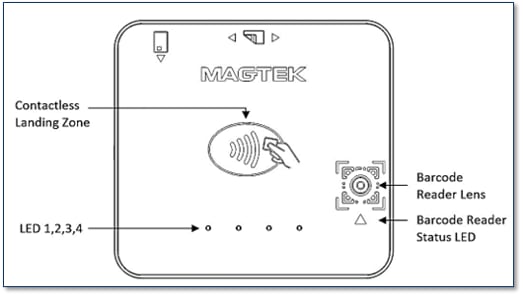
DynaFlex II Go Major Components
Top Face
NFC Contactless
Mobile wallets.
NTAG.
USB iAP2 for iOS
UPC-E
Aztec
EAN-13
Code 39 Code 128
PDF417/ Data Matrix
Color encoded, Logo-based QR Codes.
EMV standards: While cardholder name is stored on the chip for "dipped" (inserted) transactions, the contactless protocol is specifically programmed to block that data field. This is why a receipt can show "Valued Customer" or "No Name" when tapped.
The device will power down immediately due to the depleted battery
The four LEDs will blink four times in succession (ON/OFF every 0.25 seconds)
The device will beep twice with a 500 Hz tone ( ON/OFF every 40 milliseconds).
If your device has been tampered with and isn't working:
If you attempt to turn on a device that has been tampered with and has 8% battery level or more, the following sequence occurs:
The device powers down immediately due to its detected tampered state.
After this failed power-up attempt, the following sequence occurs:
The four LEDs will blink twice in succession (ON/OFF every 0.5 seconds)
The device will beep twice with a 750 Hz tone (200 milliseconds ON / 40 milliseconds OFF)
🕐 Hours: Monday-Friday, 5:30 AM - 5:00 PM PST
Online Resources:
🌐 Support Portal: developer.magtek.com
Documentation Feedback:
Help us improve this documentation! feedback@magtek.com
The full device Command matrix, if you're building for more than one Dyna reader.
DUKPT (3DES→AES), MAC, KSNs, encryption/decryption, and PCI requirements.
Working with contactless cards and tags (NTag, Classic, DESFire, Plus).
Essential documentation resources for developing with and managing the DynaFlex II Go secure card reader.
The device sends this notification when the battery charger detects that the battery is fully charged.
This notification reports the final result of a transaction the host initiated using Command 0x1001 - Start Transaction.
Reference Section
Information Available
This notification reports the successful completion of firmware update operations the host initiated
This notification reports the failure of a Firmware Update command the host initiated.
Reference Section
Information Available
This notification reports information about general state changes that occur within the device, outside the context of specific operations like transactions
The device sends this notification when the battery charge reaches 15 percent.
Reference Section
Information Available
This notification requests that the host take action during operations involving the device’s User Interface modules.
This notification shows that a UI operations involving the device’s User Interface modules is complete.
Reference Section
Information Available
This notification reports information about progress and state changes that occur during a Pass-Through Mode.
This notification reports Firmware is up to date for host initiated update.
The device sends this notification one minute before it automatically powers down the device.
-4°F to 113°F (-20°C to 45°C)
Operating temperature
32°F to 95°F (0°C to 35°C)
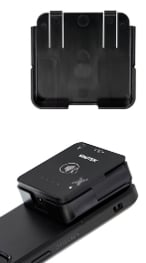
DynaFlex II Go products are designed to provide flexible mounting options. The device can be mounted to the host via an external clip or the embedded lanyard. When designing an enclosure or mounting bracket, ensure there is adequate clearance for cardholders to tap, swipe, dip, and for users to present a bar code. Proximity to metal can reduce the device’s reading range. DynaFlex II Go offers an optional OtterBox uniVERSE clip adapter and a countertop stand.
DynaFlex II Go is available with USB-C or USB-C and Bluetooth LE connection. Check you model number for connection configuration.
For best results, use the cable that is included with the device. Connect the cable to the device. Connect the other end to the HOST USB port. Device will automatically power on. Windows will start an installation of the driver on initial connection. Windows will report DEVICE IS READY and device shows in Windows Device Manager under HUMAN INTERFACE DEVICES as two devices HID-COMPLIANT VENDOR-DEFINED (VID 0801, PID 2024) and USB INPUT DEVICES.
See D998200386 MagTek Universal SDK
Disconnect any active connections to the device. Install Android HOST software. Press and hold the POWER BUTTON for 4 beeps until LED 4 starts flashing indicating Bluetooth LE pairing is in process. LED flashes once per second for up to 3 minutes. On the Android HOST, launch SETTINGS >BLUETOOTH> SEARCH FOR DEVICES > locate
the 7-digit serial number on the device label (DF II GO_xxxxxxx). Select device. When HOST shows BLUETOOTH PAIRING REQUEST and asks for configuration key, enter [000000]. The device appears in PAIRED DEVICES. Change the default passkey.
To UNPAIR, locate the device in BLUETOOTH configuration page on HOST, press the settings (gear) icon, press FORGET.
Ensure HOST Bluetooth LE is turned on and working. Disconnect any other connections to the device. On the HOST, install and configure the software. Ensure HOST software is configured to look for the device. The device transmits in GATT format. In START on HOST type BLUETOOTH and select BLUETOOTH AND OTHER DEVICE
SETTINGS. Locate the 7-digit serial number on device label. Press and hold the POWER BUTTON on device for 4 beeps until LED 4 starts flashing indicating Bluetooth pairing is in process. LED flashes once per second for up to 3 minutes. Press the ADD BLUETOOTH OR OTHER DEVICE button and launch ADD A DEVICE window. Under CHOOSE THE KIND OF DEVICE YOU WANT TO ADD select BLUETOOTH.
Locate the device called DF II GO-xxxxxxx. Enter configured passkey (000000) press the CONNECT button. After a short period CONNECTED appears. Press DONE. Change the default passkey.
To UNPAIR, select the device in BLUETOOTH AND OTHER DEVICE SETTINGS window and press the REMOVE DEVICE button.
DynaFlex II Go receives power from the USB-C port. The battery must be periodically recharged by connecting the device to a USB port or stand-alone USB charger. The device requires a USB power supply that can provide at least 500mA @ 5V.
Powered Off Mode is the shipping and storage mode of the device. No external power is applied to the device through the USB cable or from the internal rechargeable battery.
Active Mode is the device’s normal “awake” state when it is in use. In this mode, the device LED indicators are powered on, and the device is ready to receive commands from the host.
To set the device from Active mode to Powered Off mode: remove power, and press and hold the power button for two beeps.
DynaFlex II Go has 4 LEDs that provide responses to the user for Power, Connection, Device Status, and Card Status. The Installation and Operation Manual has a more complete list of light signals.
The device does not have an on-screen configuration interface. However, it does have settings the HOST can change using commands.
Operator presses the Start transaction button on the HOST device. LED 1 and 2 will remain on. When a card is swiped, all four LEDs will turn on in sequence (1, 2, 3 then 4), followed by a long beep, indicating a successful transaction. Swipe the card with the magnetic stripe facing away from the face of the device. After a successful transaction, the device will return to the ready state.
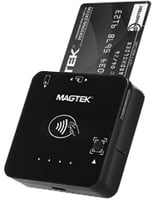
Locate the insertion slot on the face of the device. Orient the chip card so the chip faces the face of the device. Insert the chip card into the slot, then push gently on the card until it stops. The operator presses the Start transaction button on the HOST device.
LED 1 and 2 will remain on. When a card is inserted, LEDs 1, 2 and 4 will turn on in sequence, followed by a long beep, indicating a successful transaction.
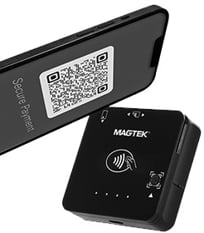
Hold QR Code or barcode approximately 6 inches away from barcode reader. The operator presses the Start button on the HOST device. LED 1,2, and the BCR status light will be illuminated see. When a barcode is detected, only LED 1 will remain illuminated, the BCR status LED will be off, and a long beep will sound.
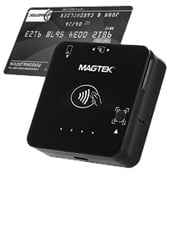
The operator presses the Start transaction button on the host device. LED 1 will remain on. When a card is presented within range of the contactless reader, LEDs 1,2,3, and 4 will turn on in sequence, followed by a long beep, indicating a successful transaction. Tap the card or electronic payment device on the contactless landing zone, indicated by the EMVCo Contactless Indicator on the device’s face. The card or device’s antenna* must be centered over the contactless landing zone. Remove the card or electronic payment device from the contactless landing zone.
Users can take advantage of the OtterBox® uniVERSE® adaptor for easy sliding and connection to a wide range of mobile devices, including phones and tablets
FCC INFORMATION
This device complies with Part 15 of the FCC Rules. Operation is subject to the following two conditions: (1) This device may not cause harmful interference, and (2) This device must accept any interference received, including interference that may cause undesired operation.
Note: This equipment has been tested and found to comply with the limits for a Class B digital device, pursuant to part 15 of the FCC Rules. These limits are designed to provide reasonable protection against harmful interference in a residential installation. This equipment generates, uses and can radiate radio frequency energy and, if not installed and used in accordance with the instructions, may cause harmful interference to radio communications. However, there is no guarantee that interference will not occur in a particular installation. If this equipment does cause harmful interference to radio or television reception, which can be determined by turning the equipment off and on, the user is encouraged to try to correct the interference by one or more of the following measures:
Reorient or relocate the receiving antenna.
Increase the separation between the equipment and receiver.
Connect the equipment into an outlet on a circuit different from that to which the receiver is connected. Consult the dealer or an experienced radio/TV technician for help.
CAUTION
Changes or modifications not expressly approved by MagTek could void the user’s authority to operate this equipment.
CANADIAN DECLARATION OF CONFORMITY
This digital apparatus does not exceed the Class B limits for radio noise from digital apparatus set out in the Radio Interference Regulations of the Canadian Department of Communications.
Le présent appareil numérique n’émet pas de bruits radioélectriques dépassant les limites applicables aux appareils numériques de la classe B prescrites dans le Réglement sur le brouillage radioélectrique édicté par le ministère des Communications du Canada.
This Class B digital apparatus complies with Canadian ICES-003.
Cet appareil numérique de la classe B est conformé à la norme NMB-003 du Canada.
INDUSTRY CANADA (IC) RSS
This device complies with Industry Canada licence-exempt RSS standard(s). Operation is subject to the following two conditions: (1) This device may not cause interference, and (2) This device must accept any interference, including interference that may cause undesired operation of the device.
Le présent appareil est conforme aux CNR d’Industrie Canada applicables aux appareils radio exempts de licence. L’exploitation est autorisée aux deux conditions suivantes: (1) L’appareil ne doit pas produire de brouillage, et (2) L’utilisateur de l’appareil doit accepter tout brouillage radioélectrique subi, même si le brouillage est susceptible d’en compromettre le fonctionnement.
CUR/UR
This product is recognized per Underwriter Laboratories and Canadian Underwriter Laboratories 1950.
CE STANDARDS
Testing for compliance with CE requirements was performed by an independent laboratory. The unit under test was found compliant with standards established for Class B devices.
EU STATEMENT
Hereby, MagTek Inc. declares that the radio equipment types Wideband Transmission System (802.11 wireless and Bluetooth® Low Energy), and Non-Specific Short Range Device (contactless) are in compliance with Directive 2014/53/EU. The full text of the EU declarations of conformity is available at the following Internet addresses: https://www.magtek.com/content/documentationfiles/d998200650.pdf
UL/CSA
This product is recognized per UL 60950 1, 2nd Edition, 2011 12 19 (Information Technology Equipment - Safety - Part 1: General Requirements), CSA C22.2 No. 60950 1 07, 2nd Edition, 2011 12 (Information Technology Equipment - Safety - Part 1: General Requirements).
ROHS STATEMENT
When ordered as RoHS compliant, this product meets the Electrical and Electronic Equipment (EEE) Reduction of Hazardous Substances (RoHS) Directive (EU) 2015/863 amending Annex II to Directive 2011/65/EU. The marking is clearly recognizable, either as written words like “Pb-free,” “lead-free,” or as another clear symbol ( Pb ).
PCI STATEMENT
PCI Security Standards Council, LLC (“PCI SSC”) has approved this PIN Transaction Security Device to be in compliance with PCI SSC’s PIN Security Requirements.
When granted, PCI SSC approval is provided by PCI SSC to ensure certain security and operational characteristics important to the achievement of PCI SSC’s goals, but PCI SSC approval does not under any circumstances include any endorsement or warranty regarding the functionality, quality or performance of any particular product or service. PCI SSC does not warrant any products or services provided by third parties. PCI SSC approval does not under any circumstances include or imply any product warranties from PCI SSC, including, without limitation, any implied warranties of merchantability, fitness for purpose, or non-infringement, all of which are expressly disclaimed by PCI SSC. All rights and remedies regarding products and services which have received PCI SSC approval shall be provided by the party providing such products or services, and not by PCI SSC.
UKCA STATEMENT
Hereby, MagTek Inc. declares that the radio equipment types Wideband Transmission System (Wireless LAN and Bluetooth Low Energy), and Non-Specific Short Range Device (contactless) are in compliance with Radio Equipment Regulations 2017 Directive S.I.2017:1206. The full text of the UKCA declarations of conformity is available at the following Internet addresses: https://www.magtek.com/content/documentationfiles/d998200651.pdf
Storage temperature
How the DynaFlex II Goprotects cardholder data and manages keys. These are shared DynaFamily concepts, documented in the Guides Section:
Reference Section
Information Available
How DUKPT derives a unique key per transaction, and the path (and reasons) for moving from legacy 3DES/TDEA DUKPT to AES DUKPT on your devices and host.
Working with contactless cards and tags on the DynaFlex II Go, the supported card technologies (NTag, MIFARE Ultralight, Classic, DESFire, Plus), how pass-through works, and NFC card emulation (DynaCast). This is shared DynaFamily content, documented once in the guide.
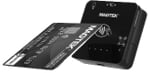
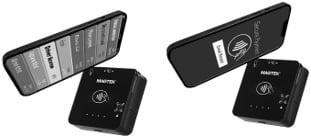
After the tag is activated, send commands to and receive responses from a MIFARE Classic, MINI, or Plus SL1 (Type 2) tag.
Send commands to and receive responses from a MIFARE DESFire (Type 4) tag.
Send commands to and receive responses from a MIFARE Plus (Type 2) tag.
Exchange raw ISO 14443-4 APDUs with any card that supports the protocol.
Enter or leave contactless pass-through mode.
Start or stop the reader polling for a contactless card.
The device will prepare card emulation with the parameters provided in the command and start card emulation.
Reference Section
Information Available
The NFC/MIFARE Guide section give you a selection of how-to guides on working with NFC/MIFARE.
Reference Section
Information Available
Send commands to and receive responses from an NTag or MIFARE Ultralight (Type 2) tag.
What a KSN is, how it's structured, and how it identifies the unique key used to encrypt a given transaction under DUKPT.
How a MAC lets the host and device confirm a message hasn't been altered in transit, and when one is required.
How the reader encrypts data at the point of read (SRED), how to determine which key was used, and how to decrypt the output on your host.
The ANSI TR-31 key-block format used to transport and load keys securely into the device.
The operational requirements the device enforces for PCI compliance: the 24-hour automatic reset and the device lock feature.
Reference Section
Information Available
This section covers how DynaFamily readers protect cardholder data and manage keys.
The DynaFlex II Go accepts the Multi-Interface Card Reader Platform (MMS) command set — the messages you send to run transactions, read cards, manage keys and files, and query or configure the reader. Full syntax, parameters, responses, and examples are documented once in the shared reference; the families below are the commands the Go supports, each linking into that reference.
Reference Section
Information Available
The host uses this command to start a payment transaction.
This section focuses on properties, which the host can either read from the device to retrieve device information (such as its PCI hardware ID, serial number, firmware revision numbers, etc.), or write to the device to change device behavior, or to store values for future reference.
Reference Section
Information Available
Detail on configuring the DynaFlex II Go device.
🕐 Hours: Monday-Friday, 5:30 AM - 5:00 PM PST
Online Resources:
🌐 Support Portal: developer.magtek.com
Documentation Feedback:
Help us improve this documentation! feedback@magtek.com
The Host uses this command to send commands and receive responses to and from a MIFARE Plus tag.
The host uses this command to request that the device display a message for the cardholder.
The host uses this command to direct the device to arm or disarm the barcode reader for reading a barcode outside the scope of a transaction.
The host uses this command to start a buzzer for playing a sequence of tones. Each sequence can have a minimum of 1 to maximum of 10 tones.
The host uses this command to prompt a cardholder for customer information.
The host uses this command to trigger the device to immediately show a pre-loaded image on the display.
The host uses this command to direct the device to immediately show a QR code on the display.
The host uses this command to trigger the device to immediately show a bitmap file the host includes as a parameter.
This command allows the host to bring up standalone pages.
The host uses this command to control the 4 LEDs of the device when the device is not in non-User Control LED states.
Card emulation is initiated by receiving a 0x1840 command from the host.
The host uses this command to send application-level APDUs to a PICC that supports ISO 14443-4 Protocol
The host uses this command to start sending unsecured files to the device for storage or processing
The host uses this command to request a file stored on the device.
The host uses this command to request the file information of a file stored on the device.
The host uses this command to request the deletion of a file stored on the device.
The host can use this command to change the device’s lock passcode.
The host uses this command to retrieve information about a key slot, including details about the key stored in that slot.
The host uses this command to provide the device with additional/modified data to resume a transaction that is currently paused.
The host uses this command to cancel a transaction that is currently in progress.
Reference Section
Information Available
The host uses this command to send commands and receive responses to and from a NTag/MIFARE Ultralight.
After a MIFARE Tag is activated, the host uses this command to send commands and receive responses to and from a MIFARE tag.
Reference Section
Information Available
The host uses this command to prompt a cardholder for a signature.
The host uses this command to provide a cardholder selection to the device when the device itself does not have a display or inputs to prompt the cardholder for a selection.
Reference Section
Information Available
Basic details about generic pass-through commands.
The host uses this command to enter or exit Pass-Through Mode.
Reference Section
Information Available
The host uses this command to reset the device.
The host uses this command to specify which notifications the device should send on each of its available interfaces
Reference Section
Information Available
This command directs the device to prompt the cardholder to enter a PIN when a card is not present or is not presented.
This command directs the device to prompt the cardholder to present their card by swiping, dipping or tapping, and to enter a PIN.
Reference Section
Information Available
The host uses this command to get information about the device or its configuration / settings.
The host uses this command to set device configuration / settings that do not require security.
Reference Section
Information Available
Large blobs of data uploaded to / downloaded from the device are referred to as “files” and share a common set of commands documented here, and special message type Data File Message.
The host uses this command to send a firmware image file, signed by MagTek, to the device as the first step in updating firmware.
Reference Section
Information Available
The host uses this command to commit a file previously uploaded using Command 0xD801 - Load (Firmware File) into the device’s permanent memory after the device has authenticated the file.
Reference Section
Information Available
The host uses this command to prompt the device for a response that contains the same payload it sent.
Reference Section
Information Available
Requests a random challenge from the device, used to construct a secured command.
The host uses this command to request a random challenge from the device, used to construct a subsequent secured command.
Reference Section
Information Available
The host uses this command to complete the ECDHE-ECDSA Key Exchange protocol, which enables the host and the device to generate the same TEMP KBPK key to use with Command 0xEF01 - Load Key Using TR-31 to load the Master Transport Key (MTK).
The host uses this command to send commands and receive responses to and from a MIFARE DESFire Tag.
After entering the Pass-Through Mode, the host use this command to request the device to start polling for a Type A and Type B PICC until it detects a PICC or times out.
The host can use this command to erase all Bluetooth® LE bonds.
The host uses this command to set device configuration / settings securely.
The host uses this command to start sending secured files to the device for storage or processing.
The host uses this command to load a key into one of several available slots in the device’s secure memory.
Configure Wi-Fi connectivity on WLAN-equipped models, including network SSID, security mode, and credentials. Applies only to devices with a WLAN radio.
Continues WLAN configuration with the remaining network properties, such as IP addressing and connection behavior.
Configure the USB interface on USB-connected devices, including communication mode and power behavior during USB suspend. Applies only when connected over USB.
Configure the device's cardholder-facing interface — display behavior, LEDs, buzzer, and prompts — including the UI configuration file.
Continues UI configuration with the remaining interface properties, such as the card-logos page and related on-screen elements.
Set or read the name the device advertises over Bluetooth LE, used to identify the reader when pairing and connecting.
Configure the device's security posture, including SRED/encryption behavior and key status.
Configure the device's system settings
A checksum identifying the contactless Level 1 kernel firmware, used to confirm which L1 kernel build is installed.
A checksum identifying the Discover D-PAS contactless kernel firmware installed on the device.
The identifier and version of the China UnionPay contactless kernel firmware.
Firmware and version information for the device's Wi-Fi (WLAN) module, on models equipped with a WLAN radio.
Identifies the custom user-interface package loaded on the device — which custom UI build (if any) is installed, and its version.
Firmware and version information for the device's NFC contactless module and controller.
Reference Section
Information Available
Part A of EMV Terminal ID settings.
Part B of EMV Terminal ID settings.
Part C of EMV Terminal ID settings.
Reference Section
Information Available
The device uses this property to determine what character it should use when sending masked ISO/ABA track data.
The device sends this notification when the battery charge reaches 15 percent.
Reference Section
Information Available
Configure how the device runs financial transactions — EMV terminal and kernel parameters, supported entry methods, and amount, currency, and timeout handling.`
Continues the transaction group with the remaining financial/EMV properties, such as contactless and additional processing options.
Reference Section
Information Available
The device's top-level firmware identifier — the composite firmware ID that ties together the individual component versions and checksums listed below.
Part number, version, and build details for the device's core application firmware — the main firmware that runs the reader.
Reference Section
Information Available
Read-only hardware information reported by the device, such as model, part number, and hardware revision.
Reference Section
Information Available
This OID contains a 32-bit bitmap. Each bit indicates the status of a transaction key,
The device uses this property to report its security status.
Read the device's core identity and status: model name, serial number, firmware and boot versions, real-time clock, and operational state. These are mostly read-only values for identifying and health-checking the reader.
Part number and version for the EMV firmware component that handles Level 2 EMV processing for contact and contactless transactions.