This document provides instructions on how to interact with the MagneFlex Browser.
The MagneFlex Browser, available from MagTek, is a full-function HTML browser application that is integrated with driver applications that allow the control of a set of MagTek payment card readers.
In this document, the following nomenclature are used strictly as follows:
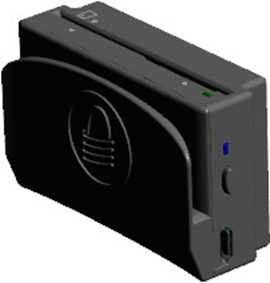
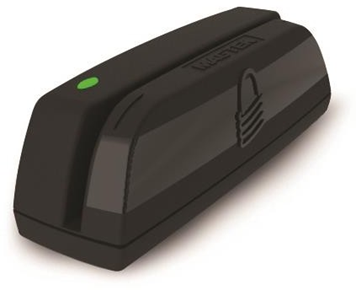
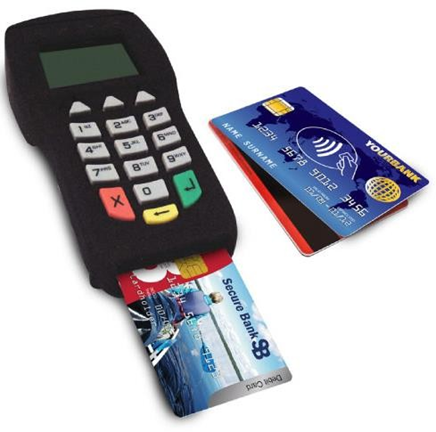
Device refers to the MagTek device (eg. Dynamag, DynaPro, MICRSafe) that receives and responds to the command set specified in this document.
Host refers to the piece of general-purpose electronic equipment the device is connected. Host types include PC and Mac computers/laptops, tablets, and smartphones.
User refers to the cardholder.
Web App refers to the application provided by the integrator of MagneFlex Browser. The web app will communicate with the MagneFlex browser via query strings. MagneFlex then controls and obtains data from the MagTek device.
Query string refers to the web app’s interface to MagneFlex WEB API sent as an HTTP request. The query string is added to the base URL. This string contains field-value pairs referred to as parameters and begins after the question mark character “?” at the end of the base URL. Each parameter is defined in the parameter table for each resource of the MagneFlex WEB API. In the following example, the place holder for field will be listed in the parameter column of the table and value will be explained in the description column.
Example query:
Postback refers to the response from a request or command from the device. The web app shall consume the postback. MagneFlex sends the postback in two forms.
HTTP GET - returns the response data in the form of a query string.
HTTP POST - returns the response data in the form of a body message. POST is recommended for EVM related transactions or commands of lengthy response to accommodate limits on query string lengths.
Tested operating systems:
iOS 8 to iOS 10
Windows 7, 8.1, 10
The following table matches the device interface to operating system.
DynaPro
Ethernet
iOS 8 – 10
Windows 7, 8.1, 10
USB
iOS 8 – 10
Windows 7, 8.1, 10
DynaMAX
Bluetooth LE
iOS 8 – 10
Windows 8.1, 10
USB
iOS 8 – 10
Windows 7, 8.1, 10
eDynamo
Bluetooth LE
iOS 8 – 10
Windows 8.1, 10
USB
iOS 8 – 10
Windows 7, 8.1, 10
iDynamo
Lightning
iOS 8 – 10
uDynamo
Audio
iOS 8 – 10
Windows 7, 8.1, 10
MICRSafe
USB
Windows 7, 8.1, 10
Device
Interface
Operating System
DynaPro Mini
Bluetooth LE
iOS 8 – 10
Windows 8.1, 10
USB
iOS 8 – 10
Windows 7, 8.1, 10
For SCRA V5 devices please refer to respective command reference:
D998200115 (eDyanmo)
D998200176 (Dynamag)
D998200175 (DynaMAX)
D99875483 (iDynamo)
D99875466 (MicrSafe)
For PINPAD devices please refer to the respective command reference:
D99875585 (DynaPro)
D99875629 (DynaPro Mini)
D998200136 (DynaPro Go)
REGISTERED TO ISO 9001:2015
MagTek I 1710 Apollo Court I Seal Beach, CA 90740 I Phone: (562) 546-6400 I Technical Support: (888) 624-8350 www.magtek.com
Copyright © 2006 – 2019 MagTek, Inc. Printed in the United States of America
Information in this publication is subject to change without notice and may contain technical inaccuracies or graphical discrepancies. Changes or improvements made to this product will be updated in the next publication release. No part of this document may be reproduced or transmitted in any form or by any means, electronic or mechanical, for any purpose, without the express written permission of MagTek, Inc.
MagTek® is a registered trademark of MagTek, Inc. MagnePrint® is a registered trademark of MagTek, Inc. Magensa™ is a trademark of MagTek, Inc.
MagneSafe® is a registered trademark of MagTek, Inc. iDynamo™, and uDynamo are trademarks of MagTek, Inc.
eDynamo™, Dynamag, and DynaMAX are trademarks of MagTek, Inc.
DynaPro Mini™, DynaPro™, and DynaPro Go™ are trademarks of MagTek, Inc.
The Bluetooth® word mark and logos are registered trademarks owned by Bluetooth SIG, Inc. and any use of such marks by MagTek is under license
Microsoft® and Windows® are registered trademarks of Microsoft Corporation.
All other system names and product names are the property of their respective owners.
Table 0.1 – Revisions
IMPORTANT: YOU SHOULD CAREFULLY READ ALL THE TERMS, CONDITIONS AND RESTRICTIONS OF THIS LICENSE AGREEMENT BEFORE INSTALLING THE SOFTWARE PACKAGE. YOUR INSTALLATION OF THE SOFTWARE PACKAGE PRESUMES YOUR ACCEPTANCE OF THE TERMS, CONDITIONS, AND RESTRICTIONS CONTAINED IN THIS AGREEMENT. IF YOU DO NOT AGREE WITH THESE TERMS, CONDITIONS, AND RESTRICTIONS, PROMPTLY RETURN THE SOFTWARE PACKAGE AND ASSOCIATED DOCUMENTATION TO THE ADDRESS ON THE FRONT PAGE OF THIS DOCUMENT, ATTENTION: CUSTOMER SUPPORT.
TERMS, CONDITIONS, AND RESTRICTIONS
MagTek, Incorporated (the "Licensor") owns and has the right to distribute the described software and documentation, collectively referred to as the "Software."
LICENSE: Licensor grants you (the "Licensee") the right to use the Software in conjunction with MagTek products. LICENSEE MAY NOT COPY, MODIFY, OR TRANSFER THE SOFTWARE IN WHOLE OR IN PART EXCEPT AS EXPRESSLY PROVIDED IN THIS AGREEMENT. Licensee
may not decompile, disassemble, or in any other manner attempt to reverse engineer the Software. Licensee shall not tamper with, bypass, or alter any security features of the software or attempt to do so.
TRANSFER: Licensee may not transfer the Software or license to the Software to another party without the prior written authorization of the Licensor. If Licensee transfers the Software without authorization, all rights granted under this Agreement are automatically terminated.
COPYRIGHT: The Software is copyrighted. Licensee may not copy the Software except for archival purposes or to load for execution purposes. All other copies of the Software are in violation of this Agreement.
TERM: This Agreement is in effect as long as Licensee continues the use of the Software. The Licensor also reserves the right to terminate this Agreement if Licensee fails to comply with any of the terms, conditions, or restrictions contained herein. Should Licensor terminate this Agreement due to Licensee's failure to comply, Licensee agrees to return the Software to Licensor. Receipt of returned Software by the Licensor shall mark the termination.
LIMITED WARRANTY: Licensor warrants to the Licensee that the disk(s) or other media on which the Software is recorded are free from defects in material or workmanship under normal use.
THE SOFTWARE IS PROVIDED AS IS. LICENSOR MAKES NO OTHER WARRANTY OF ANY KIND, EITHER EXPRESS OR IMPLIED, INCLUDING, BUT NOT LIMITED TO, THE IMPLIED WARRANTIES OF MERCHANTABILITY AND FITNESS FOR A PARTICULAR PURPOSE.
Because of the diversity of conditions and PC hardware under which the Software may be used, Licensor does not warrant that the Software will meet Licensee specifications or that the operation of the Software will be uninterrupted or free of errors.
IN NO EVENT WILL LICENSOR BE LIABLE FOR ANY DAMAGES, INCLUDING ANY LOST PROFITS, LOST SAVINGS, OR OTHER INCIDENTAL OR CONSEQUENTIAL DAMAGES ARISING OUT OF THE USE, OR INABILITY TO USE, THE SOFTWARE. Licensee's sole remedy in
the event of a defect in material or workmanship is expressly limited to replacement of the Software disk(s) if applicable.
GOVERNING LAW: If any provision of this Agreement is found to be unlawful, void, or unenforceable, that provision shall be removed from consideration under this Agreement and will not affect the enforceability of any of the remaining provisions. This Agreement shall be governed by the laws of the State of California and shall inure to the benefit of MagTek, Incorporated, its successors or assigns.
ACKNOWLEDGMENT: LICENSEE ACKNOWLEDGES THAT HE HAS READ THIS AGREEMENT, UNDERSTANDS ALL OF ITS TERMS, CONDITIONS, AND RESTRICTIONS, AND AGREES TO BE BOUND BY THEM. LICENSEE ALSO AGREES THAT THIS AGREEMENT SUPERSEDES ANY AND ALL VERBAL AND WRITTEN COMMUNICATIONS BETWEEN LICENSOR AND LICENSEE OR THEIR ASSIGNS RELATING TO THE SUBJECT MATTER OF THIS AGREEMENT.
QUESTIONS REGARDING THIS AGREEMENT SHOULD BE ADDRESSED IN WRITING TO MAGTEK, INCORPORATED, ATTENTION: CUSTOMER SUPPORT, AT THE ADDRESS LISTED IN THIS DOCUMENT, OR E-MAILED TO
30
10/28/2019
Corrected typo qwickChipMode to quickChipMode on pages 16,17, and 18
Rev Number
Date
Notes
10
07/10/2017
Initial Release
20
10/10/2018
Added requestData resource and extended all resources to support requestLocation.
Fixed requestManualCard options field.
This query string instructs the device to prompt for a card swipe.
?operation=
&httpMethod=
&closeDeviceAfter=
&readerArgument=
&destinationURL=
&requestLocation=
&passInData=
Parameter
Description
operation
Operation to request from MagneFlex. Use:
requestCardSwipe
httpMethod
Each input parameter supplied in the request is delimited by an ampersand character ‘&’, and the value for a parameter begins after an equal character ‘=’. Where ever a parameter contains multiple values, each are delimited by a comma character ‘,’.
The CardSwipe output in TVL format.
Example:
https://192.168.10.100/magneflexdemo/cardpostback.aspx?errorCode=0&err orMessage=OK&opType=CARD_SWIPE_RESULT&cardDataIn=FA820178DFDF250F423246363045413036313731364141F4820161DFDF300100DFDF314A2542353535353030303032303030343434345E4D4153544552434152442F4155544F4D4154494F4E495E313830363230313030303030303030303030303030303030303030303030303FDFDF320100DFDF33263B353535353030303032303030343434343D313830363230313030303030303030303030303FDFDF340100DFDF3500DFDF3750A7803ECF28219BB1C955D7A88FC281BA663BE8590491D04FD7FD33BEAEB0B7ADD52B0FC39EEED677408FA65D68B5130D230EB99B769D05EE42AF6CE5FF09E335E2C8686D9C95FEB6D957771BEA899CDEDFDF39281121CC637D0F5921D8ED05FDCAE436C93384BC949C12FC85F34C29E3951A85D797765959D44514F0DFDF3B00DFDF3C383B61305D74C5B8FD39A3F9D7733F5F435F173ADE58897A407D4ED41D1F84BA7F2EA091D035B2990A0722C193F64BF1E7AD038BD3C0690D81DFDF430461401000DFDF500A9010010B2F60EA0001B9&passInData=
This query string sends a command to the device and returns the raw response from the device.
Each input parameter supplied in the request is delimited by an ampersand character ‘&’, and the value for a parameter begins after an equal character ‘=’. Where ever a parameter contains multiple values, each are delimited by a comma character ‘,’.
Return Value:
The Command response output in Hex string format of device raw response for this command.
Example:
https://192.168.10.100/magneflexdemo/cardpostback.aspx?errorCode=0&err orMessage=OK&opType=SEND_COMMAND_RESULT&commandID=0900&commandResult=0 00A9010010B2F60EA0001BA& passInData=
This query string sends an extended command to the device and returns the raw response from the device.
Each input parameter supplied in the request is delimited by an ampersand character ‘&’, and the value for a parameter begins after an equal character ‘=’. Where ever a parameter contains multiple values, each are delimited by a comma character ‘,’.
Example query:
Return Value:
The Extended Command response output in Hex string format of device raw response for this command.
Example:
https://192.168.10.100/magneflexdemo/cardpostback.aspx?errorCode=0&err orMessage=OK&opType=SEND_EXTENDED_COMMAND_RESULT&commandID=0306&comman dResult=000001A801A6FA8201A2DFDF2101105F2A0208405F360102DFDF5B010CDFDF5C0102DFDF75010CDFDF76010CDFDF6E010C9F150230309F1607303030303030309F1A0208409F1C0831313232333334349F33032028C89F3501219F4005720000B0019F4E0730303030303030DFDF0109A000000004F8001000DFDF025E9ADFDF289F025A899F109F159F169F4E828E5F245F259F069F079F0D9F0E9F0F9F269F279F369C9F339F349F379F399F40959B9F5BDFDF009F1E9F1A5F2A9F019F218ADF8120DF8121DF81225F20505F34849F039F099F1E9F359F419F53DFDF05299A829F369F1E9F109F5B9F339F35959F015F245A5F348A9F159F169F399F1A9F1C579F025F2A9F219CDFDF06028A91DFDF140400007530DFDF150400000001DFDF160400000080DFDF17599ADFDF289F029F035A899F109F159F169F4E828E5F245F259F069F079F0D9F0E9F0F9F269F279C9F339F349F359F369F379F399F409F419F53959B9F5BDFDF009F1E9F1A5F2A9F018ADF8120DF8121DF81225F205F349F0984DFDF20024328DFDF260E4D414754454B2044454641554C549F3C0209989F3D0102DFDF4704755EFA9B& passInData=
This query string sends a batch of commands to the device and returns the raw response from the device.
Each input parameter supplied in the request is delimited by an ampersand character ‘&’, and the value for a parameter begins after an equal character ‘=’. Where ever a parameter contains multiple values, each are delimited by a comma character ‘,’.
Return Value:
The Batch Command response output in Hex string format of device raw response for this command.
This query string begins an EMV transaction.
Each input parameter supplied in the request is delimited by an ampersand character ‘&’, and the value for a parameter begins after an equal character ‘=’. Where ever a parameter contains multiple values, each are delimited by a comma character ‘,’.
Example query:
Return Value:
The EMV ARQC response output in Hex string format of device raw response for this command.
Example:
https://192.168.10.100/magneflexdemo/cardpostback.aspx?opType=EMV_ARQC &arqcData=0211F982020DDFDF540A00000000000000000000DFDF550182DFDF250F42 3246363045413036313731364141FA8201E3708201DFDFDF5301005F20164D4153544552434152442F4155544F4D4154494F4E49DFDF4D263B353535353030303032303030343434343D313830363230313030303030303030303030303FDFDF520105F882018EDFDF59820170A95450D8E8376FBF7105F641858BD1E5945ABB7196759757BE9923631B7C5A3B530D27DB156E3321EEB740D5BC29EF85639CC678F4FB7FD1891FA6FFD6F696A9701AF8FC9C3C84FF98B8C05DD386048426C1FD2892C092D17CAB172A47C0C95899EDF643886DC9DA910203D09186ABF09BE524ABE33A9AD73703F59C6FD5727C468650CB975D92D5BB0DE359163527A8C04130626CC27A1B5C63598E3E7F26F367866A563AB091EC35A14D4F392522132FC5097E3757EFC52174445090DE44100FB453FD4BE077DB24F6D99E00EEBB92C9FD6604723C6E2393BA0F2F2A70F9A915D91E0A02D88A8807A77E7739F1CBCDCA791E647B56AD146C83AA57CD300589A60042A51BE3233C59F8AEE25F1D207F14FF8E0A968560612654F7B944B8B63ADF3467B24445D5FBE40DE8A2C46171461FD1D577ADDC568EB21A13E2913CA19C0FAE06BD8FE16B9B349481721D365BE5EA68BBACA63CDD76A78045ED1C128A90EF166F2DED19239ED6AF35DCA40128DADFDF560A9010010B2F60EA0001C3DFDF570180DFDF5801030000000000000011223344&passInData=testdata
cardDataIn
Magnetic swipe card data in TLV format.
FA (Container for generic data) DFDF25 (Device serial number)
F4 (Container for Encrypted MSR data) DFDF30 (Masked T1 status) DFDF31 (Masked T1)
DFDF32 (Masked T2 status) DFDF33 (Masked T2)
DFDF34 (Masked T3 status) DFDF35 (Masked T3)
DFDF37 (Encrypted T1) DFDF39 (Encrypted T2) DFDF3B (Encrypted T3)
DFDF3C (Encrypted MagnePrint) DFDF43 (MagnePrint Status) DFDF50 (MSR KSN)
passInData
Optional data to send to MagneFlex. This data will be passed back to the web app.
readerArgument
Comma delimited list of arguments to be passed to MagneFlex. Arguments:
timeLimit:, command:, endSession:
Argument details:
timeLimit - Seconds to wait before the operation times out. Value is in hexadecimal format.
(00 - FF)
command - The command to send to the device.
endSession - Flag to end the session for the device. Default value is true.
destinationURL
MagneFlex will send the postback to this URL.
requestLocation
Flag to send GPS location of the device from which Magneflex (iOS only) is hosted.
Use:
true – send location
false – do not send location
passInData
Optional data to send to MagneFlex. This data will be passed back to the web app.
commandID
Command that was sent.
commandResult
Data returned from the command sent to the device.
passInData
Optional data to send to MagneFlex. This data will be passed back to the web app.
readerArgument
Extended command to send to reader.
destinationURL
MagneFlex will send the postback to this URL.
requestLocation
Flag to send GPS location of the device from which Magneflex (iOS only) is hosted.
Use:
true – send location
false – do not send location
passInData
Optional data to send to MagneFlex. This data will be passed back to the web app.
commandID
Command that was sent.
commandResult
Result of a command sent to the device.
passInData
Optional data to send to MagneFlex. This data will be passed back to the web app.
destinationURL
MagneFlex will send the postback to this URL.
requestLocation
Flag to send GPS location of the device from which Magneflex (iOS only) is hosted.
Use:
true – send location
false – do not send location
passInData
Optional data to send to MagneFlex. This data will be passed back to the web app.
commandResult
Result of a command sent to the device formatted as:
[command]-[result]
For each command sent in a batch is returned a separate commandResult. Example:
&commandResult=0900-000A9010010B355414000099 &commandResult=000100-000D31303030303033333534433033
&commandResult=1500-000103
passInData
Optional data to send to MagneFlex. This data will be passed back to the web app.
readerArgument
Comma delimited list of arguments to be passed to MagneFlex. Arguments:
timeLimit:, cardType:, option:, amount:, transactionType:, cashBack:, currencyCode:, endSession:, quickChipMode:, reserved:
Argument details:
timeLimit - Seconds to wait before the operation times out. Value is in hexadecimal format.
(00 - FF)
transactionType - Type of transaction to be used in hexadecimal: 00 = Purchase (listed as “Payment” on ICS)
destinationURL
MagneFlex will send the postback to this URL.
requestLocation
Flag to send GPS location of the device from which Magneflex (iOS only) is hosted.
Use:
true – send location
false – do not send location
passInData
Optional data to send to MagneFlex. This data will be passed back to the web app.
arqcData
ARQC data from the device.
passInData
Optional data to send to MagneFlex. This data will be passed back to the web app.
HTTP method to be used for the HTTP postback from MagneFlex. Use:
GET - returns the response data in the form of a query string. POST – recommended for EVM related transactions to accommodate limits on query string lengths.
closeDeviceAfter
Flag to close the device after the request. Use:
true – close device
false – do not close the device
readerArgument
Comma delimited list of arguments to be passed to MagneFlex. requestCardSwipe requires no arguments.
destinationURL
MagneFlex will send the postback to this URL.
requestLocation
Flag to send GPS location of the device from which Magneflex (iOS only) is hosted.
Use:
true – send location
false – do not send location
passInData
Optional data to send to MagneFlex. This data will be passed back to the web application.
https://192.168.10.100/magneflexdemo/default.aspx?
operation=requestCardSwipe
&httpMethod=GET
&closeDeviceAfter=true
&readerArgument=
&destinationURL=https://192.168.10.100/magneflexdemo/cardpostback.aspx &requestLocation=false
&passInData=
Parameter
Description
errorCode
Error status. 0 is Success. Non-Zero is an error.
errorMessage
Description of the errorCode.
opType
The type of operation. For this command the value is:
CARD_SWIPE_RESULT
?operation=
&httpMethod=
&closeDeviceAfter=
&readerArgument=
&destinationURL=
&requestLocation=
&passInData=
Parameter
Description
operation
Operation to request from MagneFlex. Use:
requestSendCommand
httpMethod
HTTP method to be used for the HTTP postback from MagneFlex. Use:
GET - returns the response data in the form of a query string. POST – recommended for EVM related transactions to accommodate limits on query string lengths.
closeDeviceAfter
Flag to close the device after the request. Use:
true – close device
false – do not close the device
Example query: https://192.168.10.100/magneflexdemo/default.aspx?
operation=requestSendCommand
&httpMethod=GET
&closeDeviceAfter=true
&readerArgument=
    timeLimit:3C,
    command:0900,
    endSession:true
&destinationURL=https://192.168.10.100/magneflexdemo/cardpostback.aspx &requestLocation=false
&passInData=
Parameter
Description
errorCode
Error status. 0 is Success. Non-Zero is an error.
errorMessage
Description of the errorCode.
opType
The type of operation. For this command the value is:
SEND_COMMAND_RESULT
?operation=
&httpMethod=
&closeDeviceAfter=
&readerArgument=
&destinationURL=
&requestLocation=
&passInData=
Parameter
Description
operation
Operation to request from MagneFlex. Use: requestSendExtendedCommand
httpMethod
HTTP method to be used for the HTTP postback from MagneFlex. Use:
GET - returns the response data in the form of a query string. POST – recommended for EVM related transactions to accommodate limits on query string lengths.
closeDeviceAfter
Flag to close the device after the request. Use:
true – close device
false – do not close the device
https://192.168.10.100/magneflexdemo/default.aspx?
operation=requestSendExtendedCommand
&httpMethod=GET
&closeDeviceAfter=true
&readerArgument=03060003010F00
&destinationURL= https://192.168.10.100/magneflexdemo/cardpostback.aspx
&requestLocation=false &passInData=
Parameter
Description
errorCode
Error status. 0 is Success. Non-Zero is an error.
errorMessage
Description of the errorCode.
opType
The type of operation. For this command the value is:
SEND_EXTENDED_COMMAND_RESULT
?operation=
&httpMethod=
&readerArgument=
&destinationURL=
&passInData=
Parameter
Description
operation
Operation to request from MagneFlex. Use: requestSendBatchCommand
httpMethod
HTTP method to be used for the HTTP postback from MagneFlex. Use:
GET - returns the response data in the form of a query string. POST – recommended for EVM related transactions to accommodate limits on query string lengths.
readerArgument
Batch of commands that should be sent to reader. Commands are delimited by the bar character ‘|’.
Example:
readerArgument=0900|000100|1500
Parameter
Description
errorCode
Error status. 0 is Success. Non-Zero is an error.
errorMessage
Description of the errorCode.
opType
The type of operation. For this command the value is:
SEND_BATCH_COMMAND_RESULT
?operation=
&httpMethod=
&closeDeviceAfter=
&readerArgument=
&destinationURL=
&requestLocation=
&passInData=
Parameter
Description
operation
Operation to request from MagneFlex. Use: requestStartEMVTransaction
httpMethod
HTTP method to be used for the HTTP postback from MagneFlex. Use:
GET - returns the response data in the form of a query string. POST – recommended for EVM related transactions to accommodate limits on query string lengths.
closeDeviceAfter
Flag to close the device after the request. For requestStartEMVTransaction use:
false – do not close the device
https://192.168.10.100/magneflexdemo/default.aspx?
operation=requestStartEMVTransaction
&httpMethod=GET
&closeDeviceAfter=true
&readerArgument=
    timeLimit:3C,
    cardType:02,
    option:00,
    amount:9.99,
    transactionType:00,
    cashBack:0.0,
    currencyCode:0840,
    endSession:true,
    quickChipMode:false,
    reserved:00000000000000000000000008400001
&destinationURL=https:/192.68.10.100/magneflexdemo/cardpostback.aspx
&requestLocation=false &passInData=testData
Parameter
Description
errorCode
Error status. This parameter is only available when the status is not successful.
errorMessage
Description of the errorCode. This parameter is only available when the status is not successful.
opType
The type of operation. For this command the value is:
EMV_ARQC_RESULT
“true” = End the session after the request is processed.
“false” = Do not end the session after the request is processed.
08 = Services (Purchase)
10 = International Goods (Purchase) 20 = Refund
40 = International Cash Advance or Cash Back 80 = Domestic Cash Advance or Cash Back
cardType - Card type that can be used for the transaction:
1 = Magnetic stripe
2 = Contact smart card
3 = Magnetic stripe or contact smart card
amount - The amount to be used and authorized, EMV Tag 9F02. Format in decimal.
cashBack - Amount of cash back to be used, EMV Tag 9F02. Format in decimal.
currencyCode - Transaction Currency Code (EMV Tag 5F2A, format n4 string)
Sample valid values:
0840 = US Dollar 0978 = Euro
0826 = UK Pound
endSession - Flag to end the session for the device. Default value is true.“true” = End the session after the request is processed.
“false” = Do not end the session after the request is processed.
quickChipMode - Flag to start the transaction to accommodate qwick Chip mode.
“true” = Accommodate qwick chip mode.
“false” = Do not accommodate qwick chip mode.
reserved - These are the reserved bytes beginning at index 20
of the 0xA2 command. Reference device manual D99875585 for more details.
Example:
0000000000000000000000000840000100 – QuickDip Mode
0000000000000000000000000840000003 – PIN Verify
0000000000000000000000000840000004 – PIN Set

This query string sends the ARPC to the device during an EMV transaction.
?operation=
&httpMethod=
&closeDeviceAfter=
&readerArgument=
&destinationURL=
&requestLocation=
&passInData=
Parameter
Description
operation
Operation to request from MagneFlex. Use:
sendARPC
httpMethod
Each input parameter supplied in the request is delimited by an ampersand character ‘&’, and the value for a parameter begins after an equal character ‘=’. Where ever a parameter contains multiple values, each are delimited by a comma character ‘,’.
Example query:
Return Value:
The EMV ARPC response output in Hex string format of device raw response for this command.
Example:
https://192.168.10.100/magneflexdemo/cardpostback.aspx?errorCode=0&errorMessage=OK&opType=EMV_TRANS_RESULT&batchData=01023FF982023BDFDF540A00000000000000000000DFDF550182DFDF250F423246363045413036313731364141FA820211F082020DF105DFDF1A0100F8820176DFDF5982015888F3F2E7838F9B729FFED8D0866CB9C6CD06DC850B071ABF5184CFE9923B3F830D1BA6924B039DA9E75C8E717F9E0E95E45AC87A7BD94911F7E96CAE81E8A444F144714FF34B2C20E2F18D89D0616DBE355D808493488E2206273914A37833495A8C69DDEA90F182061CD7E7E416C20FBD260348389EAD6AFFBC0A0FD81BBE2E0D1FC2CF65195E1A79EC73264941D8F42BC5CD6837B9CCD267BD1FD5C37A9352AAEB1A1346E6C9C18ACA9CB01156C12411759091146357A87A39F1B3FB415EFDAA48509E9A25003E54E87616F63F04C2484261B3A765E23AB7176FF6C1B08D8BFD23B6884835620BB175E366A54232598028FF24998186BAA0590B92DCF336623F881D66379219C535DA2721E77ECBA8ADF8675BE0B9C8AC56CC5A52B9FD8216A43EA43B2B7CE7D22E911AB107566A8F79A103677F16681DD811852332CFB92D313ECC851C36E6317E087C3AAD65D3CDBDD36C97F9252770DFDF560A9010010B2F60EA0001C3DFDF570180DFDF580106F78200885F25031606235F24031806305F2A0208409F02060000000009999F03060000000000009F0607A00000000410109F1C0831313232333334349F3901059C01009F34031E03005F20164D4153544552434152442F4155544F4D4154494F4E49DFDF4D263B353535353030303032303030343434343D313830363230313030303030303030303030303F0011223344&passInData=
This query string instructs the device to prompt for a PIN.
Each input parameter supplied in the request is delimited by an ampersand character ‘&’, and the value for a parameter begins after an equal character ‘=’. Where ever a parameter contains multiple values, each are delimited by a comma character ‘,’.
Return Value:
The Response output in Hex string format of device raw response for this command.
Example:
https://192.168.10.100/magneflexdemo/cardpostback.aspx?errorCode=0&err orMessage=OK&opType=PIN_RESULT&operationStatus=00&pinEPB=1098FF7ECABD1 1F3&pinKSN=9A006300000001200010&passInData=testData
This query string instructions the device to prompt for a manual card entry.
Each input parameter supplied in the request is delimited by an ampersand character ‘&’, and the value for a parameter begins after an equal character ‘=’. Where ever a parameter contains multiple values, each are delimited by a comma character ‘,’.
Example Query:
Return Value:
The CardSwipe output in TVL format.
Example:
https://192.168.10.100/magneflexdemo/cardpostback.aspx?errorCode=0&errorMessage=OK&opType=CARD_MANUAL_SWIPE&cardDataIn=FA81EBDFDF251039384446323041393034313230423045F481D4DFDF30020000DFDF3139254D313131313030303030343030303030313131315E4D414E55414C20454E5452592F5E32323232303030303030303030303030303030303FDFDF32020000DFDF33273B313131313030303030343030303030313131313D32323232303030303030303030303030303FDFDF34020100DFDF3500DFDF371C%M1111000004000001111^MANUAL ENTRY/^22220000000000000000DFDF3913;1111000004000001111=2222000000000 0000?DFDF3B00DFDF3C00DFDF430400000000DFDF500A9500030000000120000C&pass InData=
This query string sends a command to the device and returns the raw response from the device.
Each input parameter supplied in the request is delimited by an ampersand character ‘&’, and the value for a parameter begins after an equal character ‘=’. Where ever a parameter contains multiple values, each are delimited by a comma character ‘,’.
Example query:
Return Value:
The Command response output in TVL format.
Example:
https://192.168.10.100/magneflexdemo/cardpostback.aspx?errorCode=0&errorMessage=OK&opType=SEND_COMMAND_RESULT&commandID=070501&commandResult=270000401F3F12006034F70080F8FFFF6034F70080F8FFFF70E6530F80FAFFFF20F3440D80FAFFFF287EF40080F8FFFF10B4480D80FAFFFF78B4480D80FAFFFF80B4480D80FAFFFF0000000000000000000000000000000000000000000000000000000000000000000000000000000000000000000000000000000000000000&passInData=testdata
This query string instructions the device to prompt for a Signature.
Each input parameter supplied in the request is delimited by an ampersand character ‘&’, and the value for a parameter begins after an equal character ‘=’. Where ever a parameter contains multiple values, each are delimited by a comma character ‘,’.
Example query:
Return Value:
The Signature capture output in TVL format.
Example:
https://192.168.10.100/magneflexdemo/cardpostback.aspx,Data=opType=SIGNATURE_RESULT&signatureDataIn=283E293F29402B422B442C462E4B2F4F30513257335A345D346035633769376B386D386E386F376C376937663663365F36573653374F384B39473A443C413E3F403D463A493A4D3B513C553E58406046684D6B506E547057725B7361736473666F696C6A696A656A60695C68FFFF8E629063916392639264936494649564FFFF813882388337853787378A378B368D3690369236953599359C34A333A732AB32B230B62FB92FBD2EC02DC62CC82CFFFFA827A828A929AA2AAA2BAB2CAD2FAE31AF35B037B138B23BB33EB542B748B84CB852B855B75AB65CB55EB05FAE60AA5FA75EA35DFFFFD156CF54CE53CD52CC51CB4FC94EC64BFFFF&signatureResult=0&passInData=test data
This query string retrieves data from user interaction with the device.
Each input parameter supplied in the request is delimited by an ampersand character ‘&’, and the value for a parameter begins after an equal character ‘=’. Where ever a parameter contains multiple values, each are delimited by a comma character ‘,’.
Example query:
Return Value:
The Command response output in TVL format.
Example:
batchData
Batch data from the device to be passed to MagneFlex.
passInData
Optional data to send to MagneFlex. This data will be passed back to the web app.
readerArgument
Data to send for the device to be passed to MagneFlex. Arguments:
timeLimit:, fieldseparator:, pinOption:, maxpinlength:, minpinlength:, tone:,
pinmode:, endSession:
Argument details:
timeLimit - Seconds to wait before the operation times out. Value is in hexadecimal format.
(1 - 255)
fieldseparator - Delimiter to separate the output data.
destinationURL
MagneFlex will send the postback to this URL.
requestLocation
Flag to send GPS location of the device from which Magneflex (iOS only) is hosted.
Use:
true – send location
false – do not send location
passInData
Optional data to send to MagneFlex. This data will be passed back to the web app.
operationStatus
Status of the operation.
pinEPB
Encrypted PIN block.
pinKSN
PIN KSN.
passInData
Optional data to send to MagneFlex. This data will be passed back to the web app.
readerArgument
Data to send for the device to be passed to MagneFlex. Arguments:
timeLimit:, option:, tone:, endSession:
Argument details:
timeLimit - Seconds the device will wait for the user to complete the operation in hexadecimal:
(1 - 255)
option - This is an ORed combination of flags that changes the device’s data entry request behavior. Value is decimal equivalent of the binary value.
Bits 0 and 1
destinationURL
MagneFlex will send the postback to this URL.
requestLocation
Flag to send GPS location of the device from which Magneflex (iOS only) is hosted.
Use:
true – send location
false – do not send location
passInData
Optional data to send to MagneFlex. This data will be passed back to the web app.
cardDataIn
Manual card entry data in TLV format.
passInData
Optional data to send to MagneFlex. This data will be passed back to the web app.
readerArgument
Comma delimited list of arguments to be passed to MagneFlex. Arguments:
timeLimit:, command:, commandType:, waitForReport:, endSession:
Argument details:
timeLimit - Seconds to wait before the operation times out. Value is in hexadecimal format.
(1 - 255)
command – Command to be sent in hexadecimal.
commandType – Type of command to be sent.
destinationURL
MagneFlex will send the postback to this URL.
requestLocation
Flag to send GPS location of the device hosting Magneflex (iOS only). Use:
true – send location
false – do not send location
passInData
Optional data to send to MagneFlex. This data will be passed back to the web app
commandID
Command that was sent.
commandResult
Data returned from the command sent to the device.
passInData
Optional data to send to MagneFlex. This data will be passed back to the web app.
readerArgument
Comma delimited list of arguments to be passed to MagneFlex. Arguments:
timeLimit:, option:, tone:, endSession:
Argument details:
timeLimit - Seconds the device will wait for the user to complete the operation in hexadecimal.
(1 - 255)
option:
0 = Timeout clears any signature data
1 = Timeout returns timeout status plus length collected. Sig Data can be requested.
destinationURL
MagneFlex will send the postback to this URL.
requestLocation
Flag to send GPS location of the device from which Magneflex (iOS only) is hosted.
Use:
true – send location
false – do not send location
passInData
Optional data to send to MagneFlex. This data will be passed back to the web app.
signatureDataIn
Signature data from the device in hexadecimal format.
signatureResult
Result of the signature capture.
passInData
Optional data to send to MagneFlex. This data will be passed back to the web app.
closeDeviceAfter
Flag to close the device after the request. Use:
true – close device
false – do not close the device
readerArgument
Comma delimited list of arguments to be passed to MagneFlex. Arguments:
timeLimit:
Argument details:
timeLimit - Seconds the device will wait for the user to complete the operation in hexadecimal.
(1 - 255)
destinationURL
MagneFlex will send the postback to this URL.
requestLocation
Flag to send GPS location of the device from which Magneflex (iOS only) is hosted.
Use:
true – send location
false – do not send location
passInData
Optional data to send to MagneFlex. This data will be passed back to the web app.
dataResponse
Data received from the device.
passInData
Optional data to send to MagneFlex. This data will be passed back to the web app.
HTTP method to be used for the HTTP postback from MagneFlex. Use:
GET - returns the response data in the form of a query string. POST – recommended for EVM related transactions to accommodate limits on query string length.
closeDeviceAfter
Flag to close the device after the request. Use:
true – close device
false – do not close the device
readerArgument
ARPC data to send to the device. issuerAuthenticationData:, endSession:
Argument details:
issuerAuthenticationData – ARPC response to send to the device.
endSession - Flag to end the session for the device. Default value is true.
“true” = End the session after the request is processed.
“false” = Do not end the session after the request is processed.
destinationURL
MagneFlex will send the postback to this URL.
requestLocation
Flag to send GPS location of the device from which Magneflex (iOS only) is hosted.
Use:
true – send location
false – do not send location
passInData
Optional data to send to MagneFlex. This data will be passed back to the web app.
https://192.168.10.100/magneflexdemo/cardpostback.aspx?
operation=sendARPC
&httpMethod=GET
&closeDeviceAfter=true
&readerArgument=
    issuerAuthenticationData:0030F92EDFDF540A00000000000000000000DFDF550182DFDF250F423246363045413036313731364141FA0670048A023030000000000000,
    endSession:true
&destinationURL=https://192.168.10.100/magneflexdemo/cardpostback.aspx
&requestLocation=false
&passInData=
Parameter
Description
errorCode
Error status. 0 is Success. Non-Zero is an error.
errorMessage
Description of the errorCode.
opType
The type of operation. For this command the value is:
EMV_TRANS_RESULT
?operation=
&httpMethod=
&closeDeviceAfter=
&readerArgument=
&destinationURL=
&requestLocation=
&passInData=
Parameter
Description
operation
Operation to request from MagneFlex. Use:
requestPIN
httpMethod
HTTP method to be used for the HTTP postback from MagneFlex. Use:
GET - returns the response data in the form of a query string. POST – recommended for EVM related transactions to accommodate limits on query string lengths.
closeDeviceAfter
Flag to close the device after the request. Use:
true – close device
false – do not close the device
Example query: https://192.168.10.100/magneflexdemo/default.aspx?
operation=requestPIN
&httpMethod=GET
&closeDeviceAfter=true
&readerArgument=
    timeLimit:3C,
    fieldseparator:|,
    pinOption:00,
    maxpinlength:0C,
    minpinlength:04,
    pinmode:00,
    endSession:true
&destinationURL=https://192.168.10.100/magneflexdemo/cardpostback.asp
&requestLocation=false
&passInData=testData
Parameter
Description
errorCode
Error status. 0 is Success. Non-Zero is an error.
errorMessage
Description of the errorCode.
opType
The type of operation. For this command the value is:
PIN_RESULT
&operation= &httpMethod=
&closeDeviceAfter=
&readerArgument=
&destinationURL=
&requestLocation=
&passInData=
Parameter
Description
operation
Operation to request from MagneFlex. Use:
requestManualCard
httpMethod
HTTP method to be used for the HTTP postback from MagneFlex. Use:
GET - returns the response data in the form of a query string. POST – recommended for EVM related transactions to accommodate limits on query string lengths.
closeDeviceAfter
Flag to close the device after the request. Use:
true – close device
false – do not close the device
https://192.168.10.100/magneflexdemo/default.aspx?
operation=requestManualCard &httpMethod=GET
&closeDeviceAfter=true
&readerArgument=
    timeLimit:3C,
    option:8,
    tone:00,
    endSession:true
&destinationURL=https://192.168.10.100/magneflexdemo/cardpostback.aspx
&requestLocation=false &passInData=
Parameter
Description
errorCode
Error status. 0 is Success. Non-Zero is an error.
errorMessage
Description of the errorCode.
opType
The type of operation. For this command the value is:
CARD_MANUAL_SWIPE
&httpMethod=
&closeDeviceAfter=
&readerArgument=
&destinationURL=
&requestLocation=
&passInData=
Parameter
Description
operation
Operation to request from MagneFlex. Use:
requestSendCommand
httpMethod
HTTP method to be used for the HTTP postback from MagneFlex. Use:
GET - returns the response data in the form of a query string. POST – recommended for EVM related transactions to accommodate limits on query string lengths.
closeDeviceAfter
Flag to close the device after the request. Use:
true – close device
false – do not close the device
https://192.168.10.100/magneflexdemo/default.aspx?
operation=requestSendCommand
&httpMethod=GET
&closeDeviceAfter=true
&readerArgument=
    timeLimit:3C,
    command:070501,
    commandType:SET,
    waitForReport:27,
    endSession:true
&destinationURL=https://192.168.10.100/magneflexdemo/cardpostback.aspx
&requestLocation=false
&passInData=testData
Parameter
Description
errorCode
Error status. 0 is Success. Non-Zero is an error.
errorMessage
Description of the errorCode.
opType
The type of operation. For this command the value is:
SEND_COMMAND_RESULT
?operation=
&httpMethod=
&closeDeviceAfter=
&readerArgument=
&destinationURL=
&requestLocation=
&passInData=
Parameter
Description
operation
Operation to request from MagneFlex. Use:
requestSignature
httpMethod
HTTP method to be used for the HTTP postback from MagneFlex. Use:
GET - returns the response data in the form of a query string. POST – recommended for EVM related transactions to accommodate limits on query string lengths.
closeDeviceAfter
Flag to close the device after the request. Use:
true – close device
false – do not close the device
https://192.168.10.100/magneflexdemo/default.aspx?
&operation=requestSignature
&httpMethod=GET
&closeDeviceAfter=true
&readerArgument=
    timeLimit:3C,
    option:00,
    tone:01,
    endSession:true
&destinationURL=https://192.168.10.100/magneflexdemo/cardpostback.aspx
&requestLocation=false
&passInData=testData
Parameter
Description
errorCode
Error status. 0 is Success. Non-Zero is an error.
errorMessage
Description of the errorCode.
opType
The type of operation. For this command the value is:
SIGNATURE_RESULT
?operation=
&httpMethod=
&customDisplayMessage=
&closeDeviceAfter=
&readerArgument=
&destinationURL=
&requestLocation=
&passInData=
Parameter
Description
operation
Operation to request from MagneFlex. Use:
requestData
httpMethod
HTTP method to be used for the HTTP postback from MagneFlex. Use:
GET - returns the response data in the form of a query string. POST – recommended for EVM related transactions to accommodate limits on query string lengths.
customDisplayMessage
Message to display within the browser to instruct user interaction (iOS only).
https://192.168.10.100/magneflexdemo/default.aspx?
operation=requestData
&httpMethod=GET
&customDisplayMessage=Please Swipe Card or Scan a Check &closeDeviceAfter=true
&readerArgument=
    timeLimit:3C
    &destinationURL=https://192.168.10.100/magneflexdemo/cardpostback.aspx &requestLocation=false
&passInData=testData
Parameter
Description
errorCode
Error status. 0 is Success. Non-Zero is an error.
errorMessage
Description of the errorCode.
opType
The type of operation. For this command the value is:
REQUEST_DATA_RESULT
https://192.168.10.100/magneflexdemo/cardpostback.aspx?errorCode=0&errorMessage=OK&opType=REQUEST_DATA_RESULT&dataResponse=
%B5999991234567891^MAGTEK/TEST
^21042011000000819000000?;5999991234567891=210420110000819?<13> &passInData=testdatapinOption - PIN verification and format:
0 = ISO0 Format, No verify PIN
1 = ISO3 Format, No verify PIN
2 = ISO0 Format, Verify PIN
3 = ISO3 Format, Verify PIN
maxpinlength – Max PIN length in hexadecimal format. (<= 0C)
minpinlength – Min PIN length in hexadecimal format. (>= 04)
tone – Beep behavior of prompt:
0 = None
1 = Single beep
2 = Double beep
pinmode - Message to display as a user prompt:
0 = PINMsgEnterPIN
1 = PINMsgEnterPINAmt
2 = PINMsgReenterPINAmt
3 = PINMsgReenterPIN
4 = PINMsgVerifyPIN
endSession - Flag to end the session for the device. Default value is true.
“true” = End the session after the request is processed.
“false” = Do not end the session after the request is processed.
1 = Acct,Date
2 = Acct,CVC
3 = Acct
Bit 2
1=Use Qwick Codes entry
Bit 3
1=Use PAN in PIN block creation
Bit 4
0=Use PAN min 9, max 19
1=Use PAN min 14, max 21
tone – Beep behavior of prompt:
0 = None
1 = Single beep
2 = Double beep
endSession - Flag to end the session for the device. Default value is true.
“true” = End the session after the request is processed.
“false” = Do not end the session after the request is processed.
waitForReport - The report number to wait for before returning the response.
Example:
Command 30 00 (Set KSN) will respond with an ACK (01) or with data in Get Mode (30).
“01” = will return the response for ACK report (01). “30” = will return the data report (30).
endSession - Flag to end the session for the device. Default value is true.
“true” = End the session after the request is processed.
“false” = Do not end the session after the request is processed.
tone – Type of prompt tone:
0 = No sound
1 = One beep
2 = Two beeps
endSession - Flag to end the session for the device. Default value is true.
“true” = End the session after the request is processed.
“false” = Do not end the session after the request is processed.