Send The Command Set
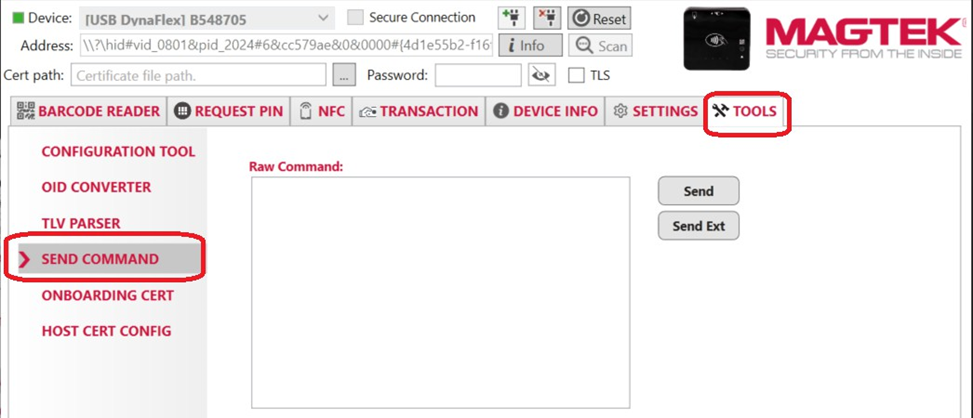
Select the Tools tab , and select the Send Command menu.
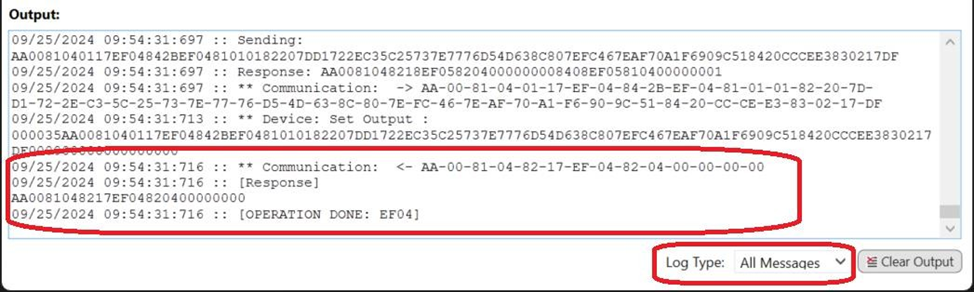
Below the Output box, change the Log Type to All Messages . Because the Output box auto scrolls after each command sent, the bottom displays the response referenced in these instructions.
Enter the following sequence of commands into the Raw Command text box
Set Protection Key Command
Response
Set Your Long Term Key Command
Response
Retrieve your key version Command
Response
Set Collector ID Slot 1 with value Command: “DF7C083230313830363038DF7D0103”
Response
Set Google Wallet Smart Tap POS Capability Command: (this sample set value to 08140300)
Response