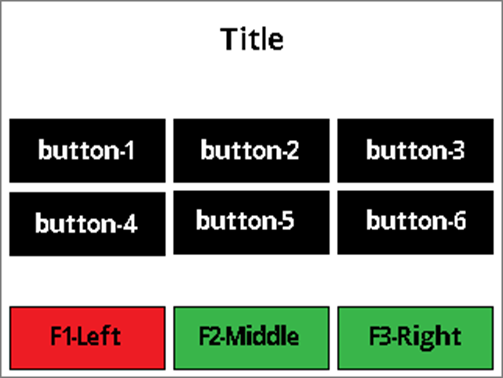
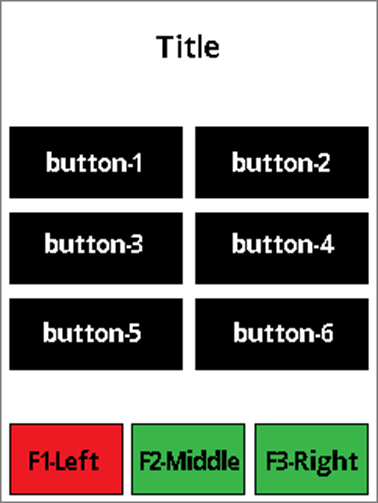
The host uses UI Page Option 0x01 to display a page with a title, a maximum of 6 data buttons (2 rows and 3 columns in Landscape Screen Orientation, 3 rows and 2 columns in Portrait Screen Orientation) with text, and maximum 3 functional buttons with a color option of red, green, or yellow.
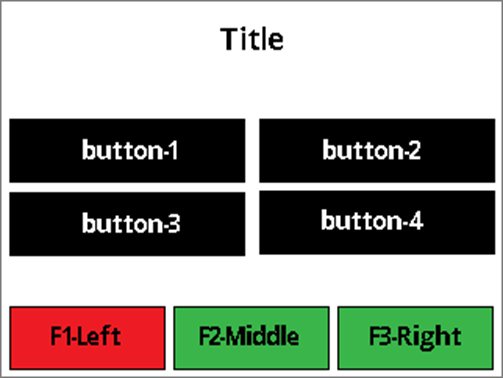
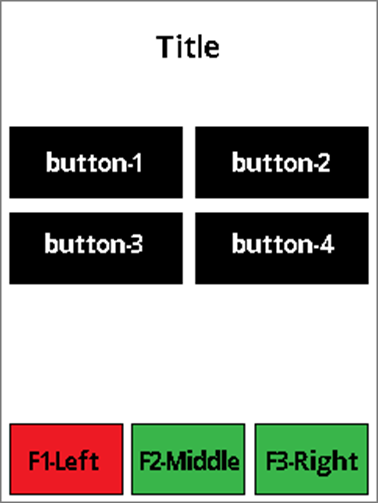
The host uses UI Page Option 0x01 to display a page with a title, maximum of 4 data buttons (2 rows and 2 columns in Landscape Screen Orientation, 2 rows and 2 columns in Portrait Screen Orientation) with text, and maximum 3 functional buttons with a color option of red, green, or yellow.
The host uses UI Page Option 0x02 to display a page with a title, maximum of 6 data buttons (2 rows and 3 columns in Landscape Screen Orientation, 3 rows and 2 columns in Portrait Screen Orientation) with $Amount, and maximum 3 functional buttons with a color option of red, green, or yellow.
The host uses UI Page Option 0x02 to display a page with a title, maximum of 4 data buttons (2 rows and 2 columns in Landscape Screen Orientation, 2 rows and 2 columns in Portrait Screen Orientation) with $Amount, and maximum 3 functional buttons with a color option of red, green, or yellow.
The button with **$**Amount value is host provided. The title, data buttons text, and functional buttons are labeled with String IDs associated with configured String messages. See Table – Default User Interface String IDs and Strings. When the user presses any button, the device sends a notification to the host to indicate the corresponding button is pressed. See User Interface Host Action Request - Notification 0x1803. After that, the host will decide what to do next.
Landscape Screen Orientation:
Title text:
~18 Upper case wide size characters (example: “WM”)
~21 lower case wide size characters (example: “wm”)
~30 lower case regular size characters (example: “abc”)
3-columns data button text:
~5 Upper case wide size characters (example: “WM”)
~8 Upper case regular size characters (example: “ABC”)
~6 lower case wide size characters (example: “wm”)
~9 lower case regular size characters (example: “abc”)
2-columns data button text:
~9 Upper case wide size characters (example: “WM”)
~13 Upper case regular size characters (example: “ABC”)
~9 lower case wide size characters (example: “wm”)
~15 lower case regular size characters (example: “abc”)
Functional button text:
~5 Upper case wide size characters (example: “WM”)
~8 Upper case regular size characters (example: “ABC”)
~6 lower case wide size characters (example: “wm”)
~9 lower case regular size characters (example: “abc”)
Portrait Screen Orientation:
Title text:
~13 Upper case wide size characters (example: “WM”)
~17 Upper case regular size characters (example: “ABC”)
~14 lower case wide size characters (example: “wm”)
~20 lower case regular size characters (example: “abc”)
2-columns data button text:
~6 Upper case wide size characters (example: “WM”)
~10 Upper case regular size characters (example: “ABC”)
Functional button text:
~4 Upper case wide size characters (example: “WM”)
~6 Upper case regular size characters (example: “ABC”)
~11 lower case regular size characters (example: “abc”)
~7 lower case regular size characters (example: “abc”)